This thread has been locked.

If you have a related question, please click the "Ask a related question" button in the top right corner. The newly created question will be automatically linked to this question.

Cannot single-step through my program

My debug efforts snag when single-stepping through my program. When I first encountered this error:

Can't find a source file at "C:/Jenkins/workspace/TivaWare-Git-Release/DriverLib/build/DriverLib.test...

, I found a forum post here where Amit suggested to recompile driverlib, stick it in my workspace, then make it the include option. That helped, until now, where I am getting a similar error:

Can't find a source file at "C:/Jenkins/workspace/TivaWare-Git-Release/DriverLib/build/DriverLib.test/driverlib/adc.c" 
Locate the file or edit the source lookup path to include its location.

Sure enough, I looked at the C:\Users\Otto\workspace_v6_1_3\driverlib\Debug and did not find adc.c

Here is a screenshot - kindly advise how to compile driverlib to produce adc.c

  • Why would the source be in the debug directory? Note that no other source is there.

    Robert
  • Hi Robert,

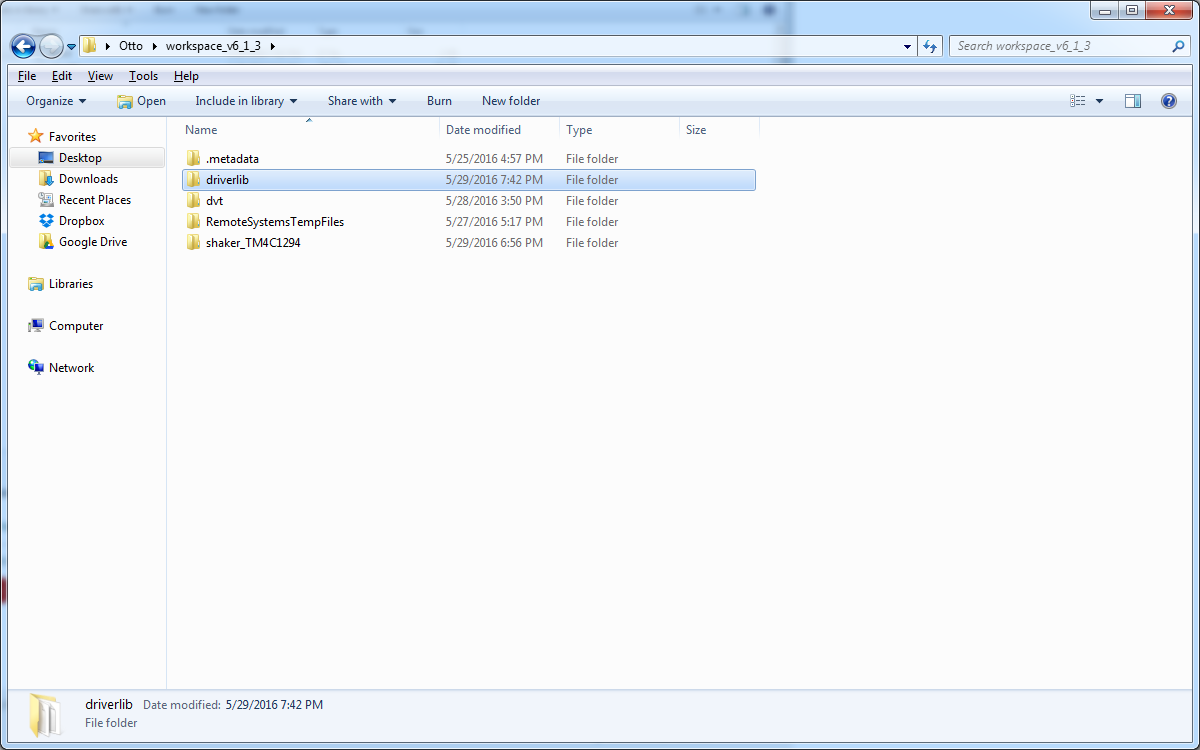
    Well, I compiled driverlib from the example projects/Tivaware_C_Series_2.1.2.111 into my workspace directory. I did not attempt to change how it became organized after that point. Here is a screenshot of my workspace directory:

  • That Rather emphasizes my question. There is no other source there, the compiler isn't complaining about that directory. So why would you expect to find this file there?

    Robert
  • That Rather emphasizes my question. There is no other source there, the compiler isn't complaining about that directory. So why would you expect to find this file there?

    Robert
  • Otto Hunt said:
    I found a forum post here where Amit suggested to recompile driverlib, stick it in my workspace, then make it the include option. That helped, until now, where I am getting a similar error:
    Can't find a source file at "C:/Jenkins/workspace/TivaWare-Git-Release/DriverLib/build/DriverLib.test/driverlib/adc.c" 
    Locate the file or edit the source lookup path to include its location.

    That suggests that your project is still linking to the pre-compiled driverlib in the TivaWare installation, rather than the driverlib compiled from source in your workspace.

    Did you change the linker settings in the project to link against the driverlib in your workspace?

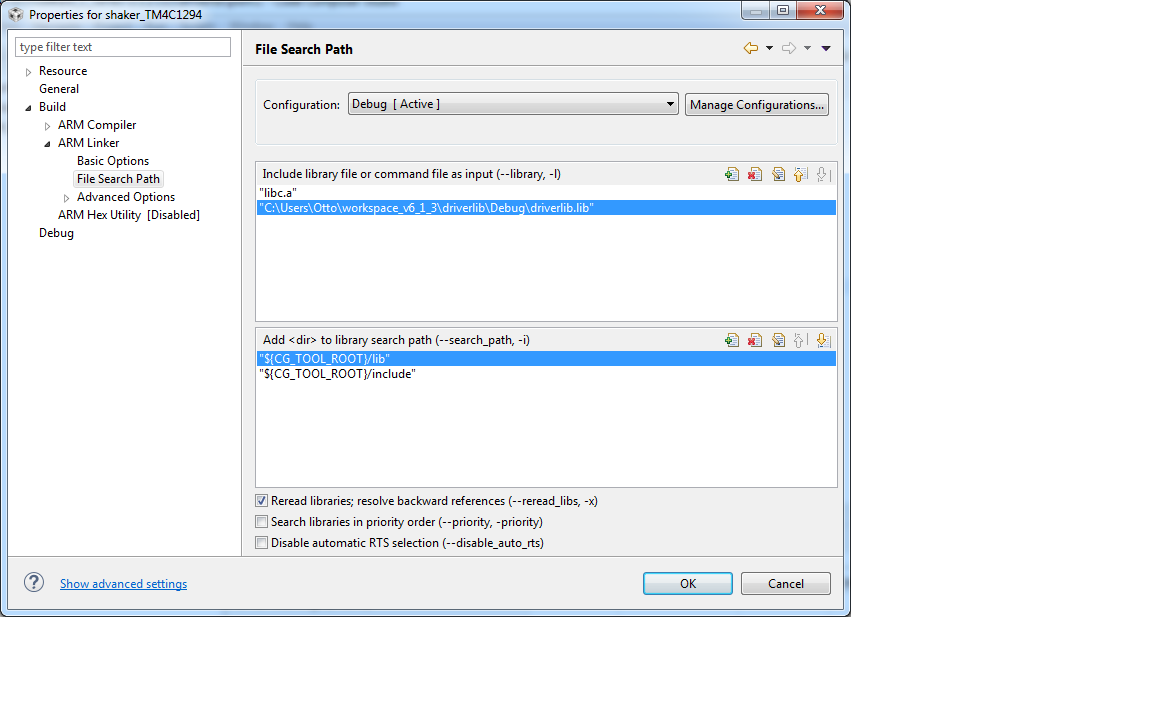
  • Thanks, Robert and Chester, for your attention to my problem. I did add the workspace driverlib to the compiler search path, but did not mess with the linker search path. Still, though, if adc.c is not there in the workspace driverlib, does it matter? In any case, here are relevant screenshots:

  • Otto Hunt said:
    I did add the workspace driverlib to the compiler search path, but did not mess with the linker search path.

    Since the Linker include library file is still set to the pre-compiled ${SW_ROOT}/driverlib/ccs/Debug/driverlib.lib in the TivaWare installation that is why the CCS debugger can't single-step into the driverlib functions.

    You need to replace the Include library file ${SW_ROOT}/driverlib/ccs/Debug/driverlib.lib with the driverlib.lib which has been built in the workspace.

  • Hello Otto

    To be precise it must look like

    ${workspace_loc:/opuslib/Debug/driverlib.lib}

    Regards
    Amit
  • Thanks, Chester and Amit, I modified the linker search path to point to the compiled driverlib in my workspace. Now everything works. Here is a screenshot of the modified linker search path: