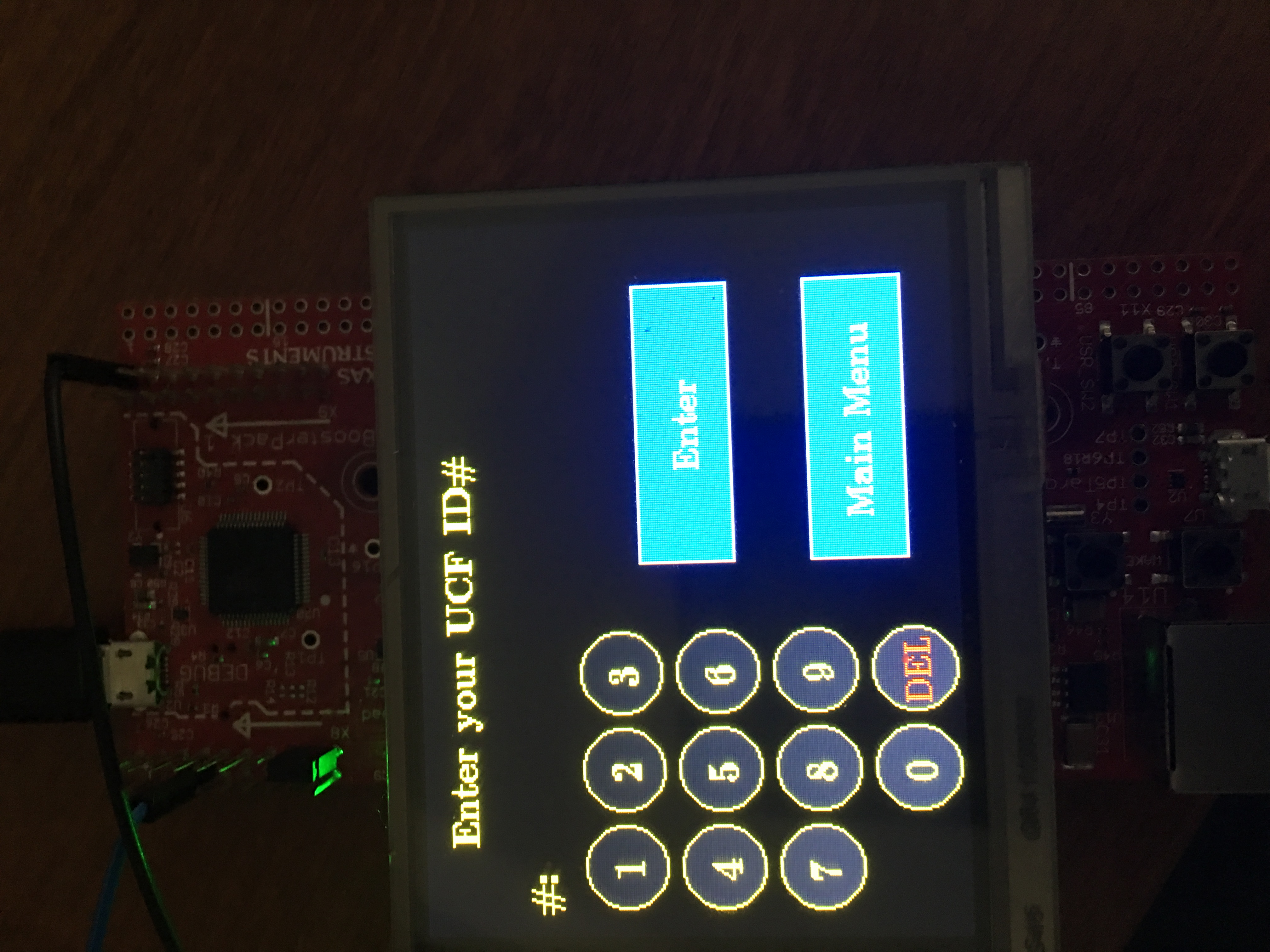
Hi all,
So I was reading other posts regarding this topic but I think my is somewhat peculiar. I am running into a peculiar problem that the Enter and Main Menu Widget have a paint-mind of their own. There is another panel besides the one shown that I use all of the same widgets on (note it is the second panel). Sometimes they paint, sometimes not. However, after I move through the panels, which I have to remove all of the widgets shown because I add others and can't have them interfere with each other, I re-add and re-paint them and they appear no problem.
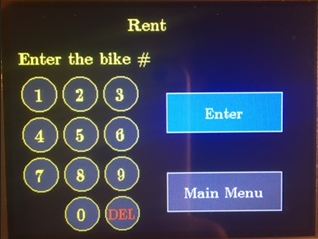
Any reason why they wouldn't paint?
Also just to note I made two generic functions that add all of these widgets which I included below.
void
AddKeyPad(void){
WidgetAdd(WIDGET_ROOT, (tWidget *)&g_sBZero);
WidgetAdd(WIDGET_ROOT, (tWidget *)&g_sBOne);
WidgetAdd(WIDGET_ROOT, (tWidget *)&g_sBTwo);
WidgetAdd(WIDGET_ROOT, (tWidget *)&g_sBThree);
WidgetAdd(WIDGET_ROOT, (tWidget *)&g_sBFour);
WidgetAdd(WIDGET_ROOT, (tWidget *)&g_sBFive);
WidgetAdd(WIDGET_ROOT, (tWidget *)&g_sBSix);
WidgetAdd(WIDGET_ROOT, (tWidget *)&g_sBSeven);
WidgetAdd(WIDGET_ROOT, (tWidget *)&g_sBEight);
WidgetAdd(WIDGET_ROOT, (tWidget *)&g_sBNine);
WidgetAdd(WIDGET_ROOT, (tWidget *)&g_sBBackspc);
}
void
PaintKeyPad(void){
WidgetPaint((tWidget *)&g_sBZero);
WidgetPaint((tWidget *)&g_sBOne);
WidgetPaint((tWidget *)&g_sBTwo);
WidgetPaint((tWidget *)&g_sBThree);
WidgetPaint((tWidget *)&g_sBFour);
WidgetPaint((tWidget *)&g_sBFive);
WidgetPaint((tWidget *)&g_sBSix);
WidgetPaint((tWidget *)&g_sBSeven);
WidgetPaint((tWidget *)&g_sBEight);
WidgetPaint((tWidget *)&g_sBNine);
WidgetPaint((tWidget *)&g_sBBackspc);
}
void
AddEnterMM(void){
WidgetAdd(WIDGET_ROOT, (tWidget *)&g_sCancel);//cancel is the Main Menu button
WidgetAdd(WIDGET_ROOT, (tWidget *)&g_sEnter);
WidgetPaint((tWidget *)&g_sCancel);
WidgetPaint((tWidget *)&g_sEnter);
}
Thank you