This thread has been locked.

If you have a related question, please click the "Ask a related question" button in the top right corner. The newly created question will be automatically linked to this question.

CCS/TM4C1294NCPDT: TM4C1294NCPDT

Part Number: TM4C1294NCPDT

Tool/software: Code Composer Studio

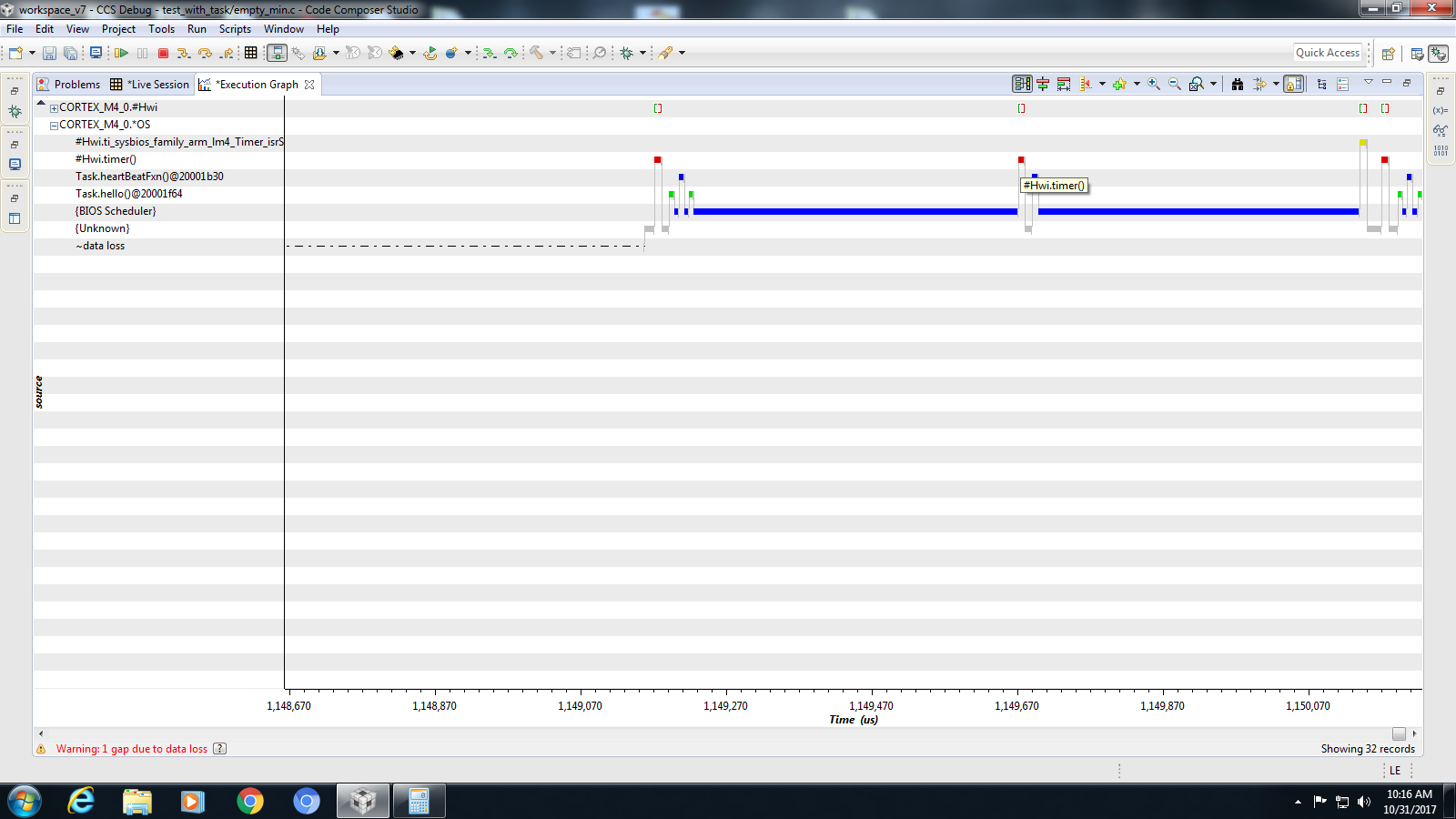
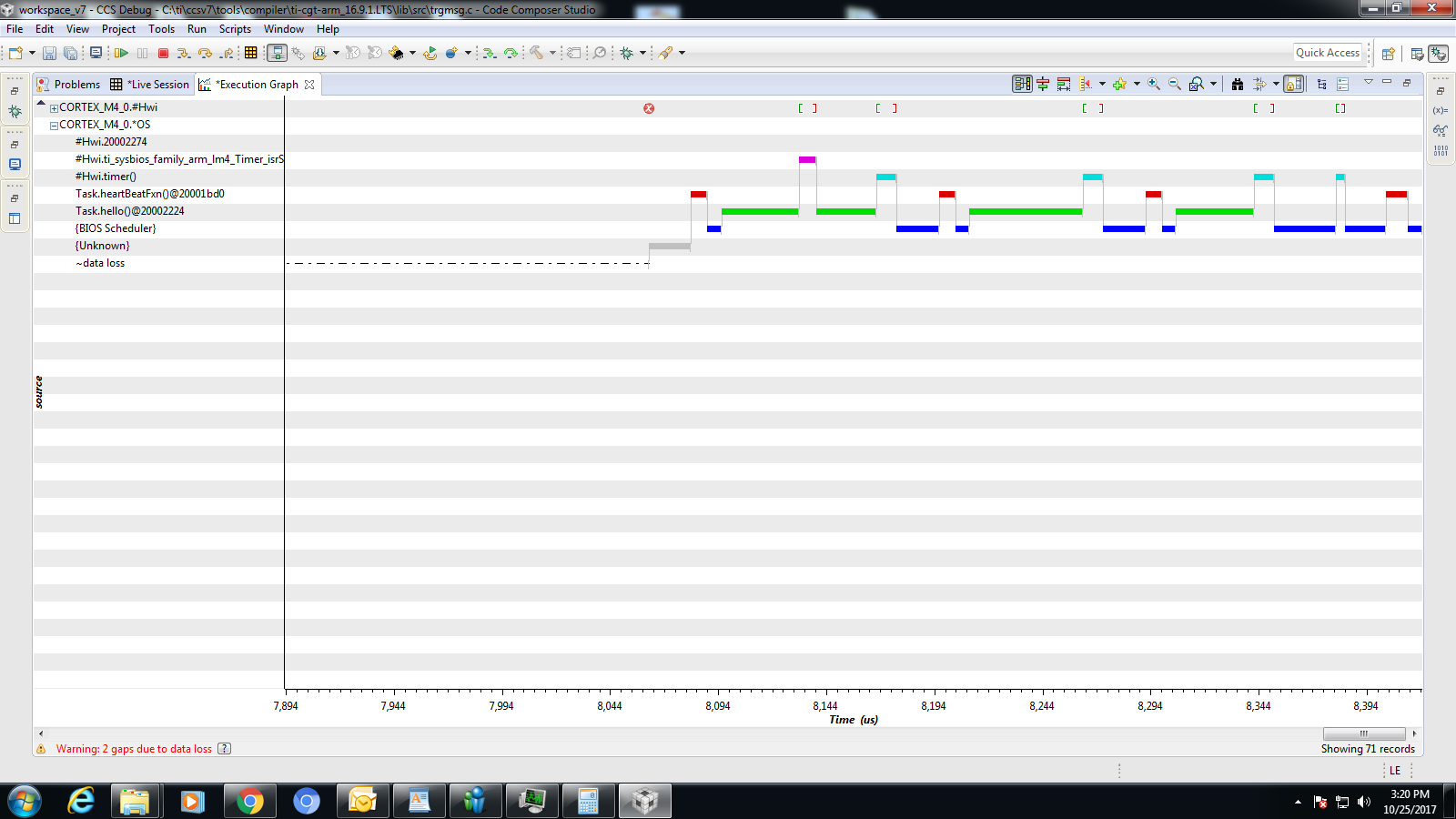
In RTOS analyzer execution graph I'm checking the timing details of a sample software. What I'm observing is when HWI and TASK are running on the application then the graph is showing result with improper timings. However if the application does not have a TASK or a TASK which is invoked (semaphore based) from an HWI it shows correct timings. Diagrams indicating both the scenario with 250us.
  • What do you mean by improper timing? Can you elaborate? You have displaying two different execution graph? Which one corresponds to HWI and TASK running on the application? Which one corresponds to the TASK called from semaphore?

    Can you please also update your thread title for clarity?

  • HWI and TASK together running on the application: First image

    corresponds to the TASK called from semaphore: Second image

    Improper timing: Both applications have the same timer interrupt of 250uS. However in first figure it's correct on the graph, but if you see the second one carefully (timing) you can see random times (like 115uS / intermittent / non periodic etc)

  • Ok, I will ask our TI-RTOS expert to take a look.
  • What is the "hello" task doing? Can you include project with the issue?

    Todd
  •  Added the zip file for both projects 'test' is project with HWi only and 'test_with_task' project with task+HWiccs_project.zip

  • Hi Jayasankar,

    The problem is printf in the "hello" task. The ASCII characters are written to a CIO buffer. When the buffer is full or a '\n' character is written, a breakpoint is hit. CCS reads the contents, resumes the target and writes the characters to the CCS console. This kills real-time. Remove the printf and it works as expected.

    This is why we recommend System_printf (with SysMin set as the support proxy in the .cfg file). The characters stay in an internal buffer that can be viewed via Tools->ROV. Or if you want it on the CCS console, call System_flush (remember this will impact realtime though).

    Another thing I noticed was you are manually setting up the timer. I removed the Hwi.create in the .cfg and added this instead
    var timer0Params = new Timer.Params();
    timer0Params.instance.name = "timer2";
    timer0Params.period = 250;
    Program.global.timer2 = Timer.create(2, "&timer", timer0Params);

    Then in the source file, I had this for the timer function. I removed all the driverlib calls to set up the timer also (e.g. I commented out the call to hardware_init).

    Void timer(UArg arg0)
    {
    Semaphore_post(semaphore0);
    }

    Todd
  • Hi Todd,

    Thanks for the information. I'll keep you posted after checking the mentioned points.

    Jay

  • Hi Todd,

    Thanks for the suggestion and the issue was with the print as you mentioned and got resolved. However could you please mention what is the difference of  Hwi.create in the .cfg and the alternate you mentioned ? Are both same or having much difference ?

    Regards,

    Jay