Part Number: AWR1642
Other Parts Discussed in Thread: TM4C1294NCPDT
Hi,
My customer is debugging their own AWR1642 board with TM4C1294NCPDT used for xds110 conversion, when their board is connected with PC, there is no usb device detected. I found below description in the xds110 readme file, seems it is a method to solve the problem, my question is how to know the xds110 boot loader version to confirm if need to ground TDO or TCK pin? And i am confused that the ground pin depends on the xds110 boot loader version, as I think there should no bootloader in the xds110 device initially and it is need to load a new bootloader.
*** Recovering a Bricked XDS110 Without JTAG ***
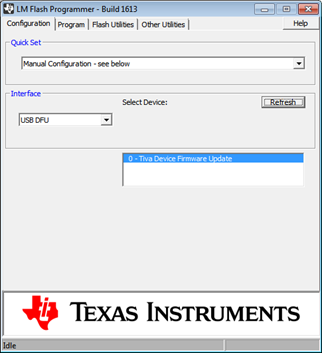
In the case that your XDS110 fails to enumerate as a USB device, or it
fails to enter DFU programming mode, you can attempt the following steps
to force it into DFU mode to recover:
1) Ground the JTAG TDO pin of the XDS110's Tiva CPU. This is pin 97
on the 128 pin device. This is a JTAG pin for flashing the XDS110 via
JTAG; it is not the JTAG TDO pin of the debug target. If the board has
a JTAG header for flashing the XDS110 you may use that, otherwise you
can ground the pin on the device. (Check the TM4C1294NCPDT datasheet
for the pin location; it is located on a corner and easy to access.)
2) Unplug and re-plug the XDS110 into the host PC while the pin is grounded.
3) The XDS110 should now be in DFU programming mode and you can flash it
using the xdsdfu utility as detailed above.
Note that this feature is currently only implemented in the XDS110 boot
loader that was first available in emupack 6.0.15.0. If your XDS110's
boot loader is an earlier version, this procedure won't work. In the boot
loaders from emupack 5.1.537.0, the target JTAG TCK pin was used instead.
If your device used that version of the boot loader, try the procedure
by grounding the target TCK pin. If your XDS110's boot loader is an even
earlier version, this procedure won't work at all, and you'll need to use
JTAG to recover.