


Part Number: TMS570LC4357
Hi team,
Does anyone know that if Blackhawk USB560v2 can support PC Trace on TMS570LC4357 platform? When customer use Blackhawk USB560v2 System Trace , they find XDS560v2 could not run analyzer on CortexR5.
The debug board used is Blackhawk USB560v2 System Trace (http://www.blackhawk-dsp.com/products/USB560v2.aspx), with CCS v7.4.
According to link above, the debugger is based on XDS560v2 reference design and support STM. However, I’m not able to enable trace in CCS.
Steps as below:
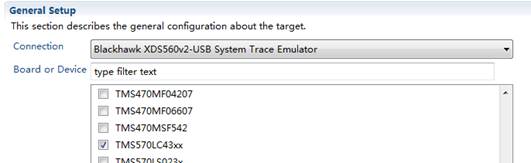
- Configure connection to Blackhawk.
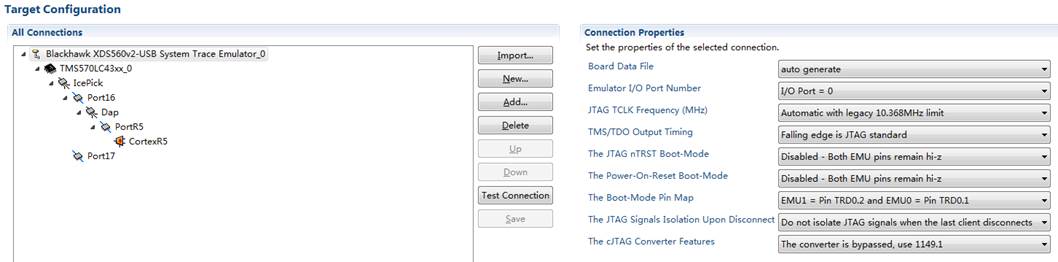
Note that in Advance tab, Connection properties shown as follow.
2.Start PC Trace
Enable Debug(F11) and then Connect target. Enable Hardware Trace Analyzer through
Tools->Hardware Trace Analyzer
Then, initiate PC trace through
Tools->Hardware Trace Analyzer->PC Trace
Pop out windows shows (I’ve changed Transport Type from ETM to 560 V2 Trace):

Note that all the available configures are empty, no possible option provides.
By click Start, the IDE complain,

However, if I select ‘ETB’ as Transport type in Hardware Trace Analysis Configuration window, it complain as below,

Is there any step missed? Thx.
