This thread has been locked.

If you have a related question, please click the "Ask a related question" button in the top right corner. The newly created question will be automatically linked to this question.

EK-TM4C123GXL: Computer is unable to detect microcontroller

Part Number: EK-TM4C123GXL


I purchased this microcontroller for one of my classes recently and my computer is unable to detect it. I tested the same microcontrollers that some of my classmates bought with my own micro USB cable and the computer is able to detect theirs. For my microcontroller, I have repeatedly scanned for new hardware changes from the Device Manager and it does not detect my microcontroller. Below I have tested the my microcontroller on my desktop and laptop.
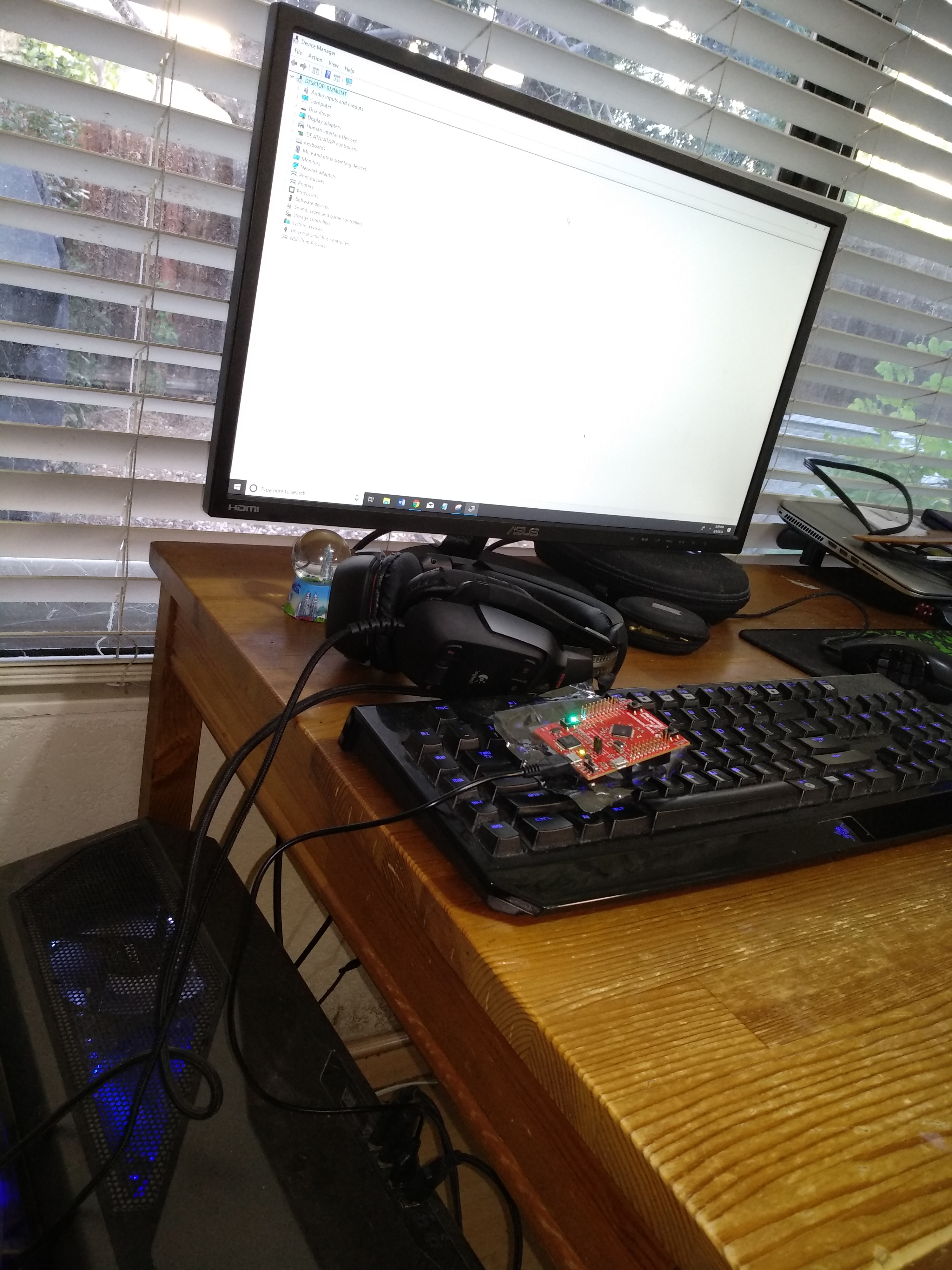
For my desktop, I am running windows 10. For my laptop, I am using a virtual machine from parallel desktop and running windows 10. What can I do to make the microcontroller be detected?

  • Hello Aiden,

    I would recommend installing the ICDI drivers and see if that resolves the issue: www.ti.com/.../STELLARIS_ICDI_DRIVERS
  • 'Supporting' your 'ESD Sensitive LPad' - as shown - proves, 'Not in your best interest!'       Nor that of your board.

    Note that most ESD-Safe, Anti-Static 'bags' - provide ESD protection ONLY 'WITHIN' the Bag's interior - the bag's outside surface is (usually) minus such ESD coating.    (cost saving)

    You may consider a 'superior method' to handle such boards - even if - and especially if - ESD Destruction - has (yet) to be noted...

  • Hi Ralph,

    I had already installed the ICDI drivers but my laptop/computer does not detect the microcontroller.
  • I will definitely take precaution to prevent ESD destruction. At the moment, the microcontroller is able to turn on and I am able to use user switches to change the color of the LED. The microcontroller's features are still available but I am not sure why my laptop/computer cannot detect it.
  • Aiden Chan said:
    I tested the same microcontrollers that some of my classmates bought with my own micro USB cable and the computer (1)  is able to detect theirs.   For my microcontroller, I have repeatedly scanned for new hardware changes from the Device Manager (2) and it does not detect my microcontroller.   Below I have tested the my microcontroller on my desktop and laptop.

    Even though your description (above) is extensive - it does not 'fully/properly' detail your 'test method.'

    1.  Which computer?    ("and the computer ...")    There are:
      1. Classmates' computers  (several of them - even)
      2. your desktop
      3. your laptop
    2. Again - ("from the Device Manager")   Which Computer?

    If we assume (or accept)  that (both) your desktop & laptop 'Fail to detect your LPad' - would it not prove - even (more) conclusive - to  'Connect your LPad to a 'Classmate's Computer?'    (which has proven to be able to 'detect' such LPads!)     That 'fact harvesting' proves (very) key - yet somehow - appears to have 'escaped' your (otherwise) comprehensive testing.

    As the JTAG pins are 'exported to the outside world' - they prove vulnerable to ESD - and a 'Charge bearing' USB Cable - has been 'proven' - to 'bring about their demise!'

    Had your board (ever) been recognized by (any) computer?    

    My bet is that (your) board 'Has not just arrived' - has been (around) for awhile - and the (pardon) improper handling (even if practiced by 'others') has 'Done In' your JTAG inputs.     (That JTAG 'DID' work - as the board 'was' successfully programmed prior to shipment to you - thus 'handling' rises  'FAR ATOP'  -  the 'JTAG Failed, suspect list.')     And ... the 'smoking gun' has arrived (on a Silver Platter) via those, 'Less than well thought' - LPad 'Placement' photos...

    If such 'ESD Inviting handling' is 'standard' - your school 'has been or is'  Failing BADLY in properly preparing their 'students!'