This thread has been locked.

If you have a related question, please click the "Ask a related question" button in the top right corner. The newly created question will be automatically linked to this question.

TM4C1290NCPDT: issue with driver not being signed and showing as expired

Part Number: TM4C1290NCPDT

Hi team,


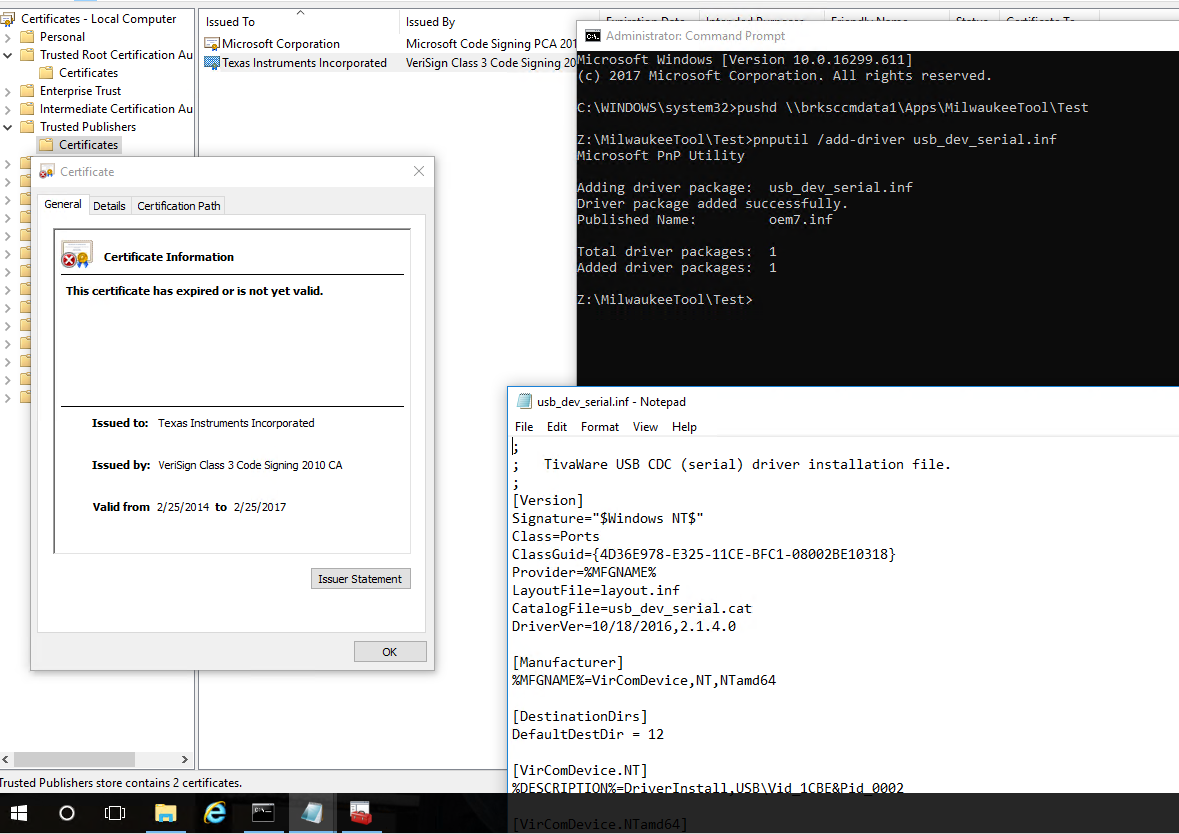
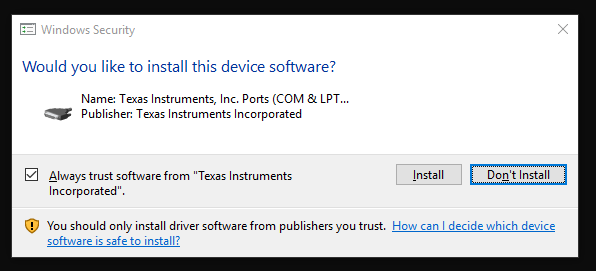
I have a customer that is using the latest Tivaware along with the latest patch, and still cannot get the signed driver install to work correctly. They are trying make the install of the driver silent and it’s getting hung up asking to trust TI as a publisher.

Then after it installs, they viewed the certificate and it says it’s expired.

This is on a freshly formatted Windows 10 Enterprise 64 bit build 1709. Also happens on multiple computers. Adding the expired cert to Trusted Publishers allows it to run silently.


On Windows 7 Enterprise 64 bit it’s worse.  Even after adding it to Trusted Publishers (and Root Cert Auth) still can’t make it run silently.


What do you suppose is causing this?


Thanks in advance,

Billy
  • Hello Billy,

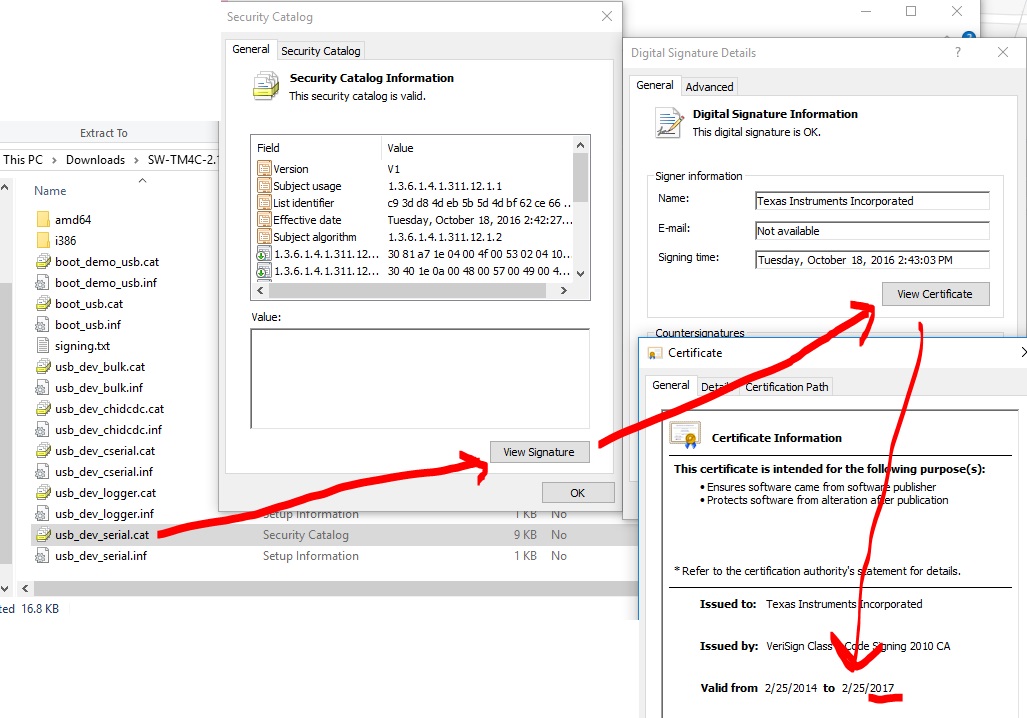
    The latest drivers should have been signed in 2016, not 2014. Is that image from using drivers from: software-dl.ti.com/.../SW-TM4C-2.1.4.178.PATCH-1.0.zip

    I am on a Win 10 Pro and don't have access to Enterprise machine so I am not sure how to recreate on my end.
  • Hi Ralph,

    I asked that from the start but had them double check, and they have replied explaining the following (this gets into an area I’m not the most familiar with):

    The security catalog for the driver we use is signed with an expired certificate. Using the latest Patch results in this:

    Thanks,

    Billy

  • Hello Billy,

    Thanks for following up on that. I did some follow-up on my end as well and can share the following:

    1) The certificate being expired is not an issue, the drivers were signed with a timestamp to allow them to be used after the expiration date as long as the timestamp is within the period when the certificate was valid.

    2) Based on the customer feedback, for Win 10 Enterprise that the behavior is 100% expected and indicates the drivers were signed correctly and also that the install worked. If the pop is an issue, a software installer can pre-install the certificates to avoid the pop-up.

    So that leaves Windows 7 Enterprise.

    Our suspicion is that they are missing a hotfix in Windows 7.

    Directly quoting my contact who helped out, he said the following: "The drivers are dual signed with two certificates. There’s a SHA2 and SHA1 certificate used in the driver signing. Windows 10 requires SHA2 and wouldn’t work with SHA1, so that’s the certificate they’re looking at. But Windows 7 does not natively support SHA2. It’s possible that they don’t have the hotfix, and so installing that SHA2 certificate wouldn’t make the driver install cleanly. They need to install the SHA1 certificate -or- make sure the hotfix is installed."

    SHA2 would require two updates on Windows 7, I will post the details below:

    KB3033929
    If you are up to date on your Windows 7 SP1 updates, this should already be installed.
    Information: support.microsoft.com/.../3033929
    Download: catalog.update.microsoft.com/.../Search.aspx

    KB2921916
    This system install is not part of standard updates. It is a hotfix, and needs to be installed manually.
    Information: support.microsoft.com/.../2921916
    Download: support.microsoft.com/.../kbhotfix

    Please ask them to look into these hotfixes to see if that solves the issue.

    By the way, if the customer wants the .p7b copies of the certificates which can be used to pre-install install, I can share that offline with you.
  • Thanks for putting all of this together Ralph!

    I was waiting to hear back a firm confirmation but I think this resolved it in the end.

    Thanks,
    Billy