This thread has been locked.

If you have a related question, please click the "Ask a related question" button in the top right corner. The newly created question will be automatically linked to this question.

TM4C1294KCPDT: development board is not working (ek-tm4c1294xl)

Part Number: TM4C1294KCPDT
Other Parts Discussed in Thread: EK-TM4C1294XL

dear sir ,

i have used ek-tm4c1294xl board since 2 3 month and it works fine but now when i trying to load new program from CCS it shows error like 

"

Error connecting to the target:
Unable to communicate with the device. Please check your connection.

"

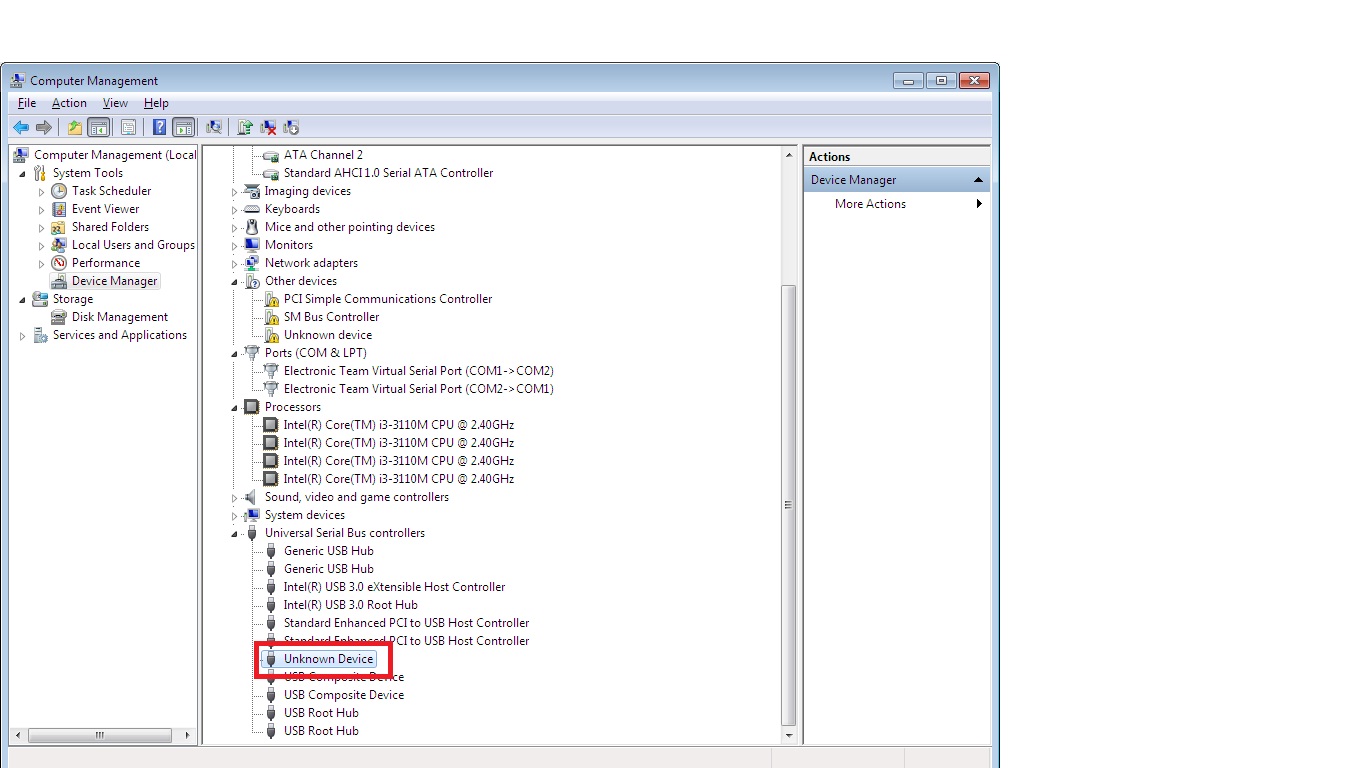
i am serching device on device manager and it shows unknown device. i can not find the device on device manager . i  attached device manager screenshot on my PC. 
by visual it seem ok ,  power LED is on and previouly loaded program is also run. it has blink LED D1 and D2 and it works fine.  

what is the problem in this. does the dbug section on the board gets faulty? how do we conform and what is the alternate solution . 

  • Did you try and do a DFU update with the USB cable attached to the debug connector? If so, you have overwritten the ICDI firmware. The simplest (and cheapest) solution would be to buy a new lanuchpad.

  • i havnt update anything. 

    u said i overwriten icdi firmware or it gets corrupted , so how can i update or reprogram ICDI  firmware back to kit .

    due to this covid  situation, it is very difficult to purchase new kit now .  

    so please provide link for ICDI firmware update. 

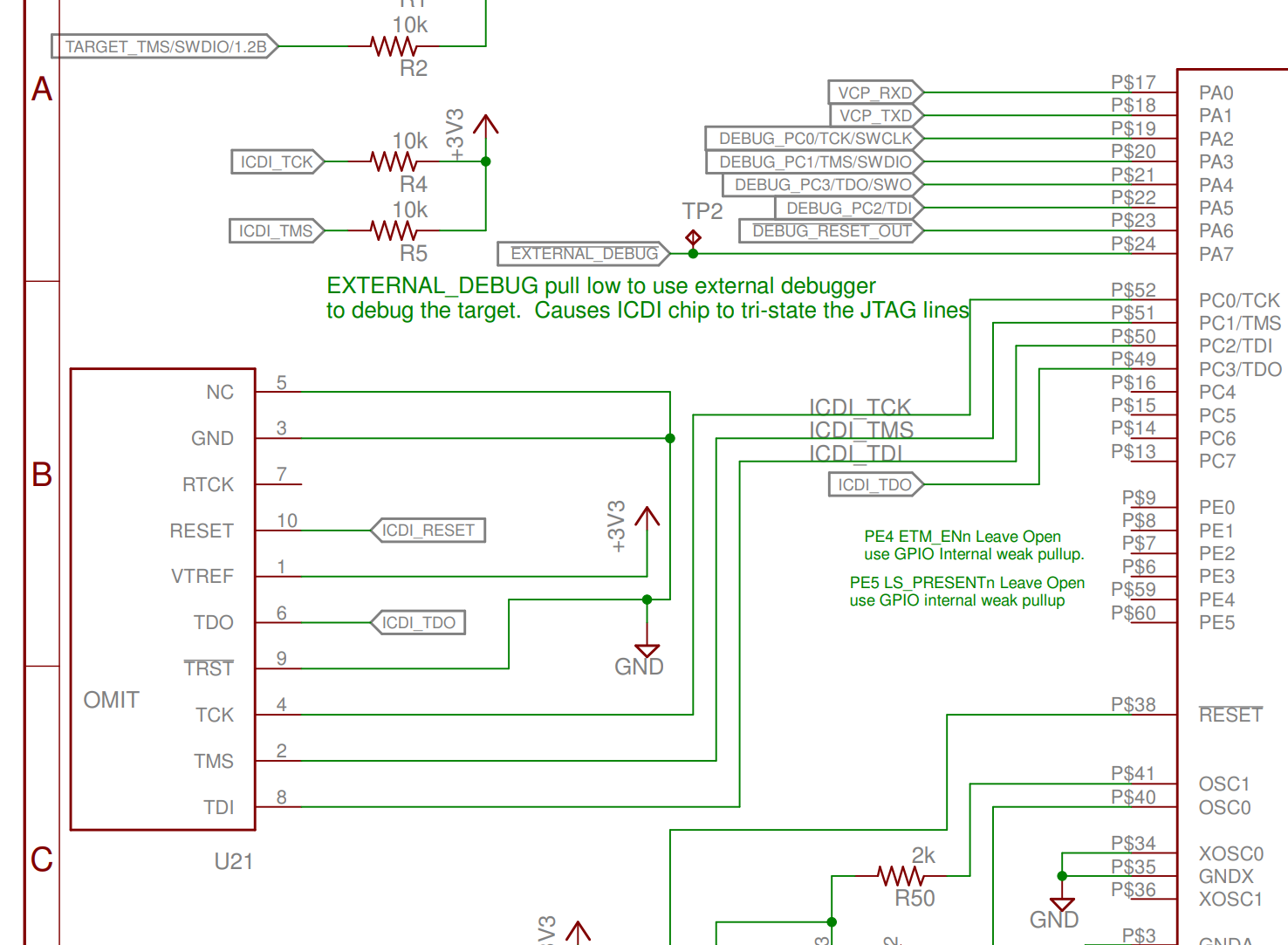
  • If the ICDI firmware is corrupt you need to connect a pogo-pin cable or fixture to U21 on the bottom of the launchpad and connect a 10 pin JTAG scan controller to that cable or fixture. Unless you already have this equipment, it is cheaper to buy a new launchpad.

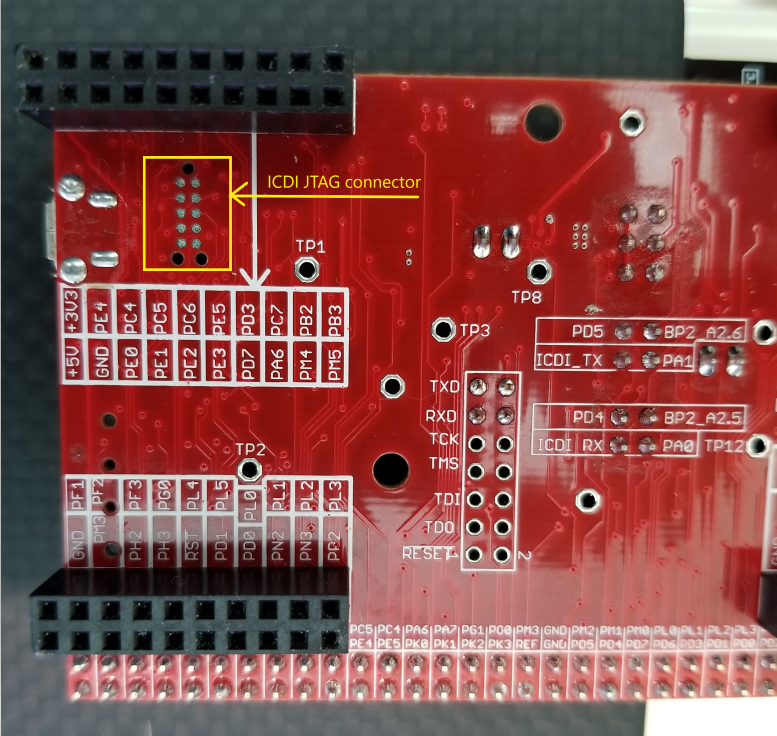
  • so you mean to say if i manage to connect this ICDI JTAG connector (highlighted on image) named as U21 to the U6 JTAG connector  

    then only i can able to program tiva controller ? 

  • No, you need to connect the pads of U21 to a working JTAG scan controller (for example an XDS200). If the firmware of the ICDI chip on the EK-TM4C1294XL is corrupt, the ICDI is not working any longer. Did you identify what originally caused your issue? Short of connecting a DFU (device firmware upgrade USB connection to the ICDI debugger USB port, there is seldom an issue with the ICDI chip. I have seen issues with bad USB cables and bad USB ports, but you said this was working earlier.

  • Hi guys,

    Suggesting the ICDI firmware when or if corrupted that LM Flash programmer can not re-flash ICDI firmware via USB? It would seem the 123g should have boot loader detection if firmware was erased? It would seem reasonable to use DFU program and erase ICDI flash so LM Flash will see it needs firmware update?

    Saurabh have you tried to remove windows drivers and let device manager try to detect ICDI once again? Most computers have more than one USB port, try another USB if that one used often has gone bad.  

  • GI,

    You are correct that if the firmware in the ICDI is erased, you will see the Stellaris DFU because it is in the ROM bootloader. However, if application software were accidentally programmed into the ICDI chip using DFU, then it would  show unknown device.

    You have a good suggestion. Many times the cable or USB port is bad or an incorrect driver was installed.