This thread has been locked.

If you have a related question, please click the "Ask a related question" button in the top right corner. The newly created question will be automatically linked to this question.

CCS/TM4C123GH6PM: How to switch ui8Adjust value (say 60 and 110) repeatatively

Part Number: TM4C123GH6PM

Tool/software: Code Composer Studio

Hi,

I need a help about PWM Code. in the example TI provided we have ui8Adjust = 83;. If I want to repeat this value as ui8Adjust = 60 and after two second ui8Adjust = 110;and after 2 sec ui8Adjust = 60 again and repeat in this way(ie switch between 60 and 110 every 2 second).

Could you please let me know what will be the change in code.

Best regards,

Nasim

  • Hi,

      Which TI example are you referring to? Can you clarify?

      Are you trying to adjust the duty cycle or the period?

      If you want to configure duty cycle you will use PWMPulseWidthSet(). If you want to configure the period you will use PWMGenPeriodSet().

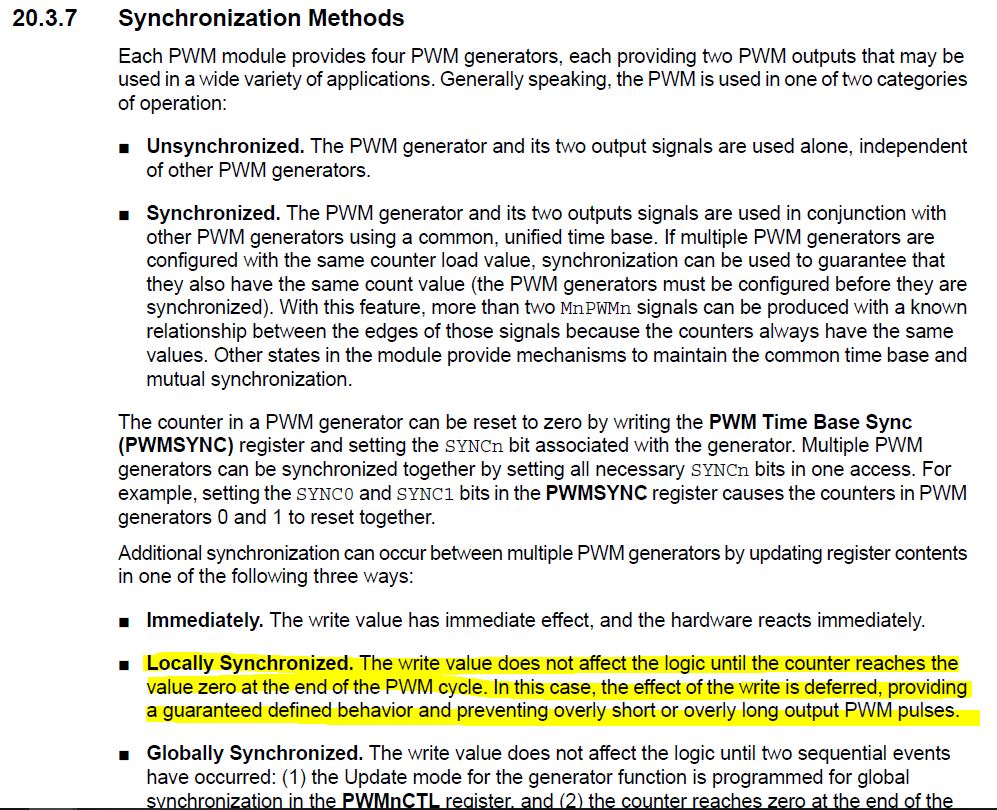
      The below would be an example to configure the PWM module. You would want to use PWM_GEN_MODE_GEN_SYNC_LOCAL so that if you want to change the duty cycle or the period repeatedly, the change will take effect at the end of the PWM cycle.

        //
        // Configure the PWM0 to count up/down with synchronization.
        //
        PWMGenConfigure(PWM0_BASE, PWM_GEN_0, PWM_GEN_MODE_UP_DOWN |
                        PWM_GEN_MODE_GEN_SYNC_LOCAL);
    
        //
        // Set the PWM period to 250Hz.  To calculate the appropriate parameter
        // use the following equation: N = (1 / f) * SysClk.  Where N is the
        // function parameter, f is the desired frequency, and SysClk is the
        // system clock frequency.
        // In this case you get: (1 / 250Hz) * 16MHz = 64000 cycles.  Note that
        // the maximum period you can set is 2^16.
        // TODO: modify this calculation to use the clock frequency that you are
        // using.
        //
        PWMGenPeriodSet(PWM0_BASE, PWM_GEN_0, 64000);
    
        //
        // Set PWM0 to a duty cycle of 25%.  You set the duty cycle as a function
        // of the period.  Since the period was set above, you can use the
        // PWMGenPeriodGet() function.  For this example the PWM will be high for
        // 25% of the time or 16000 clock ticks (64000 / 4).
        //
        PWMPulseWidthSet(PWM0_BASE, PWM_OUT_0,
                         PWMGenPeriodGet(PWM0_BASE, PWM_GEN_0) / 4);
    
        //
        // Enable the PWM0 Bit0 (PD0) output signal.
        //
        PWMOutputState(PWM0_BASE, PWM_OUT_0_BIT, true);
    
        //
        // Enable the PWM generator block.
        //
        PWMGenEnable(PWM0_BASE, PWM_GEN_0);

  • Hi Charles,

    Thanks a lot for your response.  I would like have the ui8adjust to be 110 and 60 in interval of 2 seconds. Then be 110 after 2 seconds and continue to repeat this. Could you please help me with the code.

    I was referring to the example of PWM control with the code as mentioned below:

    #include <stdint.h>
    #include <stdbool.h>
    #include "inc/hw_memmap.h"
    #include "inc/hw_types.h"
    #include "driverlib/sysctl.h"
    #include "driverlib/gpio.h"
    #include "driverlib/debug.h"
    #include "driverlib/pwm.h"
    #include "driverlib/pin_map.h"
    #include "inc/hw_gpio.h"
    #include "driverlib/rom.h"

    #define PWM_FREQUENCY 55
    int main(void)
    {
        volatile uint32_t ui32Load;
        volatile uint32_t ui32PWMClock;
        volatile uint8_t ui8Adjust;
        ui8Adjust= 83;

        ROM_SysCtlClockSet(SYSCTL_SYSDIV_5|SYSCTL_USE_PLL|SYSCTL_OSC_MAIN|SYSCTL_XTAL_16MHZ);
        ROM_SysCtlPWMClockSet(SYSCTL_PWMDIV_64);
        ROM_SysCtlPeripheralEnable(SYSCTL_PERIPH_PWM1);
        ROM_SysCtlPeripheralEnable(SYSCTL_PERIPH_GPIOD);
        ROM_SysCtlPeripheralEnable(SYSCTL_PERIPH_GPIOF);
        ROM_GPIOPinTypePWM(GPIO_PORTD_BASE, GPIO_PIN_1);
        ROM_GPIOPinConfigure(GPIO_PD1_M1PWM1);
        HWREG(GPIO_PORTF_BASE + GPIO_O_LOCK) = GPIO_LOCK_KEY;
        HWREG(GPIO_PORTF_BASE + GPIO_O_CR) |= 0x01;
        HWREG(GPIO_PORTF_BASE + GPIO_O_LOCK) = 0;
        ROM_GPIODirModeSet(GPIO_PORTF_BASE, GPIO_PIN_4|GPIO_PIN_0, GPIO_DIR_MODE_IN);
        ROM_GPIOPadConfigSet(GPIO_PORTF_BASE, GPIO_PIN_4|GPIO_PIN_0, GPIO_STRENGTH_2MA, GPIO_PIN_TYPE_STD_WPU);
        ui32PWMClock = SysCtlClockGet() / 64;
        ui32Load = (ui32PWMClock / PWM_FREQUENCY) - 1;
        PWMGenConfigure(PWM1_BASE, PWM_GEN_0, PWM_GEN_MODE_UP_DOWN|PWM_GEN_MODE_GEN_SYNC_LOCAL);
        PWMGenPeriodSet(PWM1_BASE, PWM_GEN_0, ui32Load);
        ROM_PWMPulseWidthSet(PWM1_BASE, PWM_OUT_1, ui8Adjust * ui32Load / 1000);
        ROM_PWMOutputState(PWM1_BASE, PWM_OUT_1_BIT, true);
        ROM_PWMGenEnable(PWM1_BASE, PWM_GEN_0);
        while(1)
        {
            if(ROM_GPIOPinRead(GPIO_PORTF_BASE,GPIO_PIN_4)==0x00)
            {
                ui8Adjust--;
                if (ui8Adjust < 56)
                {
                    ui8Adjust = 56;
                }
                ROM_PWMPulseWidthSet(PWM1_BASE, PWM_OUT_1, ui8Adjust * ui32Load / 1000);
            }
            if(ROM_GPIOPinRead(GPIO_PORTF_BASE,GPIO_PIN_0)==0x00)
            {
                ui8Adjust++;
                if (ui8Adjust > 111)
                {
                    ui8Adjust = 111;
                }
                ROM_PWMPulseWidthSet(PWM1_BASE, PWM_OUT_1, ui8Adjust * ui32Load / 1000);
            }
            ROM_SysCtlDelay(100000);
        }
    }
    Best regards,
    Nasim
  • HI,

      Where did you get this example? I don't think this is a TivaWare example. In any case, if you want to change the duty cycle in a 2-second interval then it is best that you add a timer function into your application. The timer will be configured to timeout every 2 seconds. In the timeout ISR, you can change the duty accordingly (e.g. 110 or 60). 

  • The code is bit modified 2 get PWM output to D1 instead of D0 and it is working fine.

    Thanks a lot for your suggestion. I will try.

    Best regards,

    Nasim