This thread has been locked.

If you have a related question, please click the "Ask a related question" button in the top right corner. The newly created question will be automatically linked to this question.

TM4C123GH6PM: Why after restarting the controller code is not working properly?

Part Number: TM4C123GH6PM

Hello

I'm working on the project in which my part is to interface the LCD and keypad. Basically  more than one sensors are connected to the soc which will sends data to the controller via uart. The same data i'm showing on the lcd and by using keypad user can change settings as well.

So, the problem is, whenever i flash the code everything works fine but as soon as i turned off the device and start again code is not working properly. So what happens is while testing i always used to flash and debug. When it comes to demo, my senior always turned off the device for some minutes and then will test the device and once the device is turned off and again turned on, then the lcd will show half characters and device hanging. 

So can anyone help me to solve this issue? What should be the reason because of which after restarting the device its not working properly.

Regards

Omkar

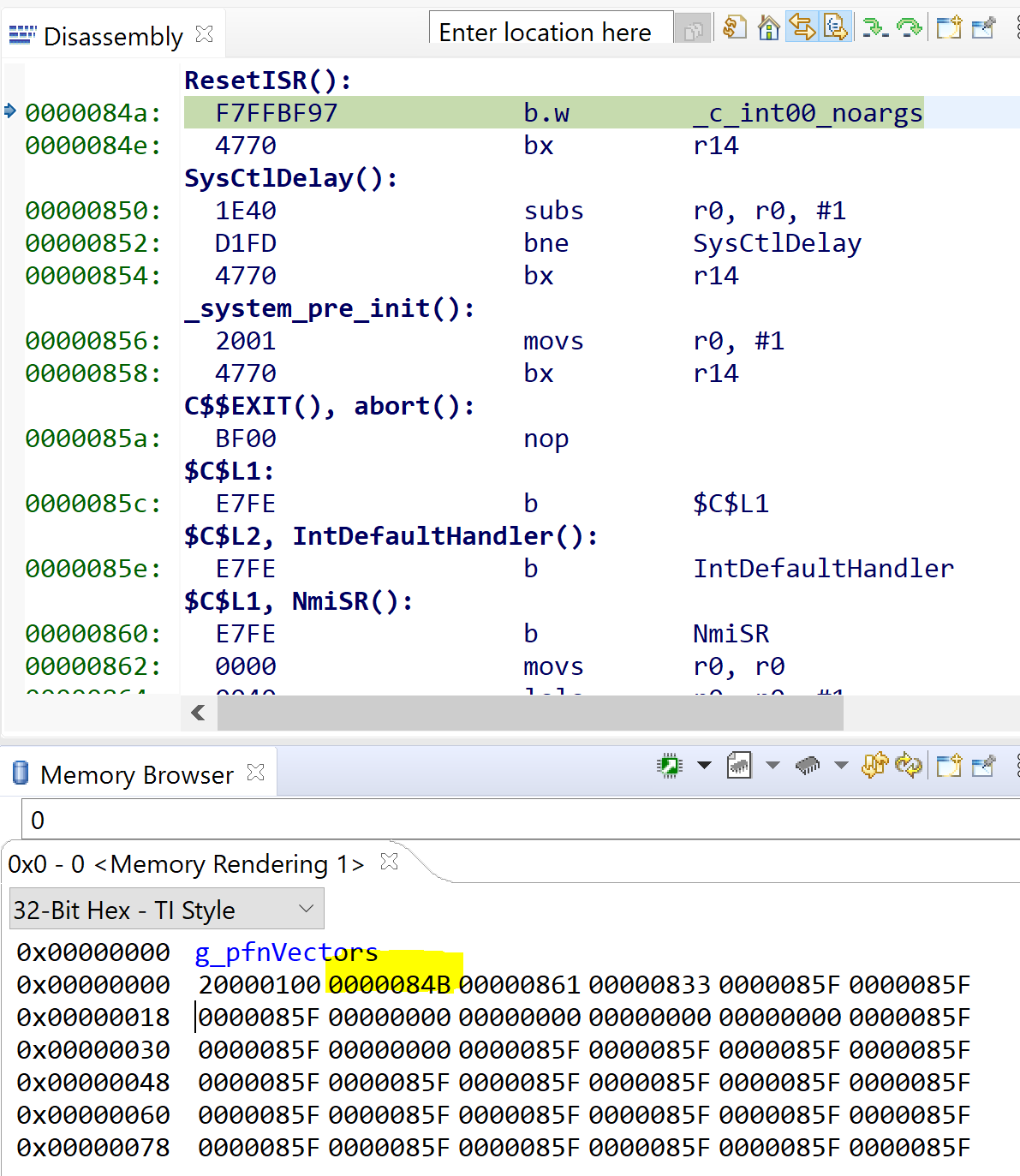
  • First, make sure the stack address and reset vector are programmed into the first two locations of flash memory. Use "View" -> "Memory Browser" and an address of 0. In my example below, the stack is at address 0x20000100 and the code execution starts at 0x0000084a. For the Cortex M4 processor, the vector is always one more than the address, or in this case 0x0000084b.

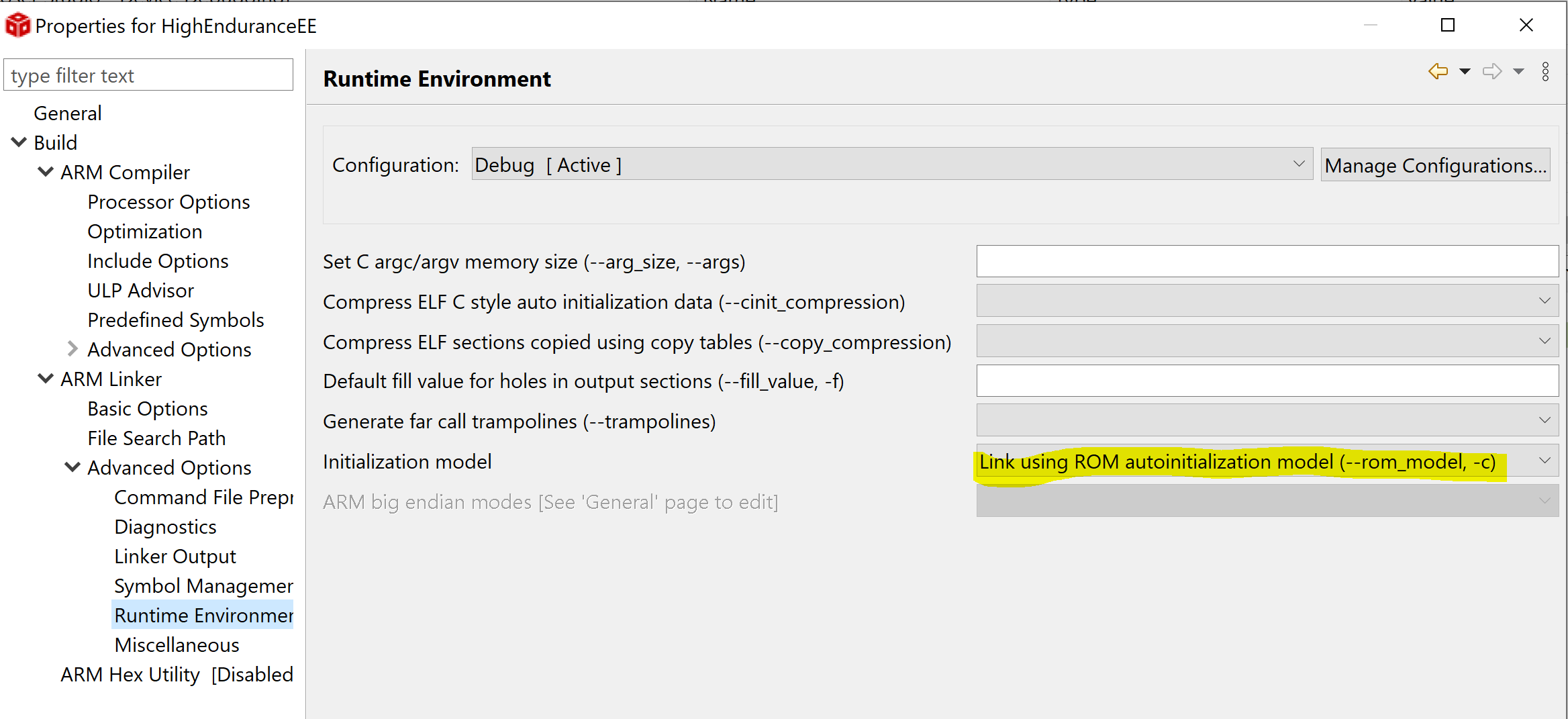
    The next thing to check is in your build settings, make sure the linker runtime environment is set to "ROM autoinitialization model".

    If both of these things are correct, I suggest you debug by programming the code and then power off. Power on and connect to the target. This time just do a "load symbols".  Then start the code with a system reset, Ctrl+Shft+S. Now step through your program. It will likely behave the same as when not connected to the debugger and this will help you identify the issue.