This thread has been locked.

If you have a related question, please click the "Ask a related question" button in the top right corner. The newly created question will be automatically linked to this question.

TM4C1294NCPDT: TI-RTOS DHCP Client not working

Part Number: TM4C1294NCPDT


Recently upgraded to CCS 9.03 and imported my project, but the DHCP client won't work. I know the hardware is good from a previous build that was working. I've made other changes to my project, but not sure when the DHCP stopped working. It was running out of heap, so I increased the default heap size and bumped my task stack sizes up to 2048. Don't see anything overflowing in ROV. 

The DHCP client thread seems to start fine, but eventually exits with no callback to the IP address hook function. I added the status hook and it gives the following:

00 llExit: Illegal call to llExit()
Service Status: DHCPC : Enabled : : 000
netStatusReportHook() item=5, status=4
Service Status: DHCPC : Enabled : Running : 000
netStatusReportHook() item=5, status=4
Service Status: DHCPC : Disabled : : 000
netStatusReportHook() item=5, status=0

Any ideas where to look?

Regards,

  • HI Robert,

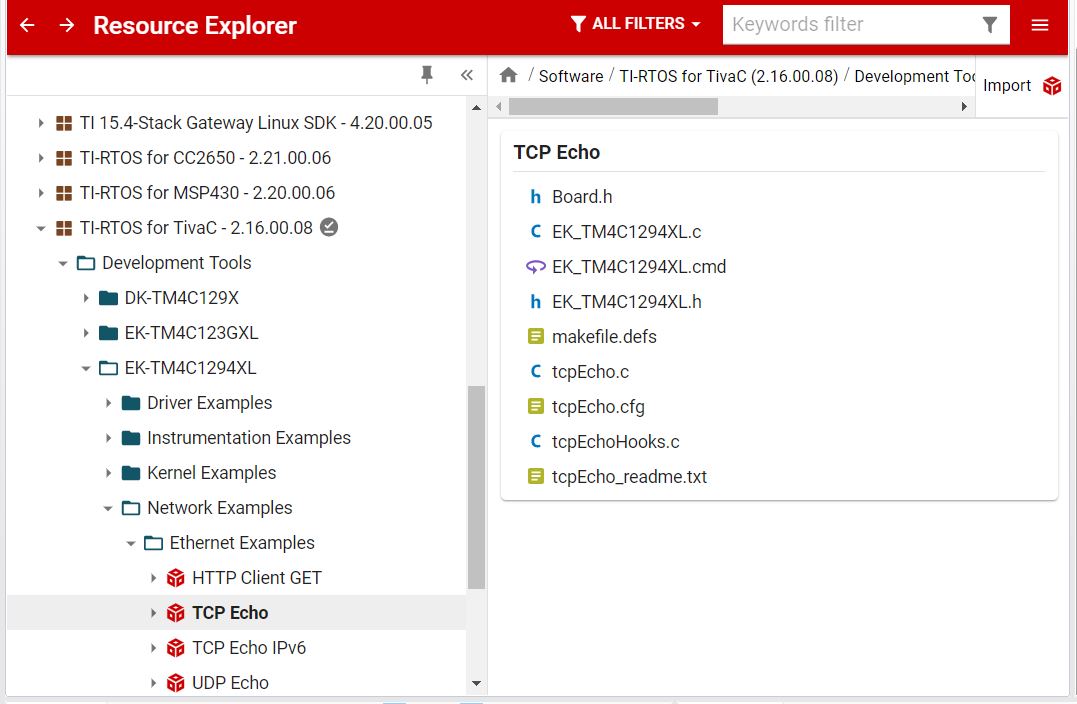
      Do you remember what changes you made that caused it to not work anymore? Can you import the TI-RTOS Ethernet example such as tcp_echo. This example will use the DHCP to acquire the IP address. See below and let me know if you still have problem. The example is proven so it should work. If the example works then you can compare the .cfg file with your modified .cfg file and hopefully you can find some subtle differences that may explain the reason of the problem. By running the example,  I want to know if it is a software problem or hardware problem. 

  • HI Charles,

    Thanks for the reply. Here's some background. This is a custom product and the Ethernet hardware is good and was in use prior to this build. I was able to get the previous version of the code to build on another machine with CCS 9.3 and latest TI-RTOS 2_16_00_08 and it runs fine on the same hardware and gets an IP. I've been working to get all my projects and dev/lab machines running the same version of CCS, compiler, TI-RTOS, Tivaware, XDC, etc, etc so everything is using the same toolset and build.

    I've also rebuilt the TI-RTOS driver libraries to allow long file names with FATFS on each machine. I had been working to get the SD file system running but having some problems there also need to debug this next (waiting on a SD card breakout board for logic analyzer). I have a serial boot loader and my app code set to load at 0x4000. The boot loader and code from previous build seem to work fine and it gets an IP address via DHCP. Then, at some point, I noticed my system was no longer getting an IP address from DHCP.

    I can try copying the .cfg file from previous project and see it that has any effect. Hard to tell if it's a coding change, or something with the cfg changes. I'm tending to believe it's a coding issue as other projects are working using the same build environment now, or at least best I can tell so far. I will try to swap the config file and let you know what I find there. I had to change tool chain references and other stuff to get the code building after moving everything to the newer libs and tool chain.

    I had managed to step into the DHCP client code a bit, but I'm not up on the internal workings of DHCP. Not sure how to turn on the debugging messages for any of the stuff at this level.

    Best Regards,

  • I did a quick swap of the CFG file with my older working code base, but no change. Trying to set some breakpoints in the DHCP client thread, but not sure what to look for yet. I will play with it more over the weekend and will report back with any further findings.

    Bob

  • Hi Robert,

      Can you please try to revert back to your prior compiler and XDCtools versions. I would recommend that you stay with the XDCtools version 3_32_00_06 only and no higher. Using CCS9 should be fine. I suspect you maybe hitting the below issue. 

    https://sir.ext.ti.com/jira/browse/EXT_EP-9284?jql=%22Internal%20ID%22~TIRTOS-1887

  • Looks like I have XDC 3_32_00_06 selected in the project setting, but I'll double check this carefully and remove the newer version just to be sure.

    Bob

  • The DHCP driver doesn't seem to get a response in the StateSelecting() handler. If just fall out the retry loop and exits.

    Is this normal? Is there an easy way to turn on debug messages for the DHCP client task?

    Thanks,

    static void StateSelecting(DHCPLEASE *pLease)
    {
        IPN    IPOffer,IPServer;
        UINT16 MaxTries;
        UINT32 TimeStart;
    
        MaxTries = 3;
    Retry:
    #if DEBUGON
        DbgPrintf(DBG_INFO, "DHCP: StateSelecting:\r\n");
    #endif
    
        /* Build the DHCP request packet and Send it */
        pLease->SendSize = dhcpBuildDiscover(pLease);
        dhcpPacketSend( pLease, INADDR_BROADCAST );
    
        /* Get the time */
        TimeStart = llTimerGetTime(0);
    
        while( (TimeStart + 2) >= llTimerGetTime(0) )
        {
            /* Get reply (waits for 3 seconds) */
            dhcpPacketReceive(pLease);
    
            if( dhcpVerifyMessage( pLease, &IPOffer, &IPServer ) == DHCPOFFER)
            {
                pLease->IPAddress = IPOffer;
                pLease->IPServer  = IPServer;
                pLease->StateNext = REQUESTING;
                return;
            }
        }
    
        /* Timeout - try again */
        if( --MaxTries )
            goto Retry;
    
        /* Failed to get proper response */
        pLease->StateNext = INIT;
        TaskSleep( 5*1000 );  /* wait 5 seconds before trying again */
        return;
    }
    

  • I just discovered that the config option below makes DHCP work again in this project.

    Global.autoOpenCloseFD = false;

    For some reason, this project doesn't work with this set to true. However, my other project has this set to true and DHCP works there.

    Either way, not sure why this affects the DHCP client either way. I guess I can manually open the global file descriptors in my TCP worker task threads?

    Best Regards

  • Hi Robert,

      Glad you your the problem. i'm not an TI-RTOS expert but your finding is actually contrary to my understanding. My understanding is that you either need to set  autoOpenCloseFD=true in the .cfg file or you must insert the call to fdPpenSession() and fdCloseSession() to open and close the socket session in your hook function. Please see the details in the API user's guide. Do you have your hook function created dynamically? See the below note in the screenshot. autoOpenCloseFD only works for dynamically created tasks from another running task. 

    http://software-dl.ti.com/simplelink/esd/simplelink_msp432e4_sdk/2.30.00.14/docs/ndk/NDK_API_Reference.html

  • Thanks for pointing me to the correct doc, I'll give this a good read. I didn't realize these file methods were part of the NDK.

    I had the fdOpenSession(TaskSelf()) logic in my TCP worker task code at some point back and it worked this way. But, I had changed my application to use the automatic method in the CFG file (like my other apps) and this caused DHCP to stop working. Strange it doesn't work in this app correctly, but my other apps work with the CFG file method.

    In any case, in the interest of getting product to the field, I'll go back and change my code to the manual fdOpenSession() method to be safe. Let me add these back and I'll let you know if everything is good.

    Thanks for your help!

    Regards,