This thread has been locked.

If you have a related question, please click the "Ask a related question" button in the top right corner. The newly created question will be automatically linked to this question.

TMS570LC4357: Uniflash

Part Number: TMS570LC4357
Other Parts Discussed in Thread: UNIFLASH

Hello,

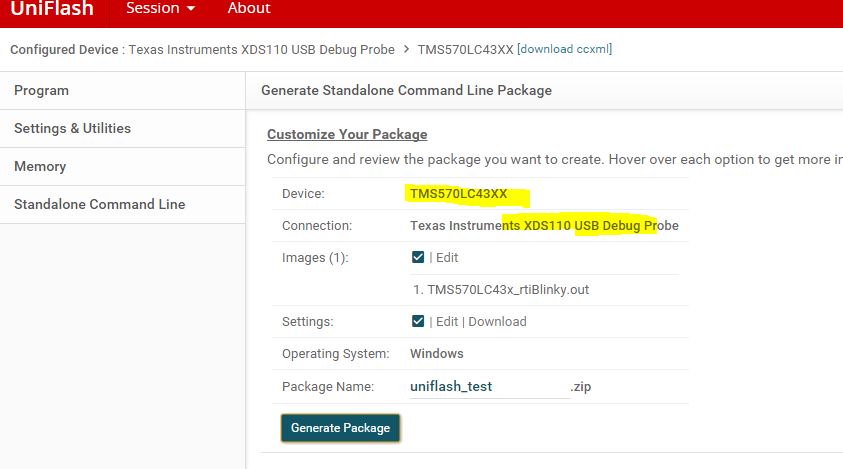
I am currently having an issue with the Standalone Command Line functionality from the Uniflash program. From my understanding, this generated archive should contain all the necessary files and folders in order to flash a microcontroller with a precompiled binary. These are the steps that I followed in order to generate the archive:

1. Chose the TMS570LC43XX from the device list.

2. Chose the Texas Instruments XDS100v2 USB Debug Probe.

3. Selected the compiled .out binary.

4. Generated the Standalone Command Line archive.

5. Extracted the archive.

6. Ran the 'one_time_setup.bat' and the 'dslite.bat' files.

However, when running the 'dslite.bat' script the following error occurs:

Connecting... fatal: IcePick: Error connecting to the target: (Error -716 @ 0x0) Required dynamic library jscserdes could not be located. The library isn't on the search path. (Emulation package 9.1.1.00002) Failed: Operation was aborted
 
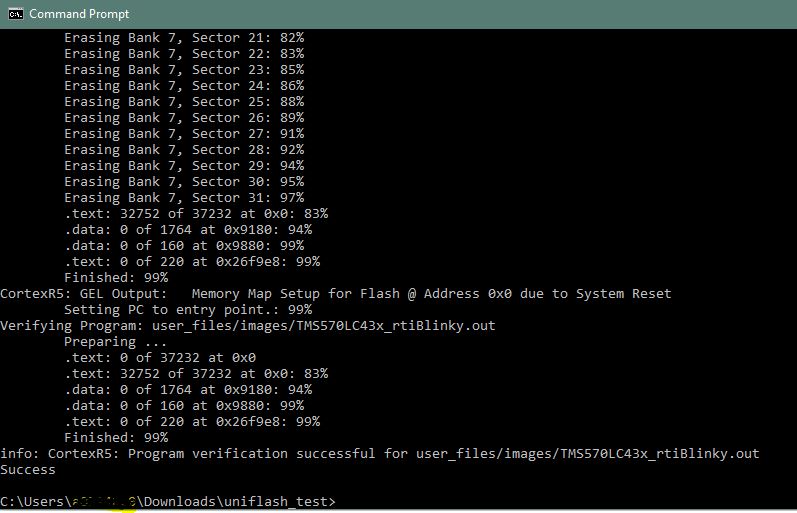
The jscserdes dll library is inside the arhive, however, somehow it is not visible for the program. I managed to flash the microcontroller with the 'dslite.bat' script only after installing Code Composer on that specific machine. 
Is it compulsory to have Code Composer installed before using the Standalone Command Line archive from Uniflash, or should it work without it?

The Uniflash version used: 6.0

Thank you,

Adrian.