Part Number: TMDSEMU200-U
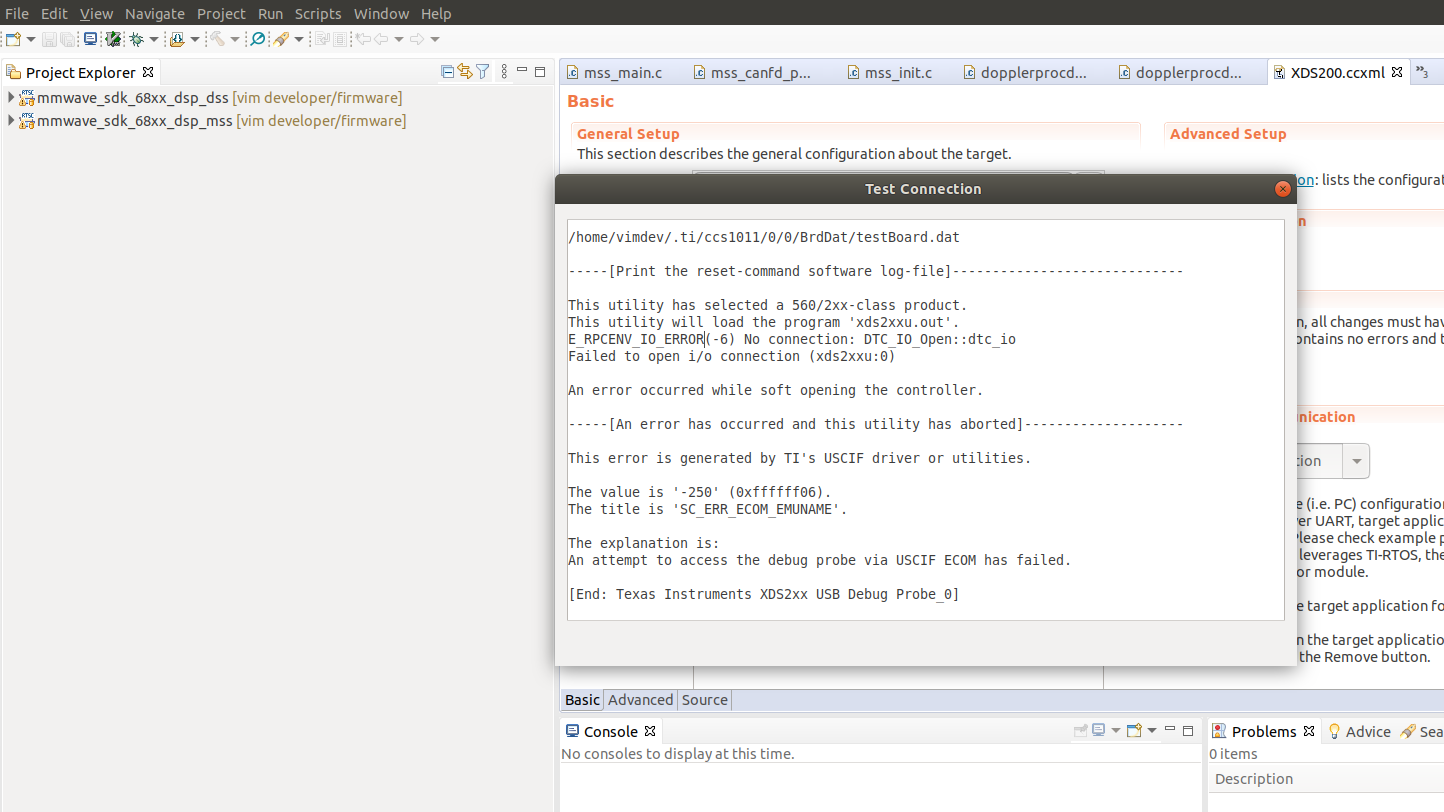
If you set up the debugger under CodeComposerStudio 10 and test the connection, an error occurs, with our other debuggers the TMDSEMU200-U comes up with successful. Not with this debugger.
This thread has been locked.
If you have a related question, please click the "Ask a related question" button in the top right corner. The newly created question will be automatically linked to this question.
Part Number: TMDSEMU200-U
If you set up the debugger under CodeComposerStudio 10 and test the connection, an error occurs, with our other debuggers the TMDSEMU200-U comes up with successful. Not with this debugger.
Yvonne,
Can you clarify your last statement a bit, do you mean with other IDEs like CCS v9 etc that the TMDSEMU200 works correctly, or do you mean with a different debug probe(either a different TMDSEMU200 or XDS110) CCS v10 works OK?
Can you post the error dialogue you get from CCS when trying to test the emulator probe?
Best,
Matthew
Dear,
attached the dialogue:
Dear,
attached the dialogue:
Yvonne,
Can you check your device manager(Windows) or equivalent if running MacOS to see if the XDS200 is detected when plugged into the PC/MAC? It should show up as XDS200 device, if it shows up as unrecognized USB/serial device then I think you are missing the drivers.
These should get installed by CCS, you may need to look at add-ons to ensure this is the case.
We can debug more once you've confirmed the above.
Best,
Matthew
Dear, the device has a technical defect it cannot be connected. We have ordered two identical devices from you. One works and the other doesn't. Please see that. I hereby ask for an exchange! I have attached the error message for the third time!
best regards
Dear, the device has a technical defect it cannot be connected. We have ordered two identical devices from you. One works and the other doesn't. Please see that. I hereby ask for an exchange! I have attached the error message for the third time!
best regards
[Start: Texas Instruments XDS2xx USB Debug Probe_0]
Execute the command:
%ccs_base%/common/uscif/dbgjtag -f %boarddatafile% -rv -o -S integrity
[Result]
-----[Print the board config pathname(s)]------------------------------------
/home/vimdev/.ti/ccs1011/0/0/BrdDat/testBoard.dat
-----[Print the reset-command software log-file]-----------------------------
This utility has selected a 560/2xx-class product.
This utility will load the program 'xds2xxu.out'.
E_RPCENV_IO_ERROR(-6) No connection: DTC_IO_Open::dtc_io
Failed to open i/o connection (xds2xxu:0)
An error occurred while soft opening the controller.
-----[An error has occurred and this utility has aborted]--------------------
This error is generated by TI's USCIF driver or utilities.
The value is '-250' (0xffffff06).
The title is 'SC_ERR_ECOM_EMUNAME'.
The explanation is:
An attempt to access the debug probe via USCIF ECOM has failed.
[End: Texas Instruments XDS2xx USB Debug Probe_0]
Hello,
I really ask for further information on where and how we should send the clearly defective XDS200 USB Debugger Probe for complaint. We ask for an exchange for a functioning device. Or should we order a new XDS200 USB Debugger Probe and you will refund us the price for the defective device delivered? I really ask for a swift exchange. Why is it so complicated for you in the Ti webshop. We ordered two XDS200 USB Debugger Probe, one connects and works and the other doesn't work. We would like to exchange this as soon as possible. I ask for understanding. I would now like to finally close the case.
Many Thanks.
With best regards
Julian,
Thanks for the additional information. You can begin the returns/exchange process here: https://www.ti.com/productreturns/docs/createReturn.tsp
Let me know if there are issues with this process.
Best,
Matthew