This thread has been locked.

If you have a related question, please click the "Ask a related question" button in the top right corner. The newly created question will be automatically linked to this question.

TMS320F28379D: Uploading Code in Custom Board but Controller is not giving output.

Part Number: TMS320F28379D
Other Parts Discussed in Thread: TMDSCNCD28379D, LAUNCHXL-F28379D, C2000WARE, SYSCONFIG

Tool/software:

Hi Everyone,

I'm facing problem while trying to upload my application code to TMS320F28379D controller on my custom PCB it is uploading fine but not giving output.
So here are some insights which I have till now are:

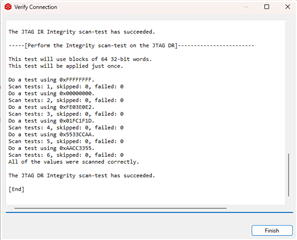
1. While testing the connection by CCS it is showing success.

2. While uploading the code in debug mode it shows upload success.
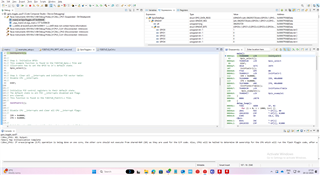

3. When I press play button it is not giving output on pin neither on registers.
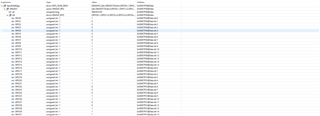
Why is it showing this kind of behavior????

  • Hi Vishwas,

    For your custom board, are you using a custom software or are you using example software from our SDK? I recommend to leverage using the example software to do testing of your custom board in order to eliminate any potential software issues. Also, please be sure to enable continue refresh in your Debug window to accurately view the GPIO registers and other registers on the device. If you have access to one of our evaluation modules (such as LAUNCHL-F28379D or TMDSCNCD28379D) you can also test your software on that board to validate the software component


    Regards,

    Peter

  • Hi Peter,

    I'm using example software(gpio_toggle) from C2000Ware SDK. The continuous refresh button is on, and I did try the software with Launchxl-F28379d and it works absolutely fine.

    Any further suggestions.

    Thanks,
    Vishwas 

  • Hi Vishwas,

    This seems to be a board-level issue then. Please review the schematic and layout of the board to make sure that the GPIO is correctly routed. As well, please ensure that all components are populated correctly, and please make use of any test points on the board. You can also use an external multimeter and directly probe the pin associated on the C2000 chip to the GPIO you are testing to check the polarity of the pin. 

    Regards,

    Peter

  • Hi Peter,

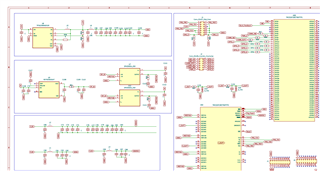
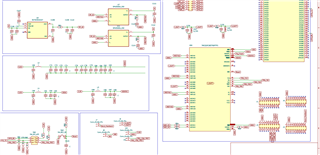
    The custom board is made up by taking the reference of LaunchXL-F28379D board schematic. Please look at the schematic given below.

    I did try all the things you've stated but haven't got any fruitful result.

    Could be any other reasons than listed by you!!!!

    Thanks,
    Vishwas

  • Hi Peter, 

    I tried to upload different examples provided for F28379D in C2000Ware.
    Here are some examples I've tried to upload

    1. C:\ti\c2000\C2000Ware_5_03_00_00\device_support\f2837xd\examples\cpu1\blinky
    2. C:\ti\c2000\C2000Ware_5_03_00_00\device_support\f2837xd\examples\cpu1\gpio_toggle
    3. C:\ti\c2000\C2000Ware_5_03_00_00\device_support\f2837xd\examples\cpu1\timed_led_blink
    4.C:\ti\c2000\C2000Ware_5_03_00_00\driverlib\f2837xd\examples\cpu1\epwm
    5. C:\ti\c2000\C2000Ware_5_03_00_00\driverlib\f2837xd\examples\cpu1\led
    6. C:\ti\c2000\C2000Ware_5_03_00_00\driverlib\f2837xd\examples\cpu1\dac

    In the above given the device support file (1, 2, 3) were uploading but not showing any output.
    The driverlib files (4, 6) were uploading and hitting ESTOP.
    Only 5 number project was uploading and giving output successfully.

    Please help me out from this situation where only a single type of project is getting uploaded and giving output successfully while the other are either uploading and not giving output or getting stuck in ESTOP function.

    Regards,

    Vishwas

  • Hi Vishwas,

    Thank you for your patience as I have been out of office on holiday.

    For the examples you have tried, the ones located in the device_support folder are older examples which make use of bitfield for programming the MCU

    The examples located in the driverlib folder are updated examples which make use of DriverLib HAL library. It would be good to use the driverlib examples as they are better for maintaining device-to-device compatibility. If you are using the latest SDK, then the example should also make use of SysConfig which is the GUI for programming the device.

    If you are able to get example 5, the LED example working, I would encourage you to use it to verify the hardware. You can do this by changing the GPIO being configured to test other GPIO points on your board, such as testing GPIO_1 through GPIO_6.

    As for the ESTOP issue, this can be a result of a number of things, but I encourage you to base testing of the board on successful project

    Regards,

    Peter