This thread has been locked.

If you have a related question, please click the "Ask a related question" button in the top right corner. The newly created question will be automatically linked to this question.

TMS320f28377S Delfino

Other Parts Discussed in Thread: TMS320F28377S, CONTROLSUITE

Hi, 

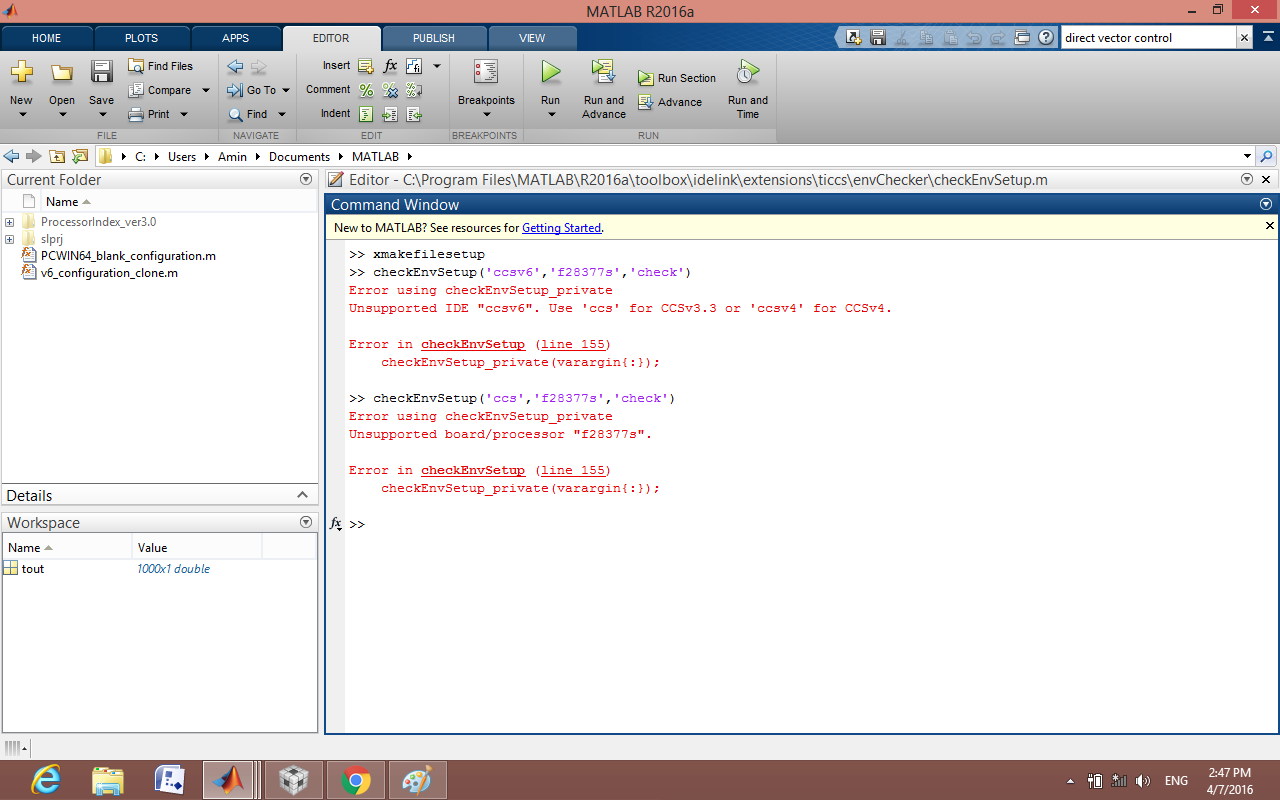
I am right now trying to interface my newly bought TMS320f28377s with Matlab/Simulink 2016a. I have installed the CCS v6 and done all initial target configuration in the CCS v6. I have created a simulink model in MAtlab/simulink 2016a which generates 8 pulses which are to be taken out from the GPIO 0 to GPIO 7. I have written the commands as shown in the below image in the matlab command window. Moreover I am not able to find the flash api, BIOS and C/C++ header files for f28377s. Please guide what can be done further regarding this error.
Thank You,

Amin

  • Hi Amin,

    Matlab support on this forum is very bleak. I can only direct you to this thread:
    e2e.ti.com/.../484814

    Regards,
    Gautam
  • Hi Amin,

    It is not required to use checkEnvSetup with the F28377 + CCSv6.  This is mentioned during the installation/configuration steps as well as in the documentation.

    However, you can still use checkEnvSetup, but it requires a workaround. The workaround is to use the command for CCSv5 but point to CCSv6 files.

    >> checkEnvSetup('ccsv5','f28069','setup')

    Here's my setup which works with a F28377D ControlCard.

    IIRC 3 & 4 aren't required to get running. I used v1.60 headers back with R2015b, but I think v1.80 headers might now be supported in R2016a.

    Good luck with your project.  if you are still stuck, please go ahead and contact MathWorks Technical Support

  • Hi,
    Thanks for such quick response, but from where can I download the the v1.80 header file? Because on the ti website when i search for header file it shows only the v1.26 header file for 2802x. And where can I find the BIOS for f28377s?
  • Hi Amin,

    The headers are part of TI's controlSUITE - you probably need to update that piece of software to get them.

    -Brian

  • Just a quick clarification - R2015b and R2016a use v160 headers, and should automatically select them in the targetupdater process that you go thru, after you download and the support package.

    If you want to reconfigure your install - type targetupdater at the command line, and it will take you directly to the configuration steps (skips over the download steps)

    -Brian