This thread has been locked.

If you have a related question, please click the "Ask a related question" button in the top right corner. The newly created question will be automatically linked to this question.

LAUNCHXL-F28069M: Running from Flash Memory on the LAUNCHXL-F28069M

Part Number: LAUNCHXL-F28069M
Other Parts Discussed in Thread: C2000WARE, , CONTROLSUITE

Hello! I've run into a problem that I need to fix as soon as possible! I need to power my Launchpad from an external source and run my program from flash, and I'm sorry, but I'm having trouble understanding the technical jargon in the User Guide/Reference Manual as I've only been using launchpads about 6 months, and I could really use some clear guidance and just exactly what I have to do.

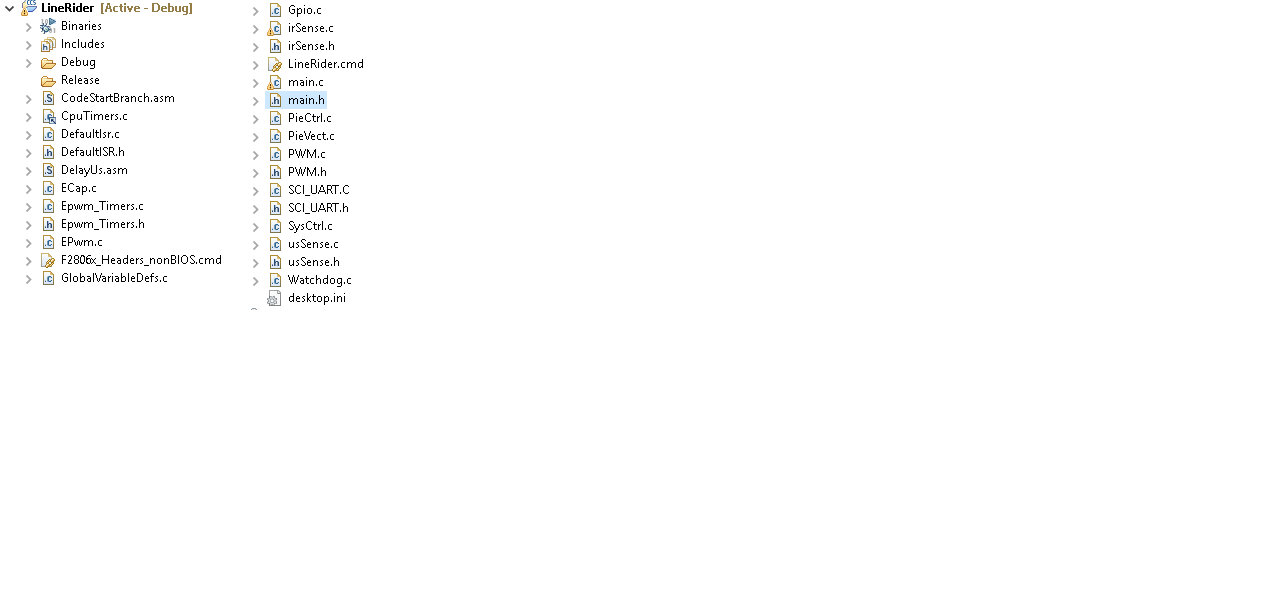
I've found "select "Flash" build configurations by "Project-> Build Configurations->Set Active-> 1 Flash.. " in another post, but I'm running CCSV6 (as recommended)  and this option isn't available to me. I only have 1.Debug and 2. Release.

I believe I should have 3  the switches as so: 1 - Up, 2 - Up, 3 - Down. This is based on another thread but I'm not sure what JTAG Emulation is, or emulation bootmode, so I don't really understand why I need the switches like this. I've tried to understand what this all means, but I must be missing some key knowledge.

I've read that I might have to add code? Would this be in cmd file? Again, i'm not sure how this all works. I would really appreciate a walkthrough on this!
 If I could have this running from flash memory by the end of Monday, as this is essential for our capstone project!

Thanks for your time!

  • Hi Andrew,

    The option to change to the Flash configuraiton is applicable if you are using few projects from the C2000Ware.
    You can refer to <C2000Ware_Installation_Path>\driverlib\f2837xd\examples\cpu1\led, CPU1_FLASH configuration for a sample project to understand the settings.

    Or use <C2000Ware_Installation_Path>\device_support\f2806x\examples\c28\launchxl-f28069m, and define _FLASH in the predefined symbols in the CCS project settings. _FLASH must be defined to enable the copying memory sections from flash to RAM.

    For flash build configuration you have to use a Flash linker command file.
    Sample flash linker command file is at <controlSUITE>\device_support\f2806x\<version>\F2806x_common\cmd\F28069.cmd

    For more details refer to application note at www.ti.com/.../spra958l.pdf

    Please let me know if you need more information.

    Thanks,
    Katta
  • Hello! I've had a look through www.ti.com/.../spra958l.pdf , and I have a question about BIOS. How do I know if my program is a BIOS program or non-BIOS? We have an autonomous line following robot that uses parallel digital sensors to detect the line, as well as some digital ultrasonic sensors. To me, this sounds like a 'basic input output system' but then I saw that BIOS is volatile? So maybe ours isn't a BIOS? We're currently have a 'F2806x_Headers_nonBIOS.cmd' file so my guess would be non-bios.

    Anyways, I've found the cmd files, but I also found the f28069 & f28069m cmd files. Does it matter which we take? Also, would we just replace the 'F2806x_Headers_nonBIOS.cmd' file with the 'F28069.cmd' file? Is it this simple?\

    Also, after reading some of the document, it sounds like theres a decision to be made on where the program will be stored. Does this really matter? We simply just want this to work, nothing crazy is going on!

    Thanks!

  • Hey! I've been reading and I just dont know what to do.

    I found this in an example project. Does this have anything to do with this?

    void InitFlash(void)
    {
    EALLOW;
    //Enable Flash Pipeline mode to improve performance
    //of code executed from Flash.
    FlashRegs.FOPT.bit.ENPIPE = 1;

    // CAUTION
    //Minimum waitstates required for the flash operating
    //at a given CPU rate must be characterized by TI.
    //Refer to the datasheet for the latest information.

    //Set the Paged Waitstate for the Flash
    FlashRegs.FBANKWAIT.bit.PAGEWAIT = 3;

    //Set the Random Waitstate for the Flash
    FlashRegs.FBANKWAIT.bit.RANDWAIT = 3;

    //Set the Waitstate for the OTP
    FlashRegs.FOTPWAIT.bit.OTPWAIT = 5;

    // CAUTION
    //ONLY THE DEFAULT VALUE FOR THESE 2 REGISTERS SHOULD BE USED
    FlashRegs.FSTDBYWAIT.bit.STDBYWAIT = 0x01FF;
    FlashRegs.FACTIVEWAIT.bit.ACTIVEWAIT = 0x01FF;
    EDIS;

    //Force a pipeline flush to ensure that the write to
    //the last register configured occurs before returning.

    __asm(" RPT #7 || NOP");
    }
  • Hi Andrew,

    InitFlash() code is required to init the flash. If the implementation is used as is from the ControlSuite it is fine.

    As I said in my previous post if you use the main file from
    <C2000Ware_Installation_Path>\device_support\f2806x\examples\c28\launchxl-f28069m, please define _FLASH in the predefined symbols.
    _FLASH must be defined to enable the copying memory sections from flash to RAM.

    Please use the provided project with define _FLASH in the project settings and check if it is working fine.

    Compared to the RAM configuration, FLASH configration will have few changes.
    Such as 1) Using a flash cmd file 2) _FLASH define to copy RAM functions. It is executed by a memcpy function in the main file.

    My suggestion was to make the same changes in your project to run the project in FLASH configuration.

    You can simply use F28069.cmd. If you find any issues in running the project, please let us know.

    Thanks,
    Katta
  • Thank you! I will test this once I get to school!

    Based on what I've read, I believe the switches should be:

    SW1 - ON
    SW2- ON
    SW3 - Doesn't matter

    Is this correct?

    Also, after I implement the FLASH, can I just plug it into a USB and debug/modify values with no issue?

    Thanks!
  • Hi Katta!

    I imported the project that you recommended, added in "#define _FLASH 1" to the top of 'Example_F2806xLaunchPadDemo.c' because when I 'Ctrl-Clicked' _FLASH in the code:

    #ifdef _FLASH
    memcpy(&RamfuncsRunStart, &RamfuncsLoadStart, (size_t)&RamfuncsLoadSize);
    #endif

    It says 'Cannot find symbol '_FLASH' in index. So I figured that what I had to do.

    This, unfortunately, did not resolve the issue. Would you know what I'm doing wrong?
  • Hi Katta! I think I have it working!

    I have to have the SW3 in its off position, and I believe this makes it work.

    When I power it externally, it does the whole temperature sensing routine. Is this a confirmation that it is in fact working?

    I'm back in clas for another 4ish hours, so I just wanted to update you on the status!

    Thanks!
  • Hi Andrew,

    Yes it is working. Please let us know if you any issues.

    Thanks,
    Katta
  • Hey Katta!

    I've just found an issue where when I'm plugged into my computer, and I go to debug my system, I can't set any breakpoints. Is there a work-around for this?

    I have all 3 switches up.

    Also I'm thinking it may have to do with the snippet of code:

    #ifdef _FLASH
    memcpy(&RamfuncsRunStart, &RamfuncsLoadStart, (size_t)&RamfuncsLoadSize);
    #endif

    Should I just change that to:

    #if _FLASH
    memcpy(&RamfuncsRunStart, &RamfuncsLoadStart, (size_t)&RamfuncsLoadSize);
    #endif

    Or is this a completely different problem?
  • Hi Andrew,

    Use the former implementation i.e.

    #ifdef _FLASH
    memcpy(&RamfuncsRunStart, &RamfuncsLoadStart, (size_t)&RamfuncsLoadSize);
    #endif

    and define _FLASH in the predefined symbols of CCS project.

    Anyways the above code is not the reason for breakpoints not working. Are you trying to put the breakpoints when the program is paused or while it is running? The program shouldn't run.
    Please check the same approach with any existing example to see if it is a general problem. Let me know.

    Thanks,
    Katta
  • Hi Andrew,

    I haven’t heard from you for a while, so I’m assuming you were able to resolve your issue. If this isn’t the case, please reject this resolution and reply to this thread. If this thread locks, please click the "Ask a related question" button and in the new thread describe the current status of your issue and any additional details you may have to assist us in helping to solve your issues.

    Regards,
    Katta