


Part Number: TMS320F28069
CCS : 6.1.2.00015
DEBUGGER : USB560 V2 System Trace ( Blackhawk )
Thank you in advance.
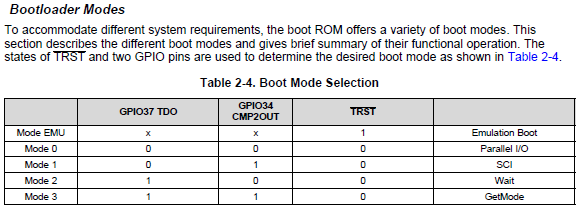
I succeeded in entering the sci boot mode through the gpio setting.
Please see the picture below.
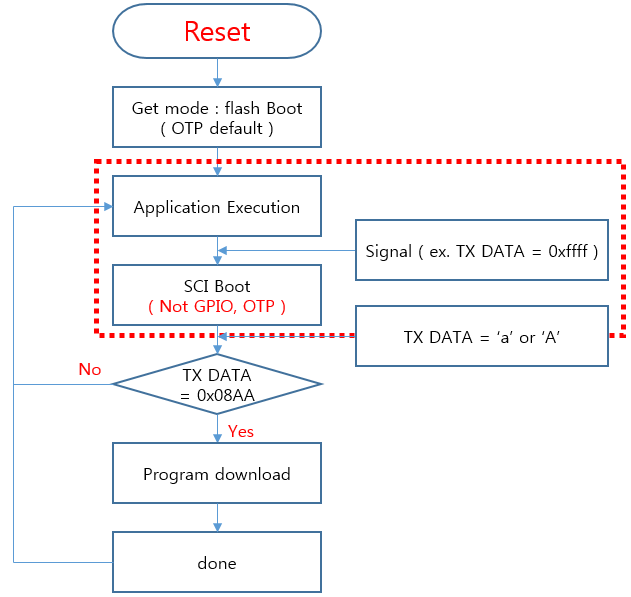
However, I want to enter sci boot mode in my application program, not the gpio setting.
I want to implement the functionality of a red dotted box.
"Stand-Alone Boot Modes with (TRST = 0)" and Regardless of the "Emulation Boot modes (TRST = 1)", I would like to enter SCI boot mode in my application.
How do I enter boot mode in software?
