This thread has been locked.

If you have a related question, please click the "Ask a related question" button in the top right corner. The newly created question will be automatically linked to this question.

MSP430FR2632: Same Gesture 2 times in a row

Part Number: MSP430FR2632

Hi,

I encounter a problem reading gestures on a small trackpad. In fact, I can get different gestures, but I cannot repeat the same gesture.

Here is my code:

static void myGestureTrackpadCallback(tSensor* pSensor) {

    eGestures theCurrentGesture = eNoGesture;

    theCurrentGesture = (eGestures)CAPT_getTrackpad_Gesture(&my_Trackpad);
   
    if (theCurrentGesture != myData.lastGesture && theCurrentGesture != eNoGesture  ){

        myData.lastGesture = theCurrentGesture;
        myGestureTransition_fsm (transitionValidPacket);
       
    }
}

The problem is that I I got a "swipe right" for example, the return of CAPT_getTrackpad_Gesture(&my_Trackpad) will be "swipe_right" forever until I got another type of gesture.

But what if I want to allow the user to make several swipe right in a row ?? How I know the swap right is a new one, and not the last one ? In other terms, how to "reset" the gesture to "no gesture" ?

Or maybe I'm not looking at it the good way ?

Thanks for your help.

  • Hi Charlie,

    That sounds like a bug.  What you can do is read the gesture directly from the sensor structure then clear the gesture (set it to 0xFF) after reading.  I’ll dig into the code and see what might be causing this issue.

  • Hi Dennis,

    Finding the gesture in the sensor structure will be a game changer. Where is it !?

  • Hi Charlie,

    Not a problem.  Here is the code you need.  In this example ui8Gesture is a 'uint8_t'

    /* Get the reported gesture */
        ui8Gesture = ((tTrackPadSensorParams*)(pSensor->pSensorParams))->ui8Gesture;
        
    /* Clear the gesture (set = 0xFF) after reading to reset for next gesture */
        ((tTrackPadSensorParams*)(pSensor->pSensorParams))->ui8Gesture = 0xFF;

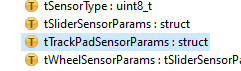
    BTW, if you look in the library -> captivate\base\CAPT_Type.h, you will find the typdef for a sensor structure and the trackpad sensor parameters (this is where the XY position and gesture are stored).

  • Ho thanks, I figured it out just before with my boss help... But for some reason, the gesture disappear then come back after some time... any idea ?

  • Hi Charly,

    If you are having trouble getting consistent gestures, this could be due to the touchpad sensitivity is set too low.

    What is the target conversion count you are using ( 300, 400, 500, etc. )?

    What is the touchpad configuration (4x4, 5x5, 6x6, 7x7, 8x8)?

    And what are you using for an overlay on top of the touchpad (material, thickness)? - and how is it bonded to the touchpad (double-sided adhesive tape)?

  • Hi Charly,

    It's been a while since we have heard from you, so I'm going to assume you were able to move forward with your project.
    I will mark this posting as RESOLVED, but if this isn’t the case, please click the "This did NOT resolve my issue" button and reply to this thread with more information.
    If this thread is locked, please click the "Ask a related question" button, and in the new thread describe the current status of your issue and any additional details you may have to assist us in helping to solve your issues.

**Attention** This is a public forum