Part Number: MSP430F5342
Other Parts Discussed in Thread: MSP-FET
We have a new product line that was acquired.
It has a MSP430F5342
I am trying to program the microcontroller on the PCBs using the existing JTAG connection points in the PCB in conjunction with the MSP FET and the code that was provided with the PCB.
Thie project was imported into the current work space
-File -> import -> CCS Projects
A custom connector was made, I think its correct.
This connector has a PCB that mates with the primary PCB
The image below has some of the connection points on the primary PCB along with designators for the microcontroller.
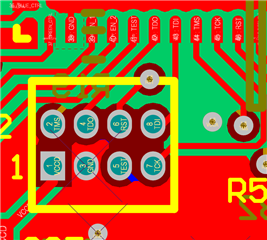
3D view. - the previous company had the JTAG pins at 0.031" pitch, 2 rows0.039" apart, so they are tight.
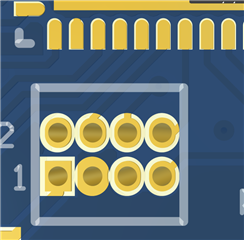
the wire connecting the 2 parts are
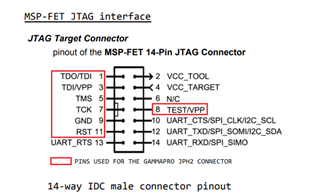
this connects at the PCB with the following at thePCB
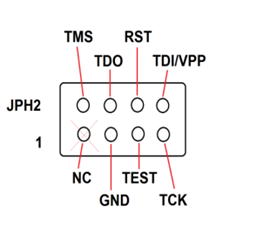
We have had 3 people look at the wires, I think we have them right
with the connector harness made here
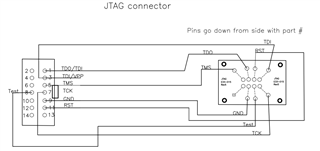
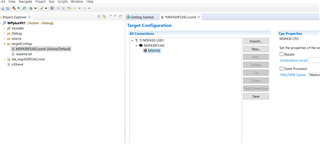
The target configuration may have imported correctly but I am not sure.
Anyone have any ideas on what i can do to debug this any further?
I dont see that I can buy any of the microcontrollers right now, they are sold out throughout the country.
Does the eval kit with the ZIPP socket come with one?
MSP-TS430RGZ48B Development kit | TI.com
Any help is appreciated
I have not used CCS for about 5 years so I might not be remembering this correct.
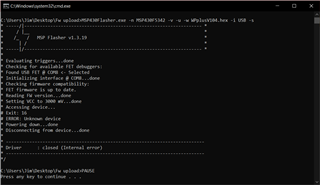
I keep getting this error
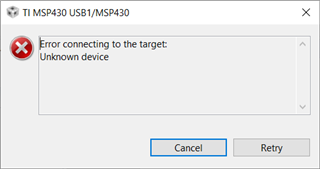
thanks