This thread has been locked.

If you have a related question, please click the "Ask a related question" button in the top right corner. The newly created question will be automatically linked to this question.

MSP430F5335: How to unblock the MSP430F5335 that be protected during BSL developing.

Part Number: MSP430F5335
Other Parts Discussed in Thread: MSP-FET, UNIFLASH

Hello,

  We have 3 pcs of MSP430F5335 be protected during developing the I2C BSL with MSP-FET & MSP-BSL rocket.

  Can you provide the method to unblock the chip? thanks !

Angus

  • Hi,

    What do you mean by the MSP430F5335 be protected during developing the I2C BSL? Is the issue related to that you do not know the BSL password? 

    If so, using a wrong BSL password will cause the MCU do a mass erase process. Then you can connect to the MCU with the default BSL password after the mass erase. 

    Best regards,

    Cash Hao

  • Hello,

       Thanks for the reply....

       Since we are trying to write data into MSP430F5335, but cannot finish it. So we assume that maybe commands or address wrong, then we have trired some methods. 

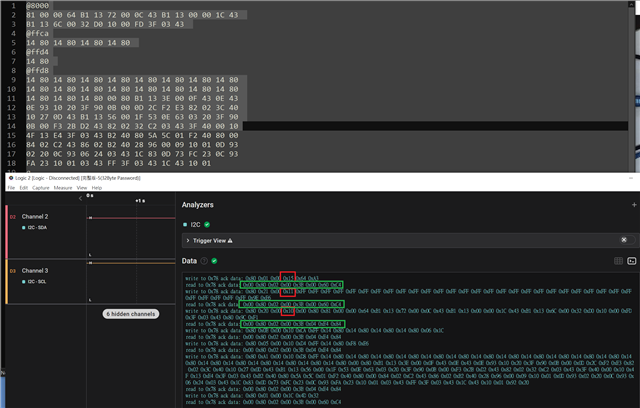
       Attached is the raw data about three commands(Erase, RX password, RX data block), can you help to check the command is correct?
       BTW, the method to to unblock the protected Chip is connect again and use default password?(the Chip cannot be found by CCS or Uniflash now.)


  • Hi,

     Attached is the raw data about three commands(Erase, RX password, RX data block), can you help to check the command is correct?

    These commands are correct. Refer to this BSL UG https://www.ti.com/lit/ug/slau319af/slau319af.pdf

       BTW, the method to to unblock the protected Chip is connect again and use default password?(the Chip cannot be found by CCS or Uniflash now.)

    And usually customer can not connect through the BSL because they co not know the BSL password. And since the MCU has this function "Mass erase on incorrect password". Using the default BSL password to connect with the MCU will cause the MCU do the mass erase at the first time. Then use the default pass word to connect the MCU on the second time, this time the connection will be successful. 

    Best regards,

    Cash Hao

  • Hello Cash,

    We will try the way to unblock chip base on your description. BTW, does password can be fixed or it will produce randomly?

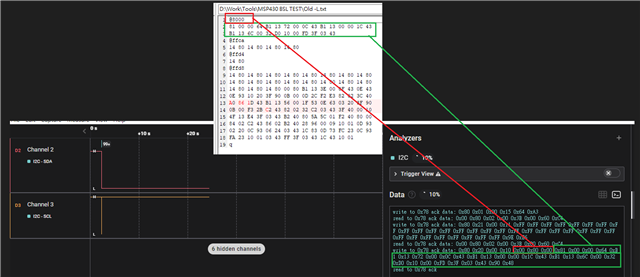
    Below captured regarding address @8000 write command issue that need your help. It shown that write to address @8000, but it will not continue to write to next address(@ffca , @ffd8).
    Another captured in previous posted is the complete data writing and skip the address @8000. To skip address @8000 is because we found that will complete the data writing. But, actually the data are not write successfully we've checked.
    Can you help to check the command are right or not?

  • Hello Cash,

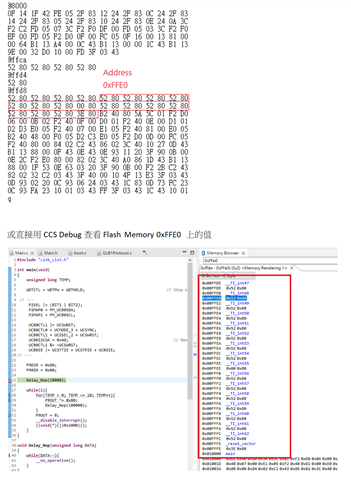
      Maybe we didn't well understand the RX password locate between 0xFFE0~0xFFFF, so we have a try as below steps.

      1. get the RX password by CCS first,

      2. then build the image that with the gotten RX passwword.

      3. only try the commands as 0x15(erase)->0x11(Rx password)->0x10(Rx data block)

      But RX data still not write into completely.

       A keypoint is tha chip will be protected when write to address @8000 first, we still don't know why, still cannot get the right way to write the image into MSP430F5335.
       Could you show us the right command to flash below image into MSP430F5335? many thanks !!

    Angus


  • Hi,

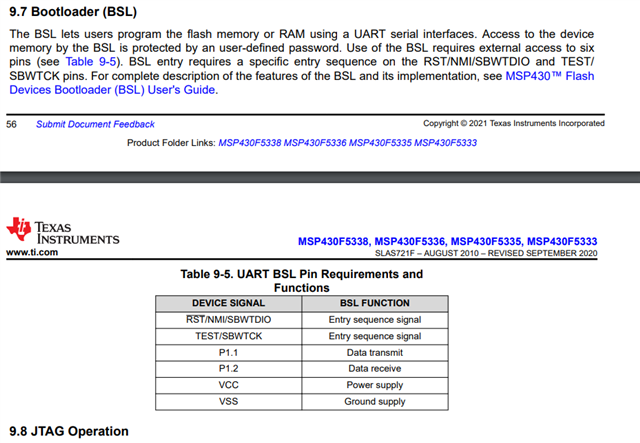
    There is one thing that I just noticed that the MSP430F5335 only supports UART BSL. It does not support I2C BSL interface. You can check the device datasheet chapter 9.7. 

    Your password and commands look good to me. They should work if you try with the UART interface. 

    Best regards,

    Cash Hao

  • Hello

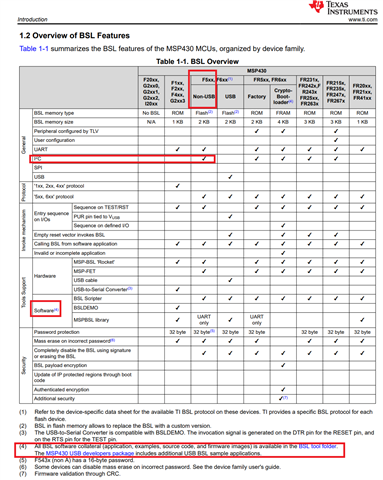
      We've checked the data which on page 4, it shows BSL over I2C is supported but not included in official software library, am I right?https://www.ti.com/lit/ug/slau319af/slau319af.pdf

      And, that means we need to build by ourselves, right?

    Angus

  • Hi,

    www.ti.com/.../quote]

    This is a general user guide for all MSP430 devices. Some devices support BSL over I2C. However, the MSP430F5335 does not have this feature. So back to the device datasheet chapter 9.7. It only supports BSL over UART interface.

    Best regards,

    Cash Hao

  • Hello Cash,

       OK, Thanks for remind again MSP430F5335 doesn't have feature that BSL over I2C.

       Our team will change the method to over UART....

       It's happy to get many information from you these days, I will close this case. thank you !


    Angus

**Attention** This is a public forum