This thread has been locked.

If you have a related question, please click the "Ask a related question" button in the top right corner. The newly created question will be automatically linked to this question.

MSPM0G3519: how to lock or fix the SDK version in CCS

Part Number: MSPM0G3519

How can I fix the SDK version in Code Composer Studio (CCS)? Currently, it automatically changes or prompts to switch to a newer version."

  • Hi Amit,

    If you'd like to use a specific version of the SDK, you can ignore any prompts to install a newer version.

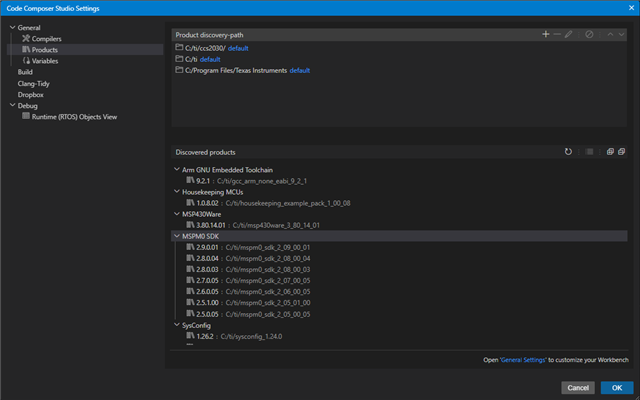
    In the CCS settings, you can see which SDK versions you have installed:

    You can uninstall any versions of the SDK you do not want to use by deleting the directory in your file path.

    In general settings, you can also uncheck this box so that the IDE does not automatically check for updates:

    Best,

    Owen

  • Hi Owen,

    The procedure you described is already known. However, fundamentally, we cannot ask application engineers to install or remove specific SDK versions manually.

    What I need is a static configuration — once the SDK version is fixed, even if the application engineer has a newer version installed, a pop-up or prompt should appear asking to install the expected version. Otherwise, the build should not proceed, since the source code is released for that specific SDK version only.

    Regards,
    Amit

  • Hi Amit,

    You can specify the product dependencies in the project properties:

    I will share your thoughts with the team that develops CCS.

    Best,

    Owen

**Attention** This is a public forum