


Part Number: UNIFLASH
Other Parts Discussed in Thread: MSPM0G3519
Dear TI,
I’m using UniFlash to program an MSPM0G3519 MCU and want to configure its debug security settings.
After the firmware is programmed, I need to prevent anyone from reading it back or exporting it as a binary file for copying.
Ideally, the MCU should only be usable for further development or reprogramming after a mass erase.
CCS Setting as below :

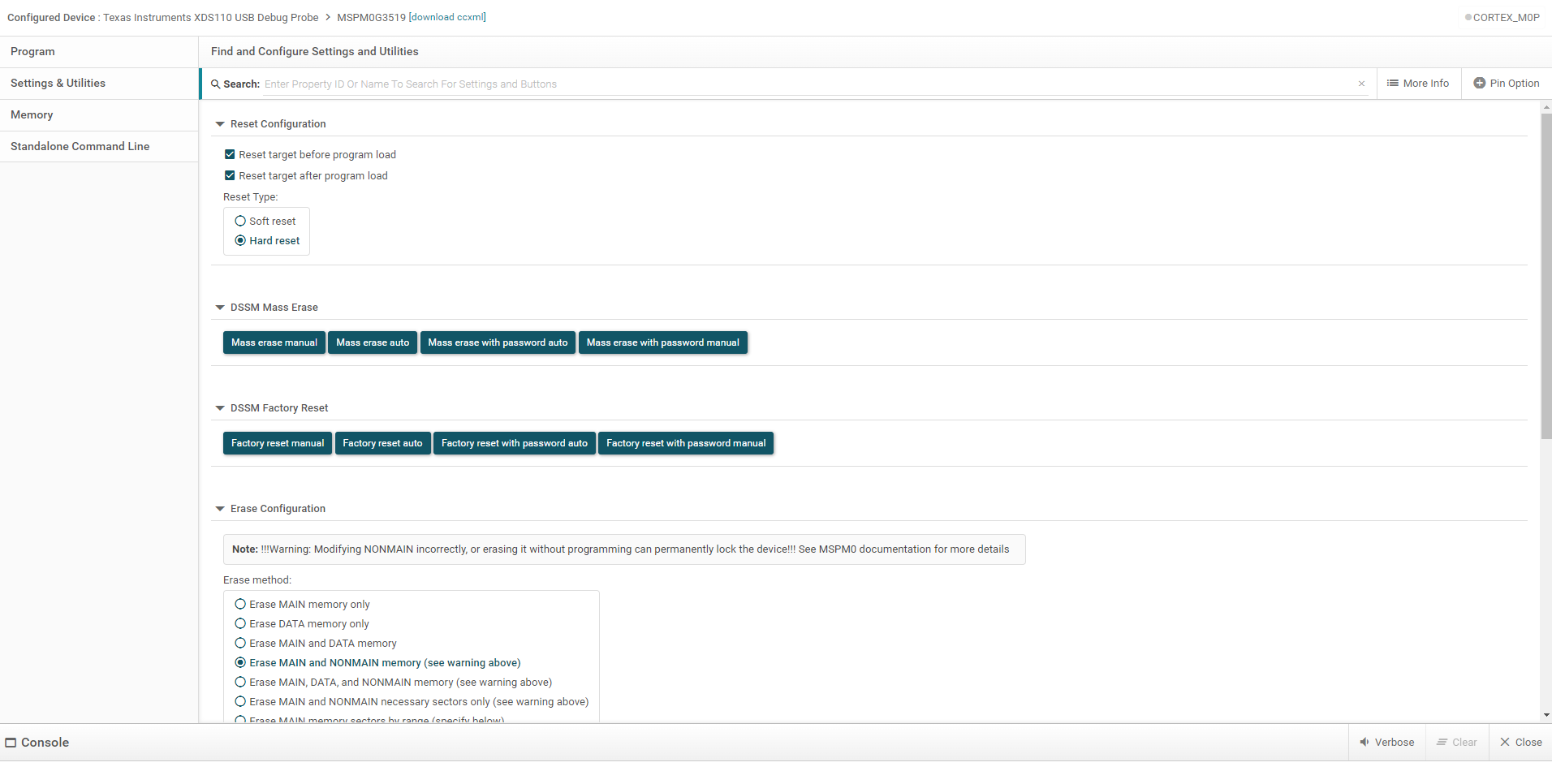
As shown in the screenshot,
I currently have to select “Erase MAIN and NONMAIN memory (see warning above)”
before “Mass erase auto” will proceed and allow me to program the correct firmware.
After programming, the MCU works normally and the firmware functions as expected.
However, if I erase the device again, I can no longer program it.
I have to run “Factory reset auto” before I can use and program the MCU again.
I’m not sure when to use each of these buttons or how they differ.
Could you explain the correct procedure?
My goal is to prevent the programmed firmware from being read back or copied,
while still allowing the MCU to be erased and reprogrammed afterward.
What is the recommended way to achieve this?