This thread has been locked.

If you have a related question, please click the "Ask a related question" button in the top right corner. The newly created question will be automatically linked to this question.

driverX

I'm trying to remove DriverX for MSP-FETIF from the control panel.

When tell it to uninstall, It begins and then switches to repair it. 

How can I remove it?

I'm using windows 7.

  • Same situation, same problem. Windows 7 x64. Also, in the event logs, I am receiving the error:

    Error 8/1/2012 11:22:43 AM Application Popup 1060 None
    \SystemRoot\SysWow64\Drivers\driverx.sys has been blocked from loading due to incompatibility with this system. Please contact your software vendor for a compatible version of the driver.

    followed by

    Error 8/1/2012 11:22:43 AM Service Control Manager 7000 None
    The DriverX service failed to start due to the following error: 
    This driver has been blocked from loading

    Please respond and let us know how to get rid of this defective software! 

  • TI guys, please help us. Thanks,

  • I have not come across this myself, and I use all versions of CCSv4, v5 and v6, on Windows 7 32/64-bit. I am also not 100% sure of the cause of this, but I feel like I have seen feedback about it more on IAR and when using the parallel FET.

    You should be able to at least remove it via the Windows Registry Editor.


    HKEY_LOCAL_MACHINE\SOFTWARE\Microsoft\Windows\CurrentVersion\Uninstall


    How to manually remove programs from the Add or Remove Programs:

    http://support.microsoft.com/kb/314481

  • IIRC, this driver is to give direct I/O access to the parallel port interface to the library that wants to access the parallel port FET. It won't work under Win7/8 anymore

    So if you are using the USB FET, it can be safely removed. However, I don’t know where in the registry it is loaded and how to remove it from there. (well, you can scan the registry for the driver name and remove it manually)

    AFAIK, recent CCS installations don’t touch it nor install it.

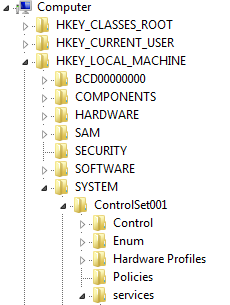
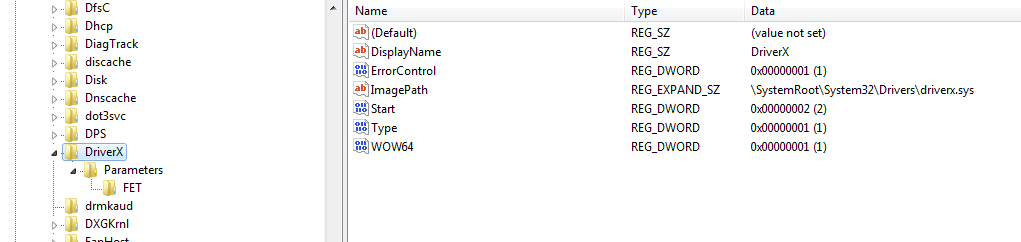
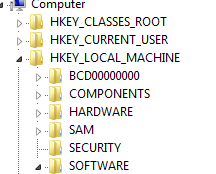
  • Here it is on my PC Win7/64. I deleted all references/Keys to DriverX using RegEdit.  Jens-Michael Gross - you'll be missed!

    Then under services... Delete it!

    Now under Software... Delete DriverX there too.

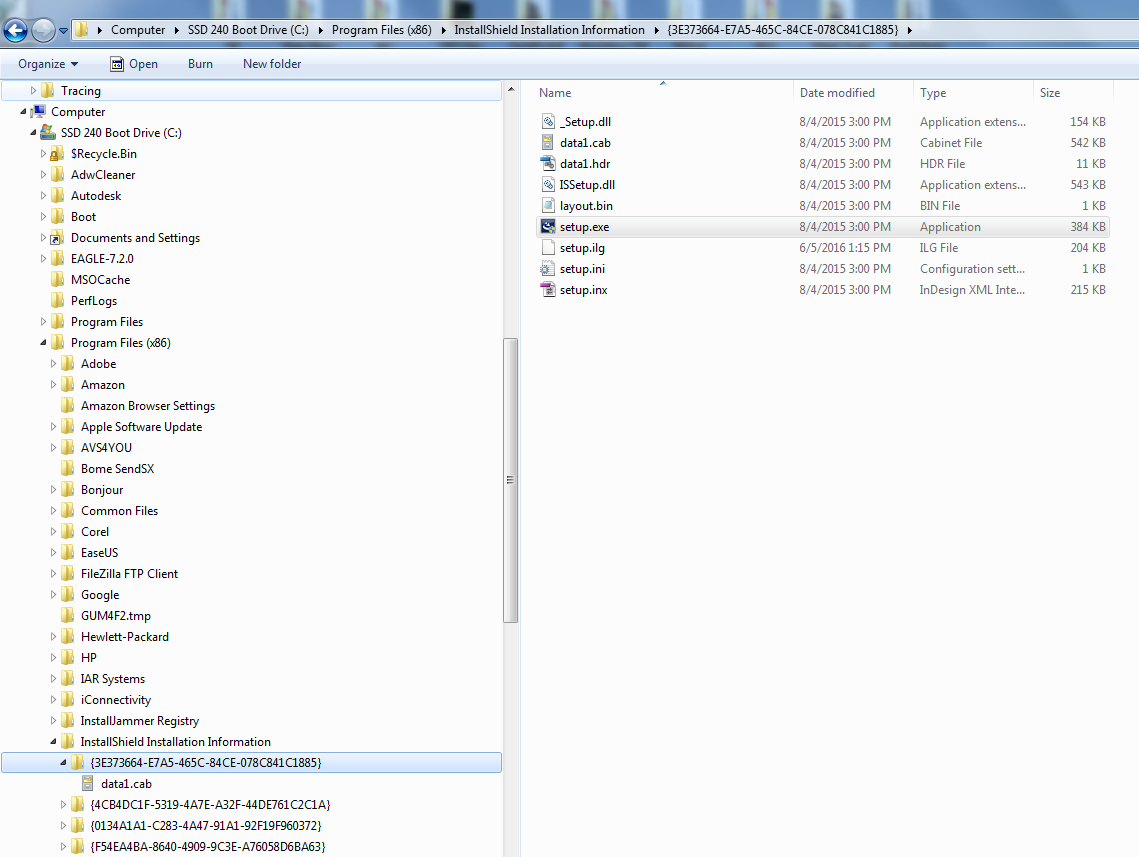
    And since the setup.exe file didn't work to uninstall from Programs and Features in the Windows Control Panel, I deleted this directory too. Not sure if needed, but it is gone from my program list now.  

    Hope this helps ;) Freezing and Bluescreen free for 3 days now! Everything is running better actually. 

    John

  • Wow, seems I have 2 accounts... same person here.

**Attention** This is a public forum