


Hi Community,
I recently got a TI chronos kit. I am trying to install the drivers for the USB RF access point. Unfortunately, the installation fails! I am using Windows 8. I have EZ430-Chronos-668.
Here is a screen shot :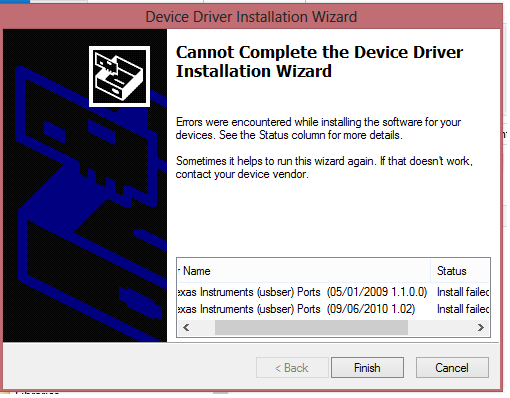
Please help.
Regards
Rohit
Hi Community,
I recently got a TI chronos kit. I am trying to install the drivers for the USB RF access point. Unfortunately, the installation fails! I am using Windows 8. I have EZ430-Chronos-668.
Here is a screen shot :
Please help.
Regards
Rohit
**Attention** This is a public forum
