This thread has been locked.

If you have a related question, please click the "Ask a related question" button in the top right corner. The newly created question will be automatically linked to this question.

Trying to add a simple global.h file to an interrupt source file

Hi! 

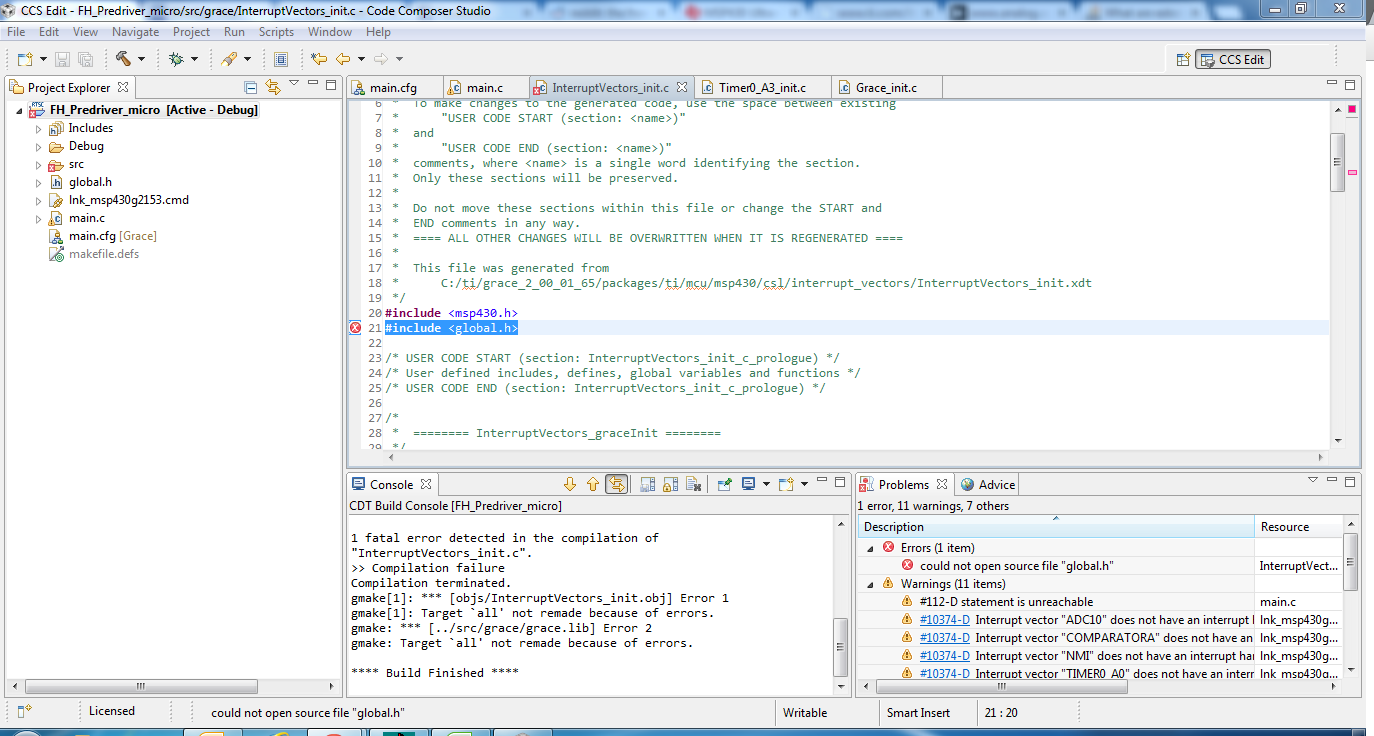
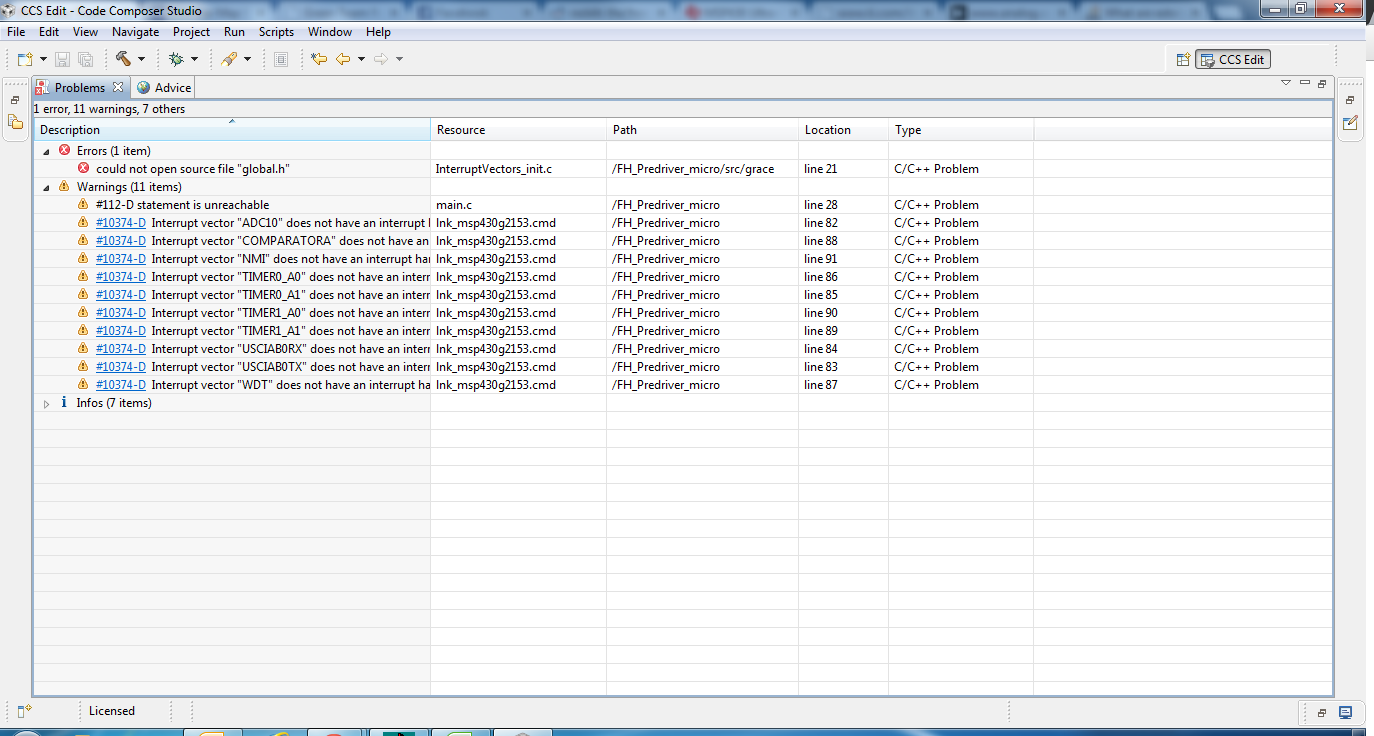
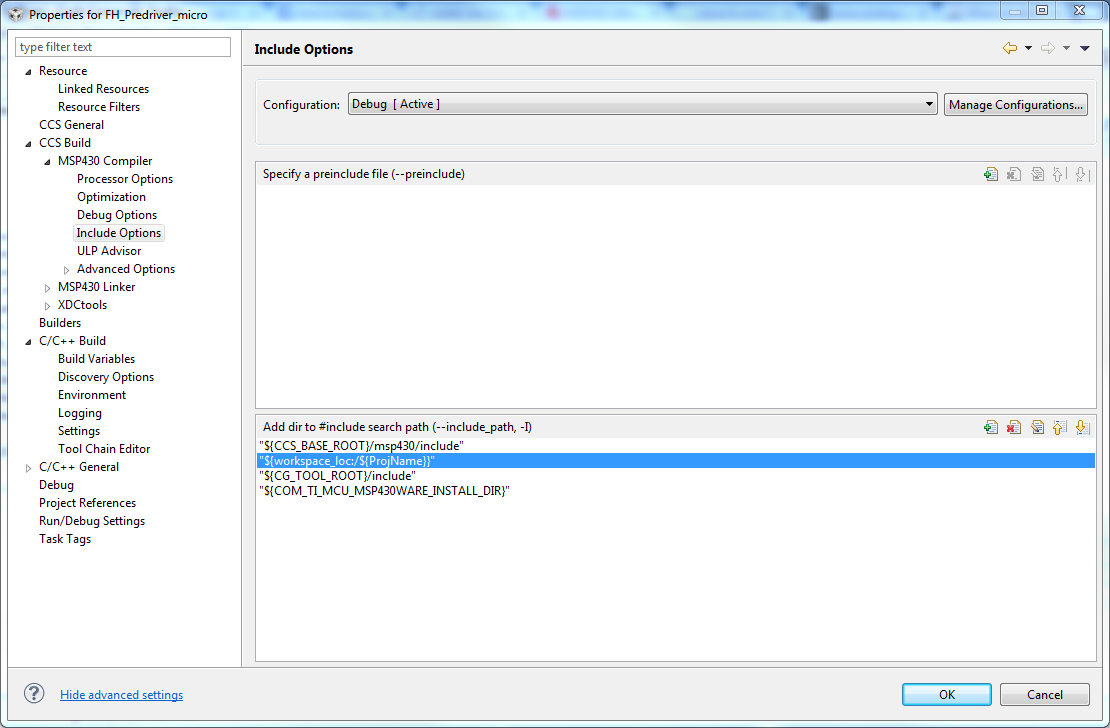
I created a new project in CCS v5.3 for an MSP430 with GRACE integrated. I generated an interrupt source file with GRACE and want to add a "global.h" header to the file. I did a File> New >Header File and created the global. Then I went into the project settings and made sure that the project directory was in the include options. My main.c can read the file, but not the interrupt.c file.

Any ideas? Thanks

  • Here are some more details: 


  • Also, 

    i can fix the error by changing the include to "#include "M:\Electrical\CircuitBoards\ECB107_FH_Driver\Software\MSP430_micro\FH_Predriver_micro\global.h" "  instead of #include<global.h>, but I'd really like to not do that. 

  • Did you try "global.h" rather than <global.h>?

    Back in 1975, the distinction was pretty clear, but now it's not so much. When faced with this kind of thing I automatically try both.

  • I see you have added "${workspace_loc:${ProjName}}" to the CCS project properties in Build -> MSP430 Compiler -> Include options.

    That is added to the include path when main.c is compiled. However, the Grace src/grace/InterruptVectors_init.c file is compiled by XDCtools and doesn't pick up the include path changes from the Include options settings.

    As a work-around in InterruptVectors_init.c try instead using a relative include path, i.e. #include <../../global.h>

    Also, the change to InterruptVectors_init.c is shown as being outside of the "USER CODE START (section: InterruptVectors_init_c_prologue)" and "USER CODE END (section: InterruptVectors_init_c_prologue)" sections, and so will be lost when InterruptVectors_init.c is next automatically re-generated by Grace.

  • Chester Gillon said:
    However, the Grace src/grace/InterruptVectors_init.c file is compiled by XDCtools and doesn't pick up the include path changes from the Include options settings.

    Found you can set the Grace include options by adding them to CCS Project Properties -> Build -> XDCtools -> Advanced Options -> Additional Compiler Options (--compileOptions).

     In my example I tried setting the Additional Compile Options to:

    "--symdebug:dwarf --optimize_with_debug ---include_options="${workspace_loc:${ProjName}}""
    However, my workspace has spaces in the pathname, and for reasons I don't yet understand the compile options which got used by Grace removed the quotes around the include path, and so the compile failed.

  • Spaces in pathnames are problematic foe any commandline-driven data exchange (including most compiler toolchains out there).

    The adding of quotes is a hack introduced by Windows, but collides with linux-based tools where the quotes might be included into the path when assembling it. And even if they are properly handled at first, teh resulting path won't have quotes attached and when passing it to th enex tin the toolchain, the parameter passing fails.

    It is always a good idea to never have spaces or other special charactes in a data path or data filename when working with commandline-based tools.

  • Thanks, this solution worked. Although I had to use 

    #include "../../global.h"

    instead of 

    #include <../../global.h>

**Attention** This is a public forum