This thread has been locked.

If you have a related question, please click the "Ask a related question" button in the top right corner. The newly created question will be automatically linked to this question.

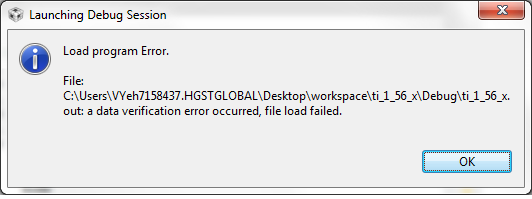
Why does using #pragma RETAIN (version) cause CCS data verification error on debug mode?

Hi Guys


I want to hardcode some values at 0x1800.  So I did:

#pragma DATA_SECTION (version, ".infoD")

#pragma RETAIN (version)


The second line, retain(version) will cause a CCS data verification error on debug mode.  Sure, the whole program will compile and generate me a hex binary, but why is CCS bugging out?


If I comment this line out, it will work, but then I don't get my data insertion at .infoD section.

What's going on?  I just encounter this problem immediately.

Clean/Rebuild project doesn't do anything.

  • It appears that it happens when I change the contents of version.  If I go back and use the same hardcoded values, then I won't get this CCS error.  But if I change the value in the code, then CCS will produce this error.

  • Vern Yip said:
    The second line, retain(version) will cause a CCS data verification error on debug mode.  Sure, the whole program will compile and generate me a hex binary, but why is CCS bugging out?

    If I comment this line out, it will work, but then I don't get my data insertion at .infoD section.

    Under CCS Project Properties -> Debug -> MSP430 Properties -> Download Options what is the "Erase Options" set to?

    If the "Erase Options" is set to "Erase main memory only" then during the download CCS won't erase any information memory, which could lead to the verification error.

    The "Erase Options" needs to be "Erase main and information memory" to allow CCS to program the infoD section during a download.

**Attention** This is a public forum