This thread has been locked.

If you have a related question, please click the "Ask a related question" button in the top right corner. The newly created question will be automatically linked to this question.

How can I convert the CCS output file (*.out) to .srec, .s19, *.hex, etc?


I saw some instructions here on how to convert the *.out file to the *.bin format.  What I need, however, is a post-build step that would convert the file to a format that the Elprotronic MSP430 gang programmer can use. Help?


  • Hello Dean,

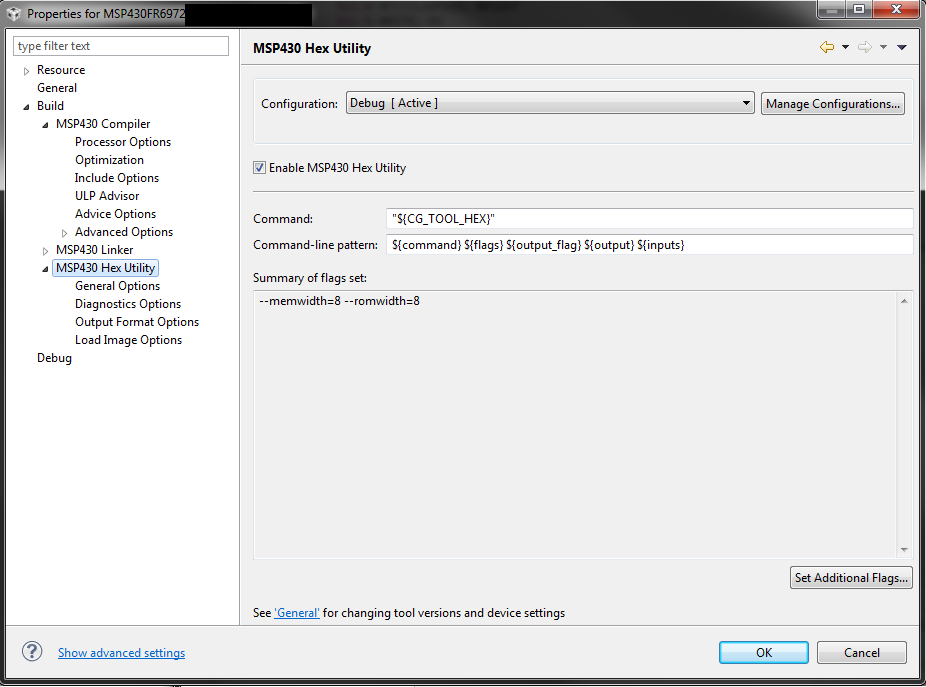
    you can create a HEX-File of your source code by using the MSP430 HEX Utility included in Code Composer Studios.

    To get the file you have to enable the Hex Utility:

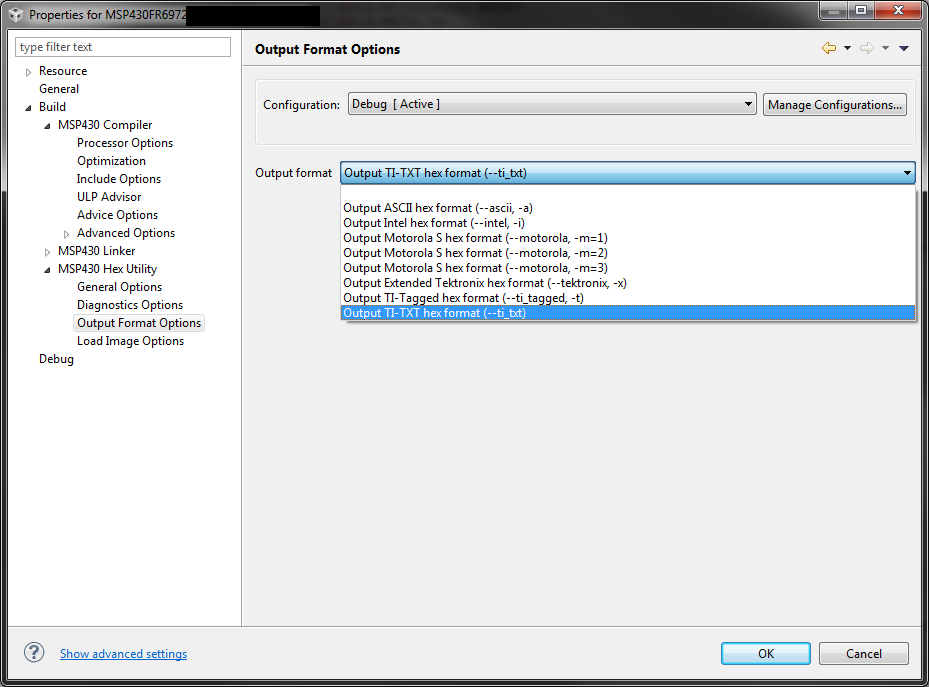
    And in section "Output Format Options" you can select the format you want (eg. TI-TXT or Intel-HEX):

    The created output file is located in the "Debug-Folder" within your project.

    Best regards,

    Michael

  • Thanks, Michael.  It looks like your response was crafted so as to include some images, indicating how to enable the hex utility and select the output format. Those images aren't appearing in my browser, though.  

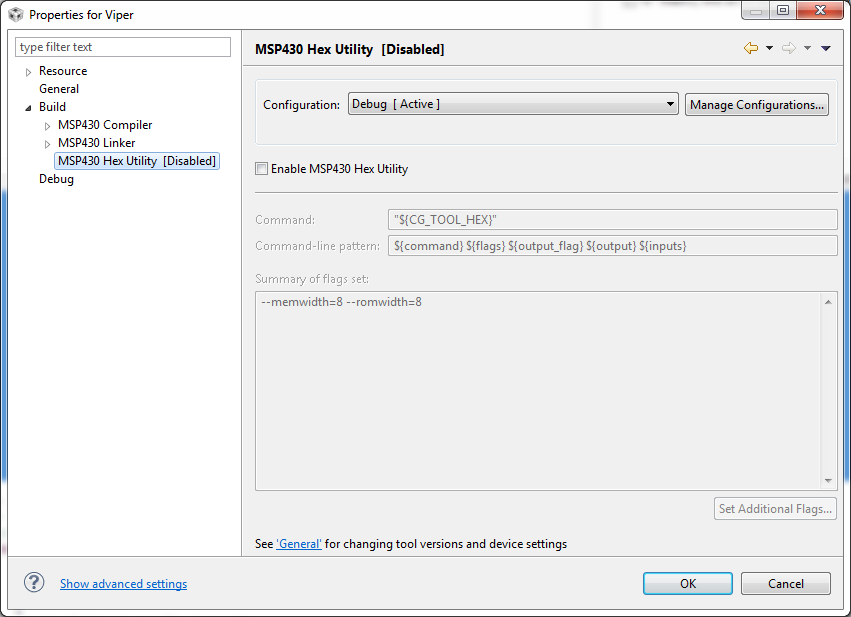
    Also, I'm using CCS 6.0.1.00040, in which the hex utility is disabled (see image below).

  • Dean Velasco said:
    Also, I'm using CCS 6.0.1.00040, in which the hex utility is disabled (see image below).

    In CCS 6 when a new project is created the HEX utility is disabled by default.

    To enable it, tick the box marked "Enable MSP430 Hex Utility". That will enable the Hex Utility to run during the build, and allow the project properties for the Hex Utility to select options to be used. e.g. output filename / format of hex file.

  • Hello Dean,

    sorry for  the missing pictures, there was something going wrong during the paste-in process of the pictures.

    Here the screen-shot for enabling the HEX-Utility:

    And here the screen-shot for selecting the output format:

    As mentioned before, the created HEX-File can be found in the DEBUG-Folder within your project-folder.

    Best regards,

    Michael

  • Many thanks, Michael.  As I mentioned though, this option is disabledCCS 6.0.1.00040, the version that I'm using.  The image that I posted earlier says "MSP430 Hex Utility  (Disabled)."

  • Dean Velasco said:

    Many thanks, Michael.  As I mentioned though, this option is disabledCCS 6.0.1.00040, the version that I'm using.  The image that I posted earlier says "MSP430 Hex Utility  (Disabled)."

    Isn't that just telling you that the checkbox "Enable MSP430 Hex utility" is not ticked? The checkbox doesn't appear to be greyed out in your screenshot.
  • Yes, you are correct, Michael. I missed that part. Thanks.

**Attention** This is a public forum