This thread has been locked.

If you have a related question, please click the "Ask a related question" button in the top right corner. The newly created question will be automatically linked to this question.

ISSUES WITH THE DEBUG XDS110 AND MSP432

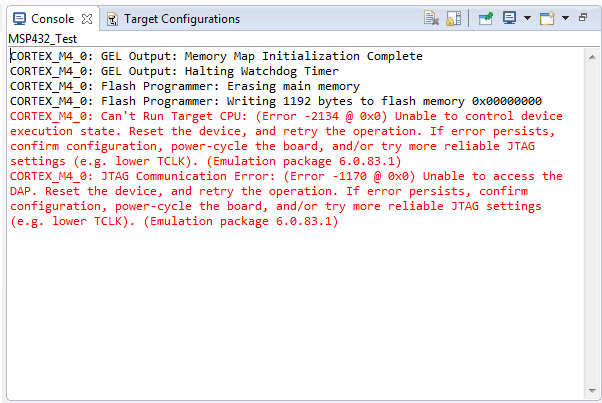
Hello good day, I have a huge problem when I try to record a program on the MSP432, the CCSV6 send me an error (see picture)
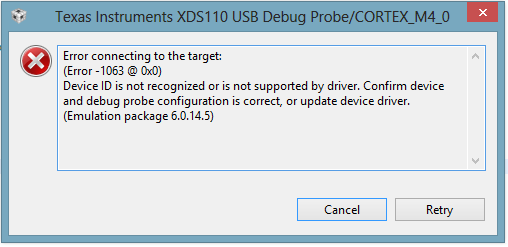
the version of software for the MSP, which have currently installed are:

and my version CCSV6 is:
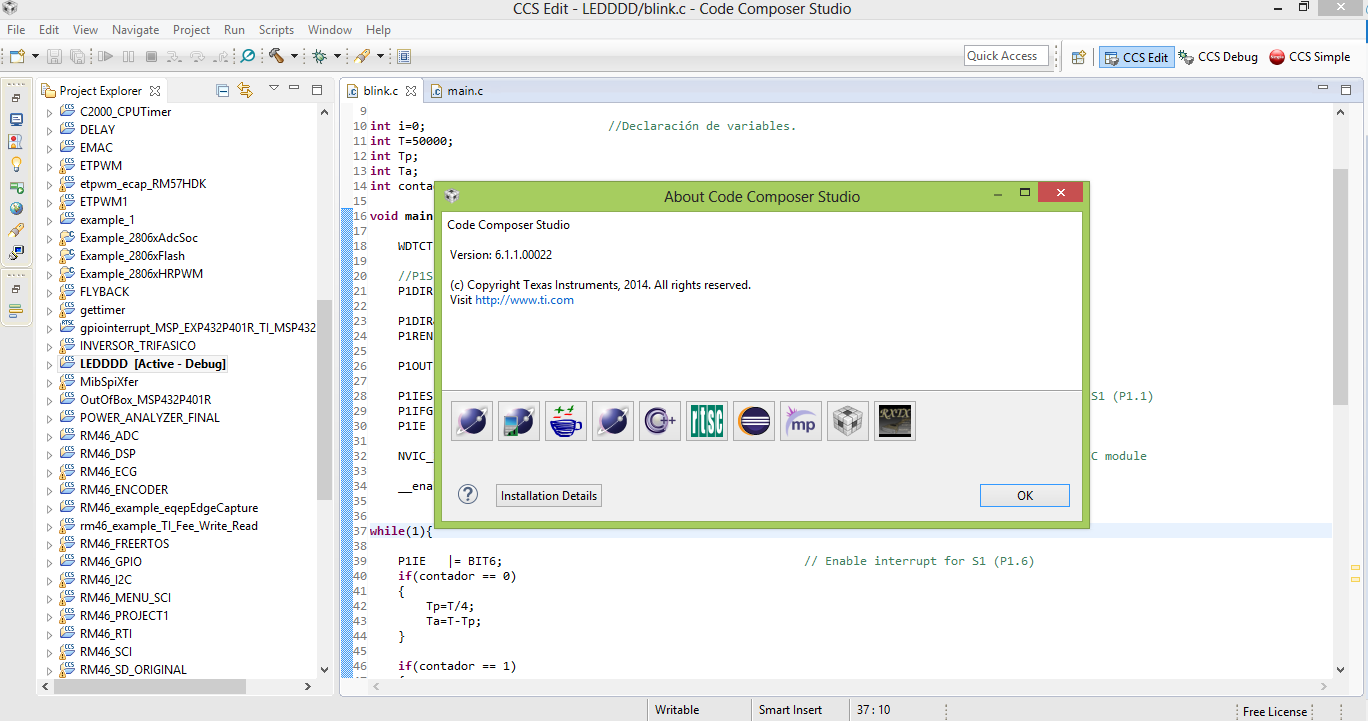
would like to know, how I can upgrade or repair this error!

Regards

Martin V.

  • Hi Martin!

    Is it the first time you are using this MSP432 LaunchPad or did it work before?

    Please make sure you do not have any physical damage on your board, like overheating parts. There are a few user's having trouble with it. For more information about this, please look at the end of this post.

    Idiot question first: Is S101 on the LaunchPad set to the correct position (XDS-ET)?

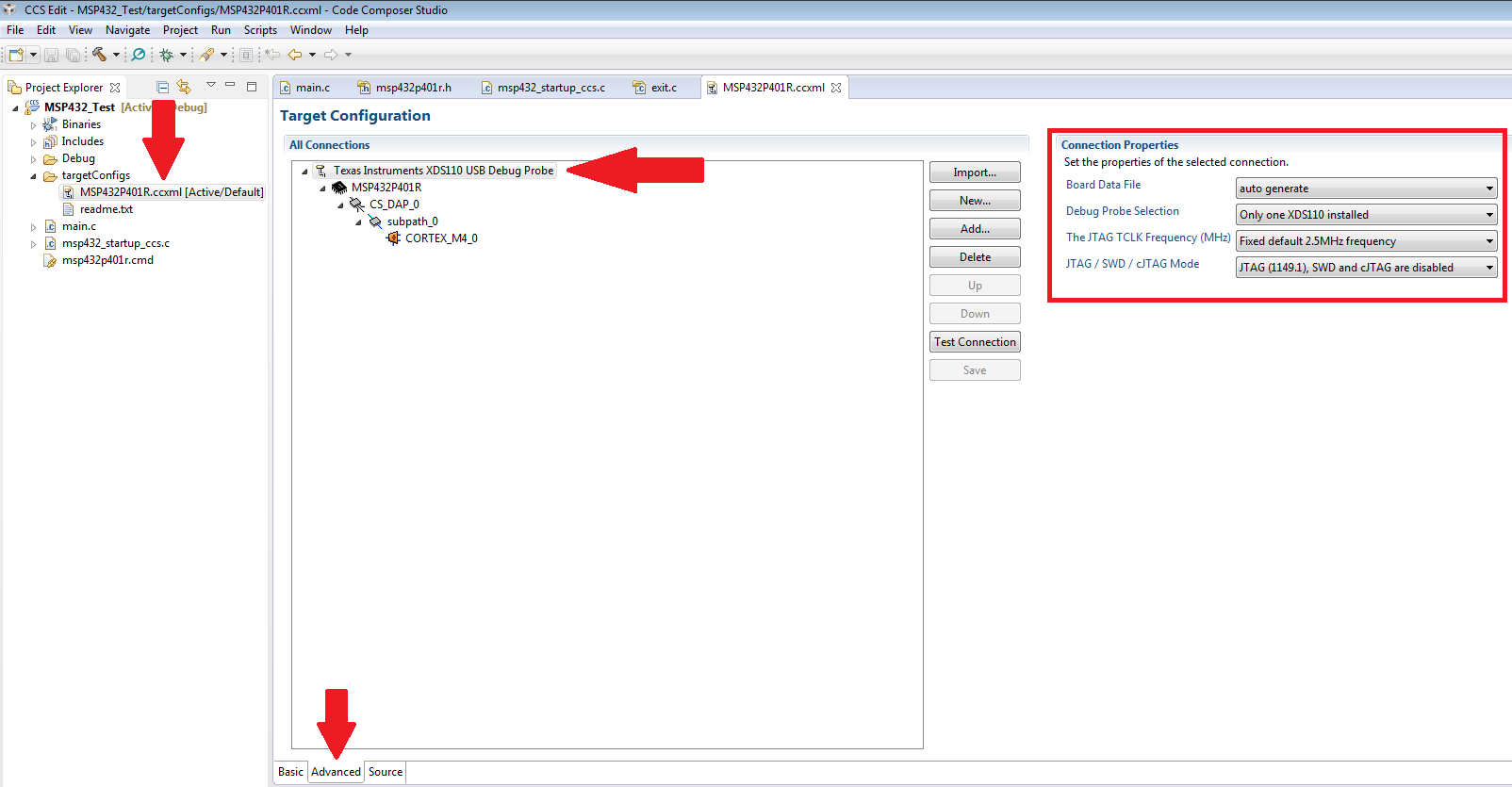
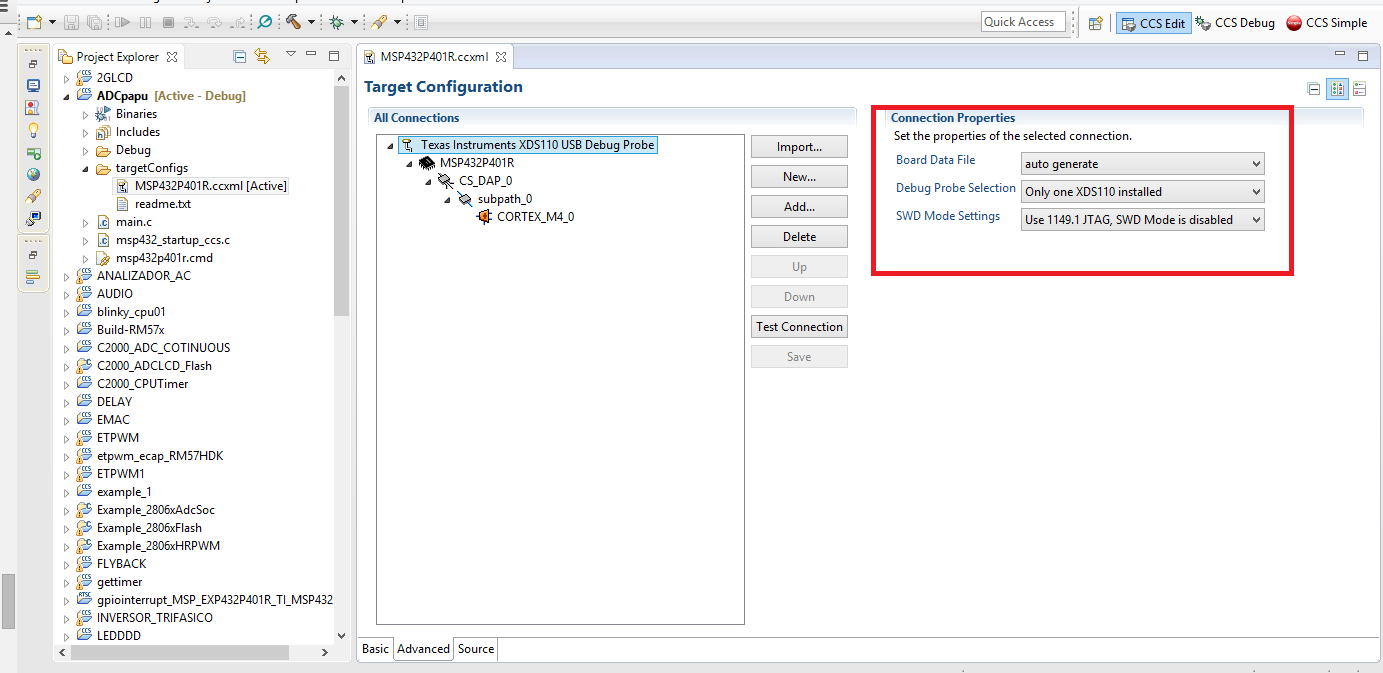
    Some things to check - could you please open your MSP432P401R.ccxml file, click on Advanced on the bottom of the window and look at the settings for the Texas Instruments XDS110 USB Debug Probe:

    Is it the same for you?

    If you click on Test Connection, what does it say? Note that if you changed something you have to click on Save first.

    If the connection works, great :) Then it should look like this:

    If not...I will brick my board later in this post (and then recover it), just go on, although you do not need to try the steps before the connection works.

    Can you additionally check if the following settings are also right:

    Let's try to perform a factory reset to your board - to do so, click on View -> Target Configurations:

    A new window opens - expand the tree like shown in the picture and right-click on the MSP432P401R.ccxml file, then select Launch Selected Configuration:

    Now a Debug window opens. Right click on MSP432P401R.ccxml and select Show all cores:

    Now expand the tree as shown, right click on the XDS110 USB Debug Probe/CS_DAP_0 under Non Debuggable Devices and select Connect Target:

    Now click on Scripts -> default -> MSP432_Factory_Reset:

    Now press on STOP (red square), disconnect the power of the board, connect it again and give it a try.

    If this does not work... and you get an error message and cannot connect to the board, you may have disabled your JTAG by changing the PJSEL0 and PJSEL1 bits. I just tried that and flashed the following program to my MSP-EXP432P401R LaunchPad:

    #include "msp432p401r.h"
    
    void main( void )
    {
      WDTCTL = WDTPW | WDTHOLD;
    
      PJSEL0 = 0xFF;
      PJSEL1 = 0xFF;
    
      while( 1 )
      {
    
      }
    }

    This immediately bricks it because the JTAG functionality is disabled. This appears after starting the program:

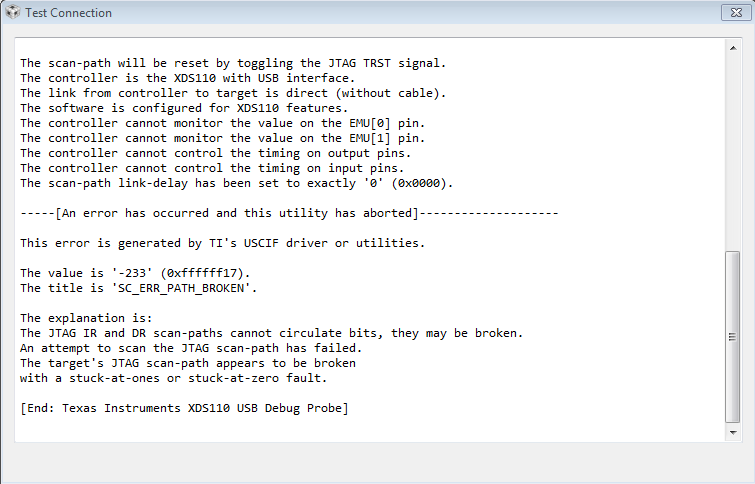
    Open the Target Configuration again - we will try to establish a connection by pressing on Test Connection...

    ...but this is the response:

    To get it working again, select SWD Mode - Aux COM port is target TDO pin:

    Don't forget to save the new configuration. Now perform the Factory Reset as described above. After the power cylce you can switch back to JTAG.

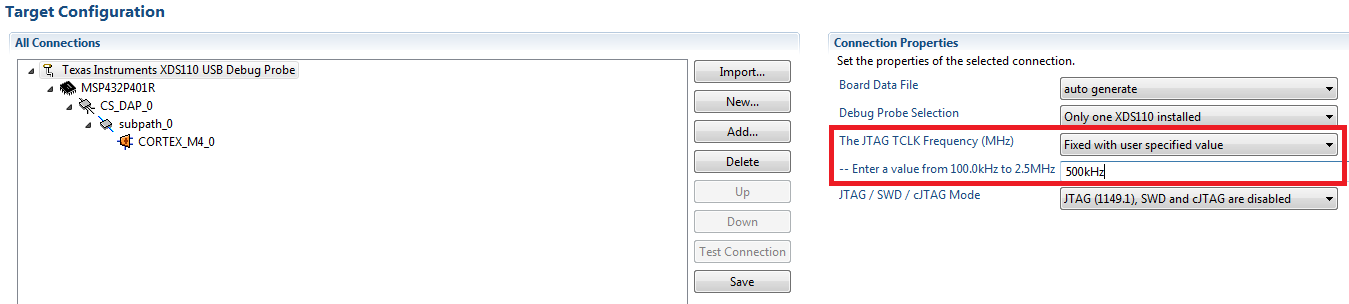
    You can also experiment with the JTAG speed:

    Does this work for you?

    Dennis


    Link to the C125-issue which potentially can damage the board:

  • Thank you very much Dennis, I could solve my problem with the "factory reset"

    About your question, the configuration is somewhat different in my case; this must be because I do not upgrade my version of Code Composer Studio.

    All other configurations are the same as the photos you sent me.

    Muchas gracias

    Saludos

    Martin V.

  • Great to hear that!

    Did the reset work directly or did you have to change the communication type?

    Dennis
  • "reset work directly", the first way and the first try! :)
  • Hey Dennis,

    I've tried all of the steps you've listed above to fix the JTAG Communication error but to no avail. This has started happening since I've tried programming an LCD whose data lines are split between two different ports. Can my code be a reason for this error?


    "CORTEX_M4_0: JTAG Communication Error: (Error -1170 @ 0x0) Unable to access the DAP. Reset the device, and retry the operation. If error persists, confirm configuration, power-cycle the board, and/or try more reliable JTAG settings (e.g. lower TCLK). (Emulation package 6.0.83.1)"
  • Hi Bhoomi!

    Bhoomi Patel said:
    This has started happening since I've tried programming an LCD whose data lines are split between two different ports. Can my code be a reason for this error?

    Could you upload a schematic of your circuit?

    Dennis

  • Hi dennis,
    I have the same problem with 2 of my boards. When I use the SWD mode, do I have to use an additonal programmer or do I have to change the jumper position on the board?
  • Hi Christoph!

    No, there was no additional programmer used and the jumper settings were not changed.

    Dennis
  • Ok, than I would give it a try. Further I measured the current sonsumption via the 3V3 jumper and the msp432p401_pcm_11 project. I got a value of 1.44mA is this value ok for this power mode?
  • Hi!

    What if I also have this problem together overheating to? Anybody could help me? the target works but it's really heated...

  • Thanks, this post really helped me in fixing the same problem with my msp432 launchpad.

**Attention** This is a public forum