This thread has been locked.

If you have a related question, please click the "Ask a related question" button in the top right corner. The newly created question will be automatically linked to this question.

CCS/MSP430F5529: Unable to launch the USB Descriptor

Part Number: MSP430F5529
Other Parts Discussed in Thread: MSP430USBDEVPACK, MSP430WARE

Tool/software: Code Composer Studio

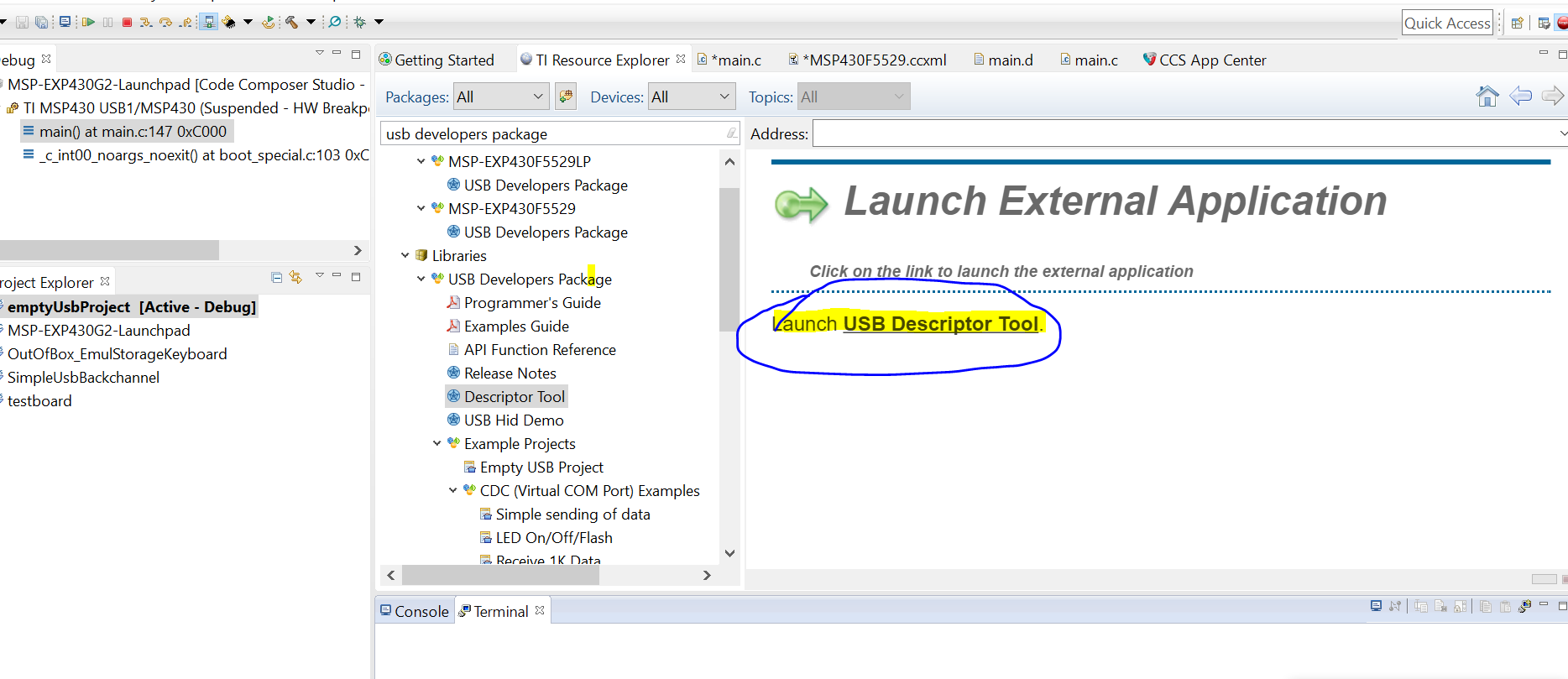
I am want to use the USB API to create a COM port to communicate with the host. But, I am unable to launch the USB Descriptor as shown below. When i click on the "Launch USB Descriptor" nothing happens. I am using CCS 7.0 on Windows 10. 
  • I was able to launch the USB Descriptor Tool on my machine (CCS v6.2, MSP430Ware v3.4, Windows 7) without any issues. The USB Descriptor Tool can also be run standalone from the MSP430USBDEVPACK software download package if you would like to give that a try. There could be an issue regarding execution of the jar file, you can check your java version by using the "java -version" command inside of your command prompt (mine is v1.8). You can also attempt to run the executable from the command prompt and see if any errors are displayed.

    Regards,
    Ryan
  • Thanks for the reply. I have fixed it by updating my Java and restarting the computer.

**Attention** This is a public forum