This thread has been locked.

If you have a related question, please click the "Ask a related question" button in the top right corner. The newly created question will be automatically linked to this question.

Linux/MSP430FR2633: Booting MSP430FR2633 over I2C

Part Number: MSP430FR2633
Other Parts Discussed in Thread: MSP-FET

Tool/software: Linux

Hello,

We have connected I2C, TST, RST and the VCC, GND between our test board and the MCU430FR2633 board of the MCU development kit. We are quite sure that everything is connected correctly.

We try to boot MSP430FR2633 over I2C, according to this document:

http://www.ti.com/lit/ug/slau610c/slau610c.pdf#page=6&zoom=auto,0,555.1

So, first step toggling TST and RST according to 3.5.2 in order to enter the BSL mode.

Now we were sending a command via I2C, but we never received an ACK on the address 0x48. We measured the signals and everything looked OK, beside that we do not get any answer.

Thanks in advance for help

Santhosh and Astrid

  • Hello Astrid,

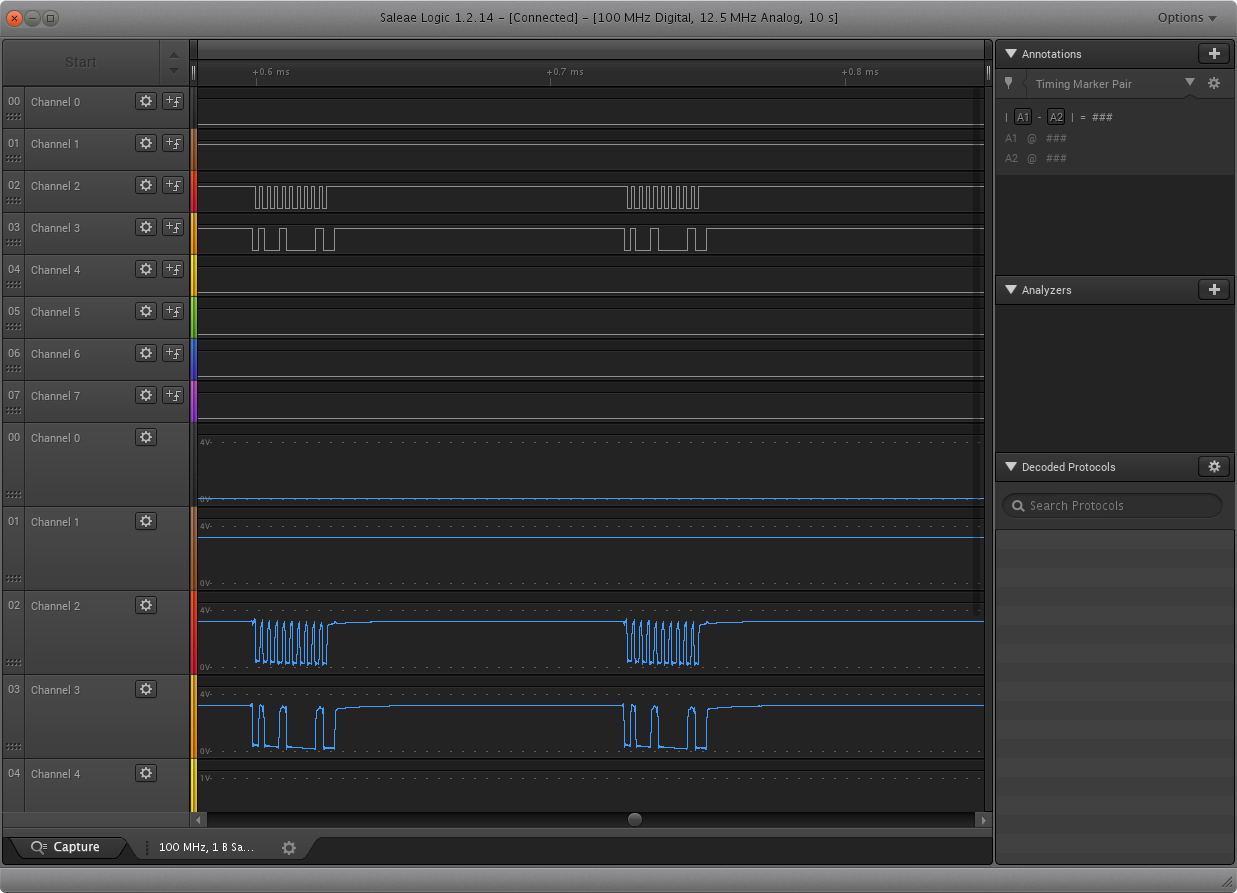
    Can you provide a scope shot of the entry sequence and possibly logic analyzer view of the I2C transactions? This should help in the debug effort here.
  • Hello,

    Yes, here it is:

    entry sequence:

    I2C (zoomed out):

    Thank you

    Astrid

  • Hello Astrid,

    Could you place the Signal Analyzers for I2C on channels 2 and 3?  Also, could measure out the pulse length on channels 0 and 1?

    Also, how are you driving these lines? Is it with the BSL Scripter + MSP-FET, or some custom solution?

    And to confirm, your connections to the device are as follows?

  • Hello Jace,

    We managed now to load the source code into the MSP430FR2633. The problem is that we need to wait a certain time. Which time is it? We are waiting now for 2 seconds - which seems to be fairly long. Before we waited for 300 µs.

    Connection wise everything was correctly.

    Thanks

    Astrid

  • Hello Astrid,

    The time to program the part is going to be highly dependent on how much code you are programming. After the program is loaded into the device, it can be reset to start your application. I know this BSL is capped at a certain data rate for I2C. (Please see the device datasheet and BSL User Guide for this part for this information). For faster programming times, JTAG is a better option.
  • Hello Jace,

    yes sure. Currently we are using an example project, generating a keypad (using the development kit with the 8 button keypad).

    One more question. We have booted the keypad and it seems to work as expected. Now we get a falling edge interrupts on the IRQ line. But we are quite unsure which commands we are supposed to send in order to know which buttons have been pressed on the keypad. The documentation is not that helpful.

    We figured out that we have to request the first two bytes in order to request the packet over I2c. But how do we know which packets we have to request. We seem to get always quite stupid data and the Keypad Software seems not to be happy about our requests. Can you please send us the order of packets we are supposed to request?

    Thank you

    Astrid

  • Hello Astrid,

    Please be aware that the BSL interface is for programming the part only. It will not interact with your application. It is possible to use the same I2C lines for BSL programming and normal I2C communications with your project. In fact, the CapTIvate EVM does use the same I2C module for its HID I2C communication as the BSL in I2C modes uses. The best way to get Keypad information from your kit is to use the CapTIvate Programmer / HID Comm board along with the CapTIvate Design Sensor for tuning. The HID Bridge is described within the CapTIvate Technology Guide (ti.com/CapTIvateTechGuide) -> MSP-CAPT-FR2633 Development Kit -. Using the HID Bridge.

    That being said, the default projects with communication are setup to send lots of debugging/tuning information over the HID Bridge for the CapTIvate Design Center. For applications, you will want to use the CapTIvate Library and code in your own response to button presses (such as sending something over UART/I2C or toggling an LED). This can be seen within the CapTIvate Technology Guide -> Software Library -> How to -> Register a Callback Function.
  • Hello,

    Yes, we tried to program the host regarding to this webside. We are using the same i2c interface as for the BSL. We are getting interrupts indicating that new data is available. Unfortunately the description of the protocol layer is quite unclear. The host (i2c master) needs to request certain packages-which? We are expecting a cycle packet, but it contained just strange data. But how do we know which one we have to send? Can you please send us an example e.g.

    1. Interrupt

    2. Request this packet, if it contains cmd=1 request cycle packet.

    2. Request cycle packets for each row.

    Thanks

    Astrid

  • Hello Astrid,

    What you are looking for is the Protocol for the communications module within the CapTIvate Software Library. This is what is used between the HID Bridge and the MSP430. This protocol is defined within the CapTIvate Technology guide -> Software Library -> Communications Module -> Protocol Layer. The format is slightly different between packet types.

**Attention** This is a public forum