This thread has been locked.

If you have a related question, please click the "Ask a related question" button in the top right corner. The newly created question will be automatically linked to this question.

CCS/MSP430FR5969: Cannot use the Driver Library for the exisiting project

Part Number: MSP430FR5969

Tool/software: Code Composer Studio

Hello,

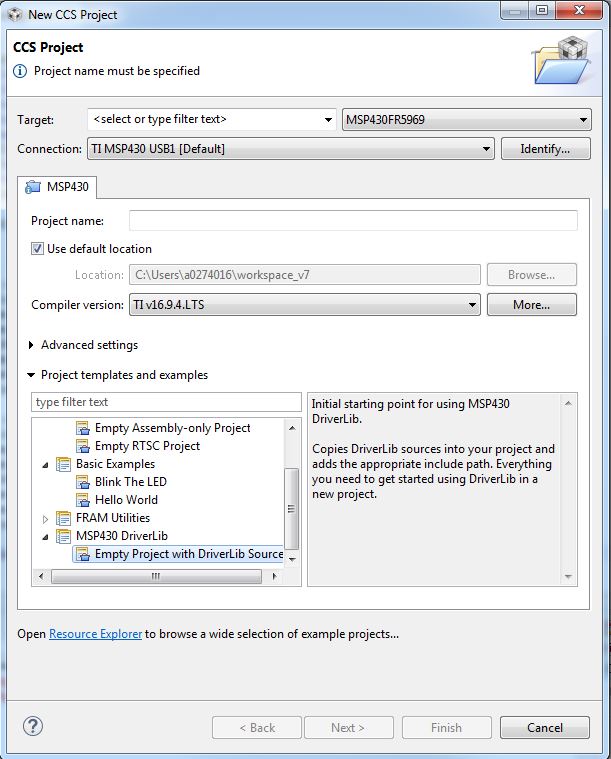
I am not able to add the Driver lib as told in Driver library guide. I see no Driver templates as shown in the Picture below.
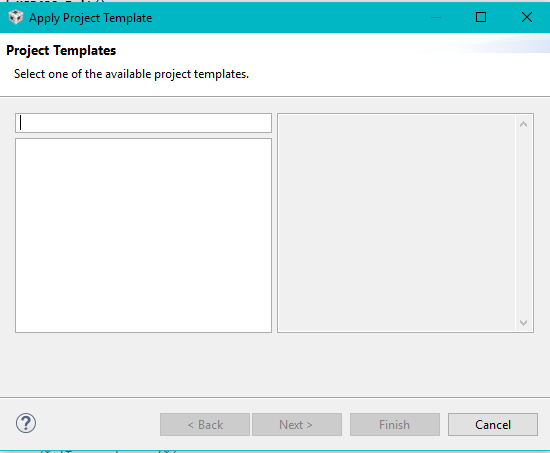
I have tried copying the Driver library Folder to the current Project from example project. But I get an error saying 'driverlib.h not found'. How can I add the path linking to the Driver lib?

Sincerely,

Manoj

  • Hi Manoj,

    Are you sure that you have Driver Lib properly installed on your PC? Also are you working on the most up-to-date version of CCS? I just tried this out on my setup and it worked as described in the Driver Lib User's Guide. Can you confirm these two things for me and then we can work from there.

    Best regards,
    Caleb Overbay
  • Hello Caleb,

    Thank you for the help. I did not install the driver library. I tried installing the driver Lib in prefereces/products and I am able to view the template.

    Sincerely,
    Manoj.
  • Hello Manoj,

    Add directory ${PROJECT_ROOT}/driverlib/MSP430F5xx_6xx to the include search path inside Project Properties -> CCS Build -> MSP430 Compiler -> Include Options.

    Or create an empty project with a DriverLib source.

    Regards, Ryan

**Attention** This is a public forum