This thread has been locked.

If you have a related question, please click the "Ask a related question" button in the top right corner. The newly created question will be automatically linked to this question.

CCS/MSP-EXP430FR5739: Cannot initiate debug session with stock FR5739 Launchpad?!?

Part Number: MSP-EXP430FR5739
Other Parts Discussed in Thread: MSP430FR5739,

Tool/software: Code Composer Studio

Pulling my hair out over this one.

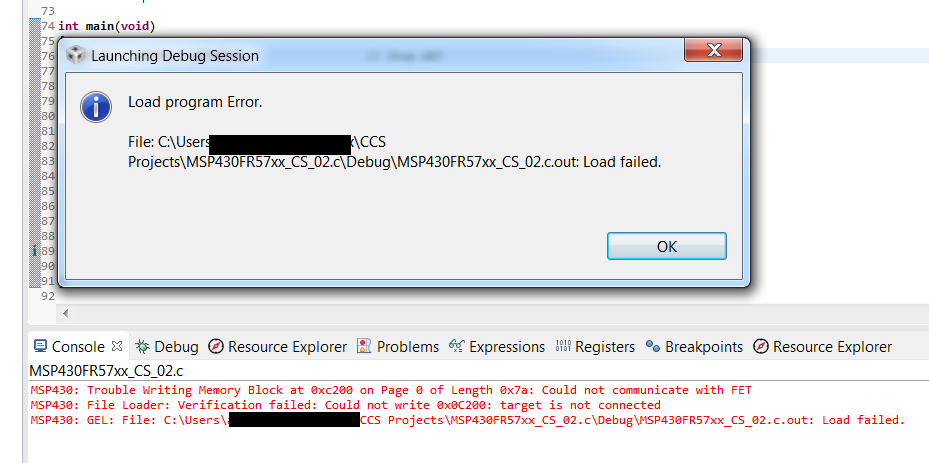
Wrote a simple blinky led program to test IO.   Start debug session a few times in a row, enters and exists debug just fine.   All of a sudden, debug sessions will not start.   CCS freezes on the screen:
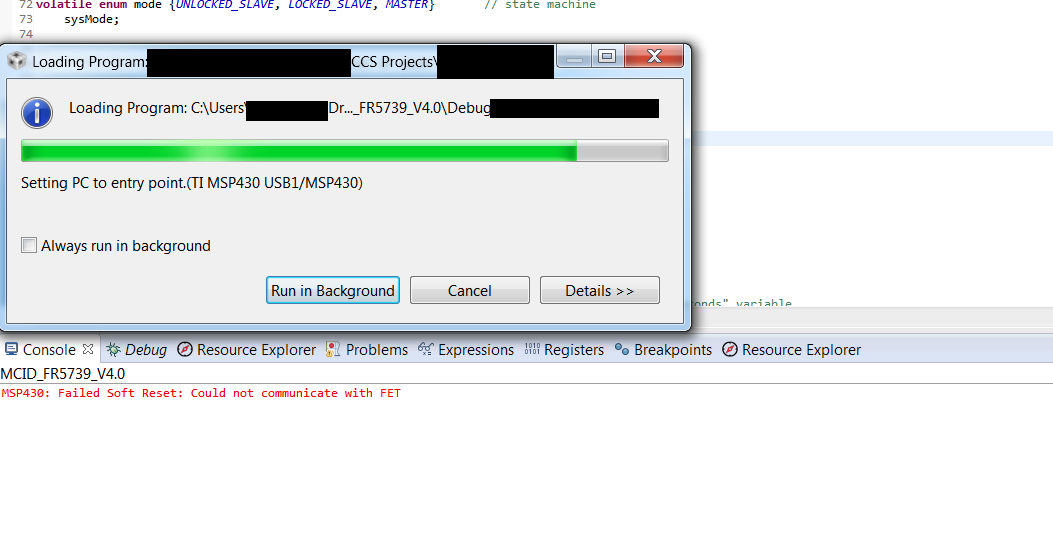
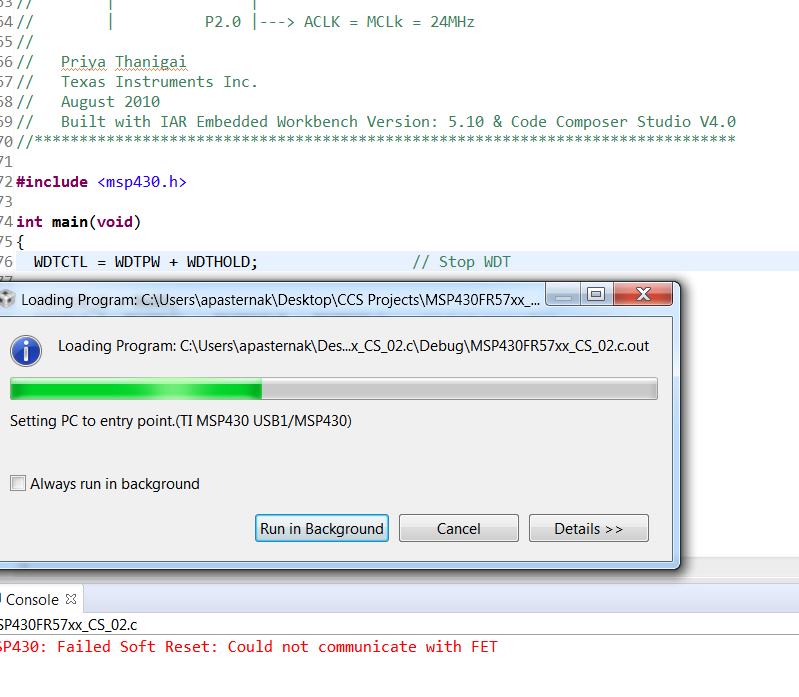
Plugging/unplugging the USB cable to the Launchpad does not help;  CCS remains frozen in this state.   Restarting CCS fixes the issue about 50% of the time, other 50% of the time, same issue occurs again and again and again.  Sometimes the error message is different, referring to "Could not perform soft reset"  and about writing to a memory location:
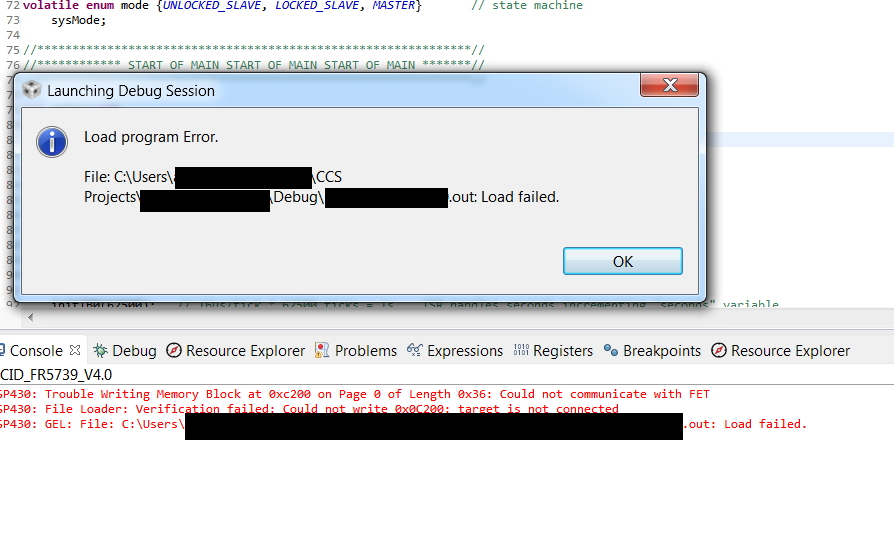
I've used dozens of Launchpads on this same system, without fail.    Only difference with the EXP-430FR5789 is that is is an old style Mini-USB connector onto the Launchpad.  I can't imagine why that would matter.  Anybody have an idea of what's going on here?

  • Hello,

    Just to try and start ruling out some common sources of problems, have you tried uploading the simple "blinky" example code from the TI Resource Explorer for the MSP430FR5739 just to make sure that the problem still persists on a published example code? This would rule out the code as the source of the problem. Next idea would be to completely uninstall and re-install the latest version of CCS to see if that fixes the issue you are seeing. Another long shot would be to replace the USB cable in case there is a faulty connection in the current mini USB cable you are using.

    If none of these debug steps fix your issue then we may have to dive a little deeper.

    Best regards,

    Matt Calvo

  • Hi Mike, thanks for replying.

    Quote, "... code as source of problem ..."

    Why would the source contents affect the basic communication/initialization with the Launchpad on-board FET?     Is there a difference between communication protocol and what happens "behind the scenes"  for a 5-line program vs. a 15,000 line program upon entry into debug mode, before the code is actually loaded onto program memory on the target?   

    That being said: 

    Using one of the examples from Resource Explorer as the code source exhibits more or less the same behavior:     entry into debug mode < n > successfully times in a  row,  then < m > times failures in a row, before finally back to a successful debug mode.   <n>  and <m>   can be anywhere from 0 to 10 or more.   

    Another aspect of this behavior is that when I'm stuck in a "Could not communicate with FET"   loop, plugging and unplugging the USB cable does not seem to make any difference in re-establishing a successful debug session again. 

    I have 4 EXP-430FR5739 Launchpads that came with 4 USB mini cables.   All combinations of Launchpad/cables exhibit the same behavior. 

    My development laptop has 3 USB 3.0 ports and 1 USB 2.0 port.   Using a USB 2.0 port vs 3.0 does not change the behavior I am seeing.   

    I will try uninstalling & reinstalling CCS and report back here shortly.

  • Uninstalled CCS from this system.

    Removed entire directory C://ti  to make sure I am starting from scratch.

    Reinstalled CCS.

    Load example MSP-EXP430FR5739 code from Resource Explorer:

    First entry into debug session , then exit, is GOOD

    Second entry into debug session, then exit, is GOOD

    Third entry into debug session, problem rears its ugly head again, and CCS is frozen again:

    Where do I go from here?   

  • Adam,

    I acquired an MSP-EXP430FR5739 and programmed the GPIO toggle code example from the Resource Explorer using CCSv7.4 with the TI v16.9.6.LTS compiler (most updated CCS and compiler) and had no problem starting a debug session. I tried it over 10 times just to make sure I wasn't going to run into the problem you are seeing after 2 or 3 times.

    What version of CCS and compiler are you using? Also, what Revision of the MSP-EXP430FR5739 are you using? I'm trying to see how our setups differ to have a better understanding of where your problem could be.

    Best regards,

    Matt Calvo
  • Hi Mike, thanks for replying
    Revision on my MSP-EXP430FR5739 says "Rev 1.1"
    New fresh clean install of CCS, compiler is TI v16.9.6.LTS

    I suppose I have a ghost in the machine ... the evidence thus far seems to point to the PC as the problem, maybe something on the USB bus, but that is something I have no idea about testing or evaluating. As far as I can tell the USB FET is recognized correctly by this PC
  • Adam,

    I have exhausted most of the preliminary debug steps for these types of problems; thus I am now going to reach out to a colleague in the MSP430 Tools team to get some more insight as to why you may be experiencing these issues. Thank you for your patience as I wait for their response.

    Best regards,

    Matt Calvo
  • Adam,

    I am going to relay some questions that the tools team is inquiring about:

    1) What exact version of CCS are you using? Was your fresh clean install an installation of the newest CCSv7.4?
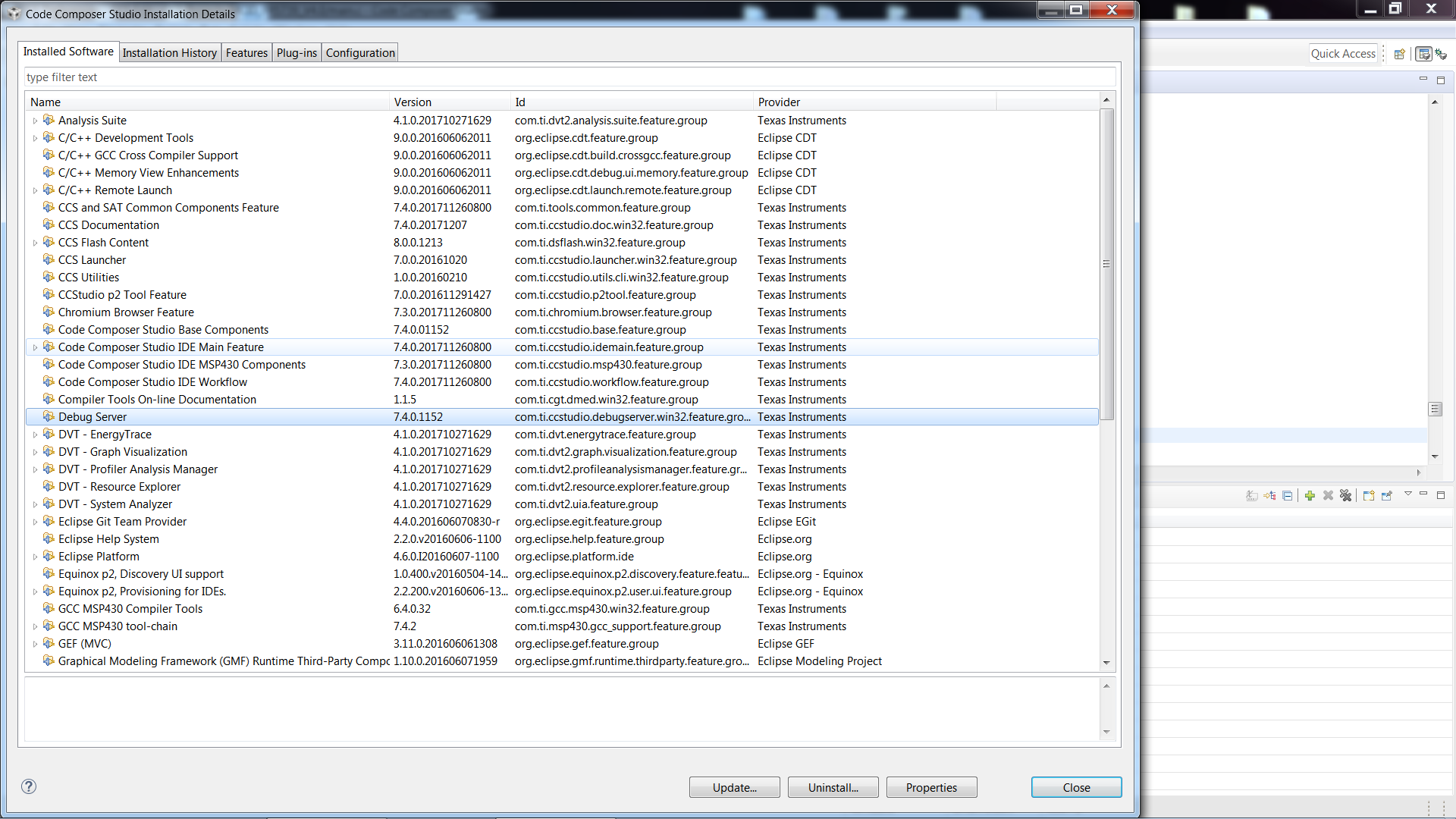
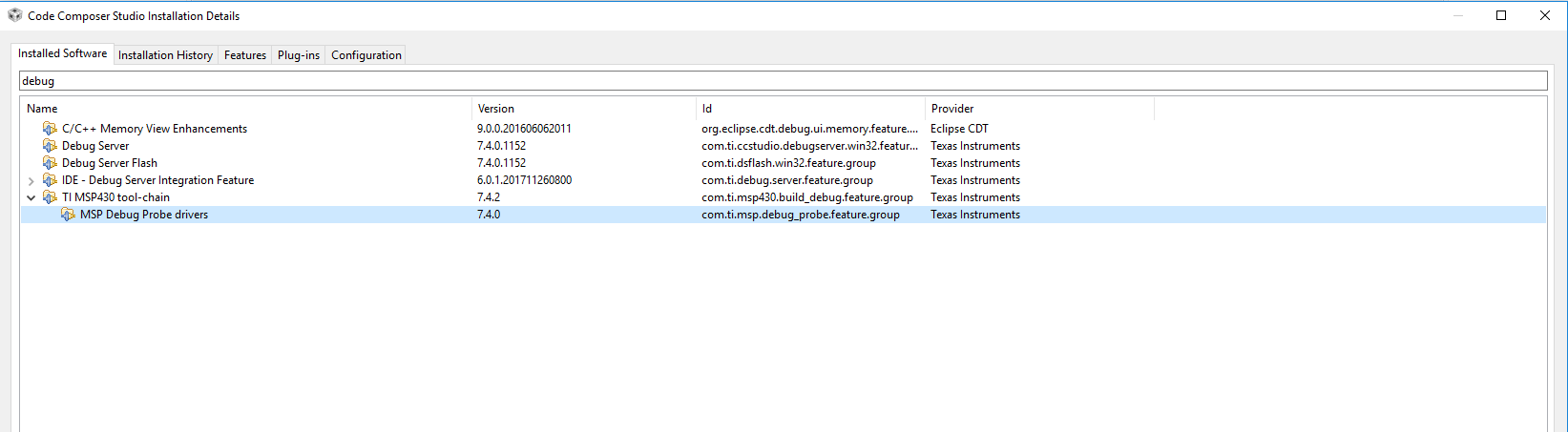
    2) What version of "MSP Debug Probe Drivers" are you using? (you can look this up in the CCS installation detail window)

    Best regards,

    Matt Calvo
  • (1)  Clean install version is:   Version: 7.4.0.00015     taken from Help-->About  in CCS

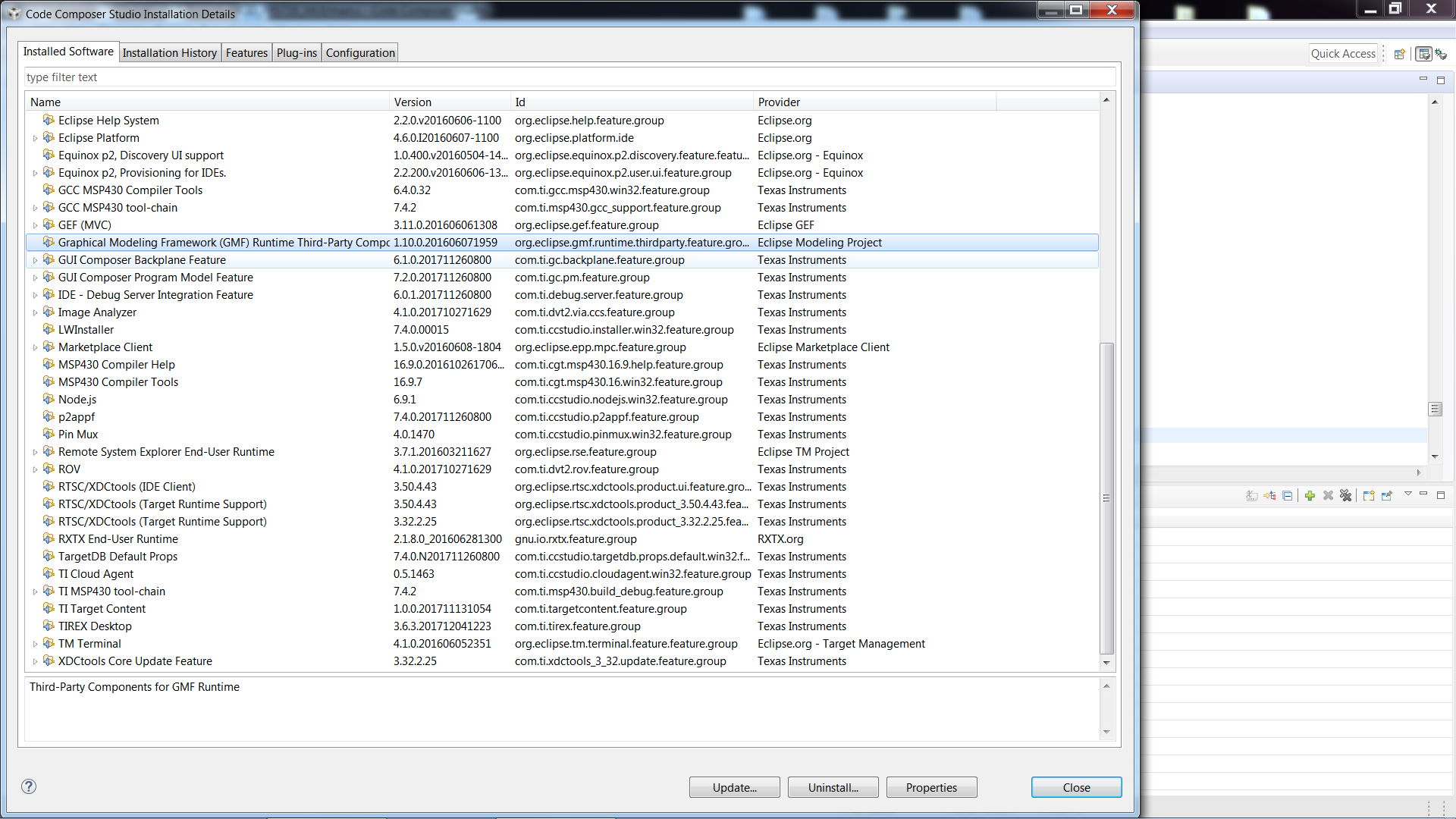
    (2)  Not sure, I can't see the entry for an exact "MSP Debug Probe Driver"    What I can see is: 

  • Adam,

    The "MSP Debug Probe Drivers" version can be found in the "TI MSP430 tool-chain" drop-down:

    -Matt

  • I am not sure why or how this occurred, but I tried the following solution and it worked:

    (1)  Save a backup copy of all my .c and .h source files

    (2) Create a new folder 

    (3) Create a new workspace located in that folder

    (4) Create a new project in the new workspace above

    (5) Copy in all .c and .h sources

    (6) Rebuild all 

    Now I can enter/exit debug mode without any problems and without any modification to the original source code.

    I will report back later if I find details as to how this error first occurred.  I believe it all started when CCS Project folder locations were moved from one directory to another, but I cannot ascertain why moving the project directory and then pointing CCS to the new directory would cause FET comm problems.  I will report back to this thread if I find any concrete leads.    If the problems occurs again, I will also report back here.

  • Adam,

    I am glad to hear you have found a possible solution. That is very strange that you were having trouble using different work spaces with the same project. I point to and from different work spaces all the time with no communication errors. I am curious, when you want to copy a project from one work space to another, do you use the Windows file explorer to copy the whole project folder?

    I am asking because it has shown to cause issues with CCS to try and manipulate CCS files and projects outside of the CCS IDE. The best, and recommended, way to make a new project in a new work space using files from another project is to use the "Import CCS Project" GUI in CCS in order to import the old project into the new directory.

    Best regards,

    Matt Calvo
  • Adam,

    If support for this thread is completed please go ahead and select "Resolved" so I can close this thread out and log it for tracking purposes. Thank you for your help!

    Best regards,

    Matt

**Attention** This is a public forum