This thread has been locked.

If you have a related question, please click the "Ask a related question" button in the top right corner. The newly created question will be automatically linked to this question.

MSP430FR6047: water flow measurement using MSP430FR6047

Part Number: MSP430FR6047


Hi, Teams,

We want to develop an ultrasonic water flow meter use the MSP430FR6047. I am using MSP30FR6047EVM 2.0 KIT and Ultrasonic sensor Design Center tool for measure the water flow.

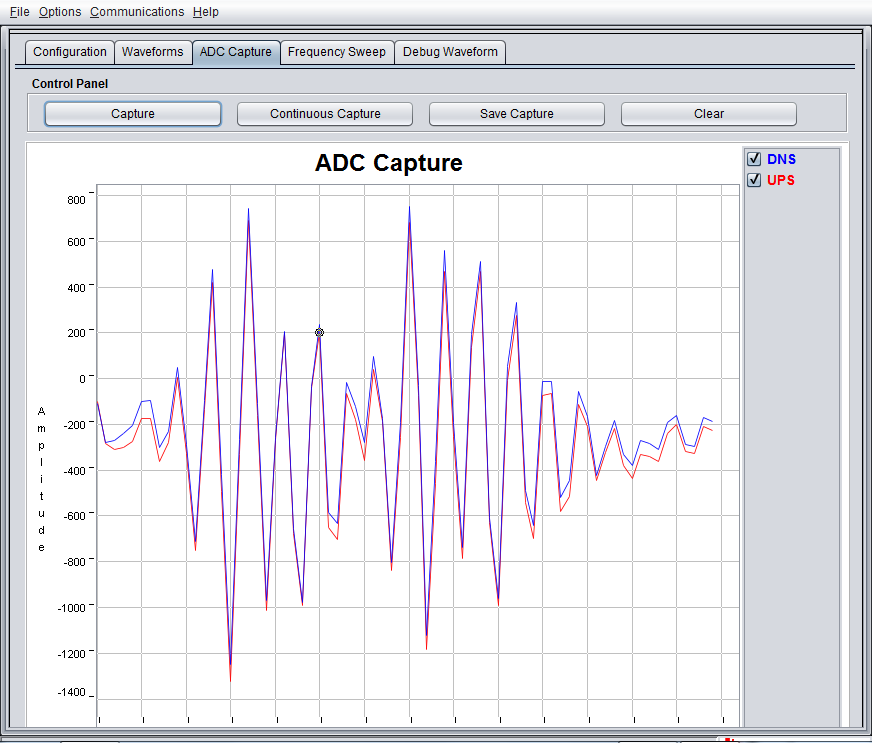
In zero flow condition. I got 'ADC capture' image below. Is it reasonable?
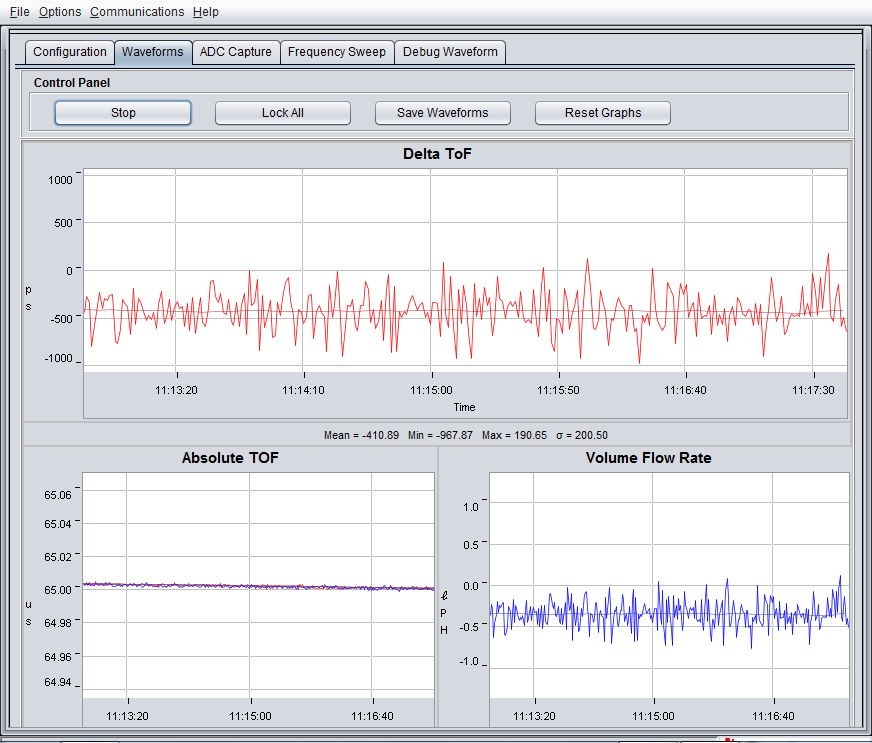
In zero flow condition. Below are waveforms image. How do i set offset for zero volume flow rate calibration?

Thanks!

KS Hung

  • Hi KS,

    The ADC capture does not look very clean. In the middle of the signal where a peak is expected, it seems to be oversaturated. Try reducing the gain. Also, there could be some ringing. It would be useful to increase the capture duration in advanced settings and see what a longer capture looks like. Once a clean signal is attained, the volume flow rate will fall into place correctly as well.

    Could you please share the config file from the GUI as well? I can check if I see anything that looks out of place. Thanks!
  • Hi, Eddie,

    Thanks for your reply. I reduce the gain(16.3 dB) and increase the capture duration(120) for longer ADC capture. Please check below images.

    I attached my config setting file also. Please give me some advice.

    Thanks.

    KS Hung

    USS_userConfig.h

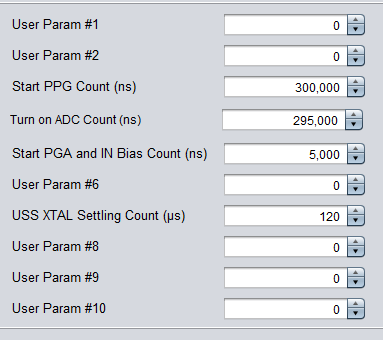
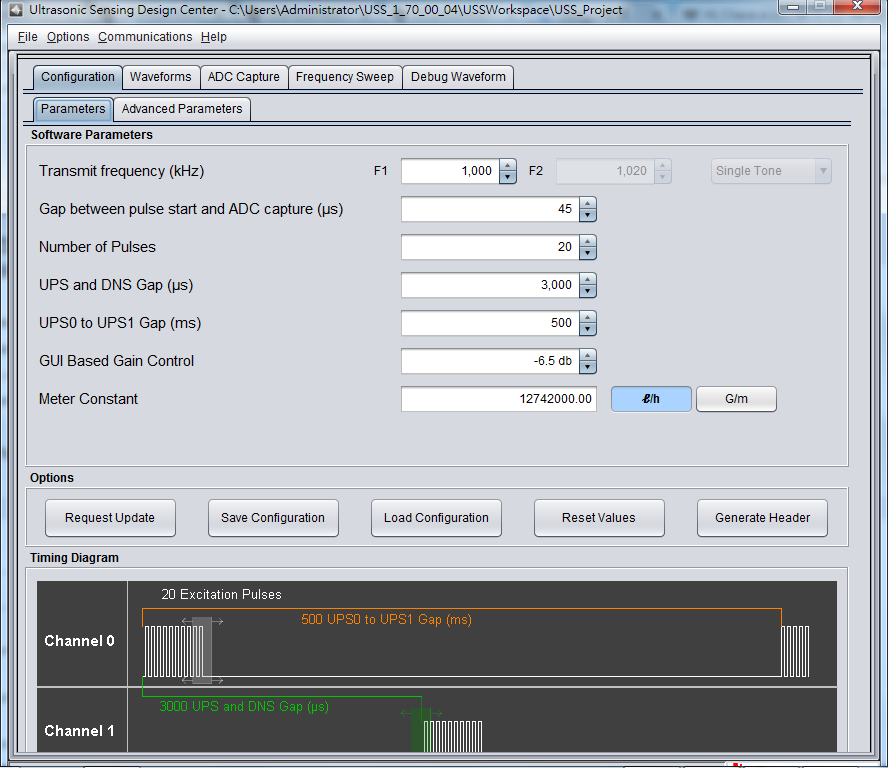
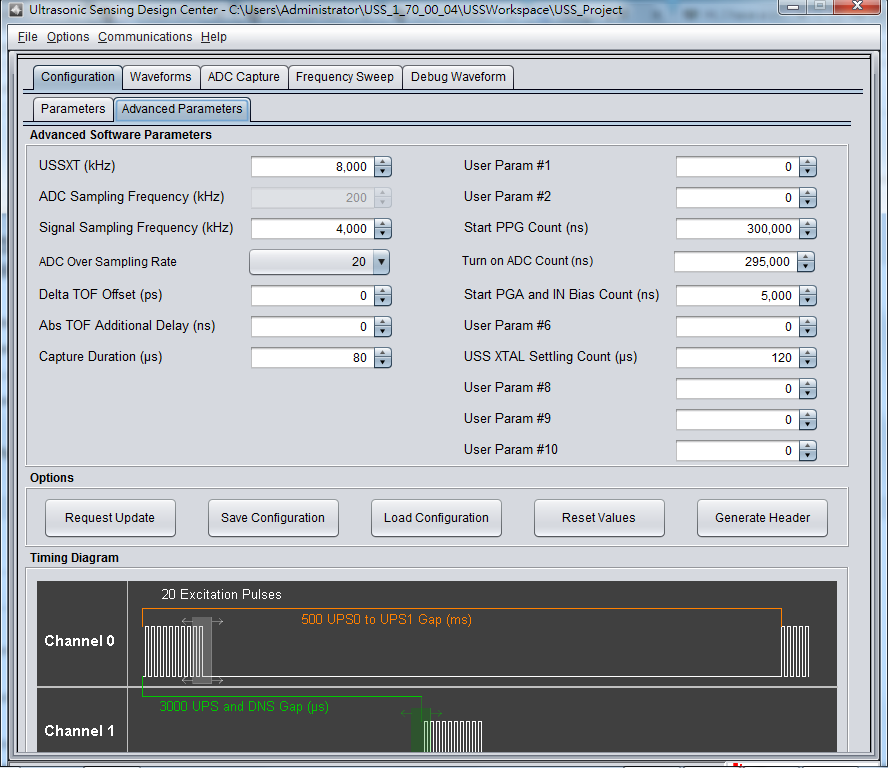
  • Thanks for the config file.  It looks like your timing settings are off.  For the MSP430FR6047 rev. A devices that ship on the EVM, you should use the following time marks.  These are found in the "advanced parameters" section of the GUI.  Once this is fixed, you may also find that you do not need as much gain to achieve 800 ADC counts.  Let me know if you see a better signal this way.  Also, how did you come up with the start ppg, turn on ADC count, and Start PGA settings as shown in your config file?  Was this default setting?     

  • Hi, Eddie,

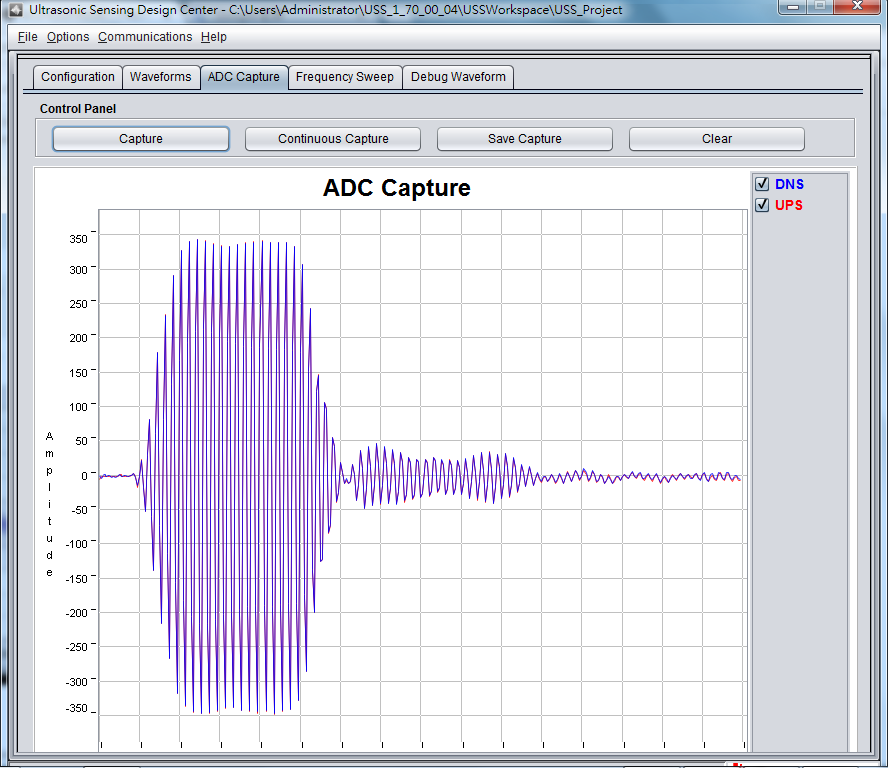
    After i modified the software parameters according to your suggestion, i got a better signal. Please reference below image. 

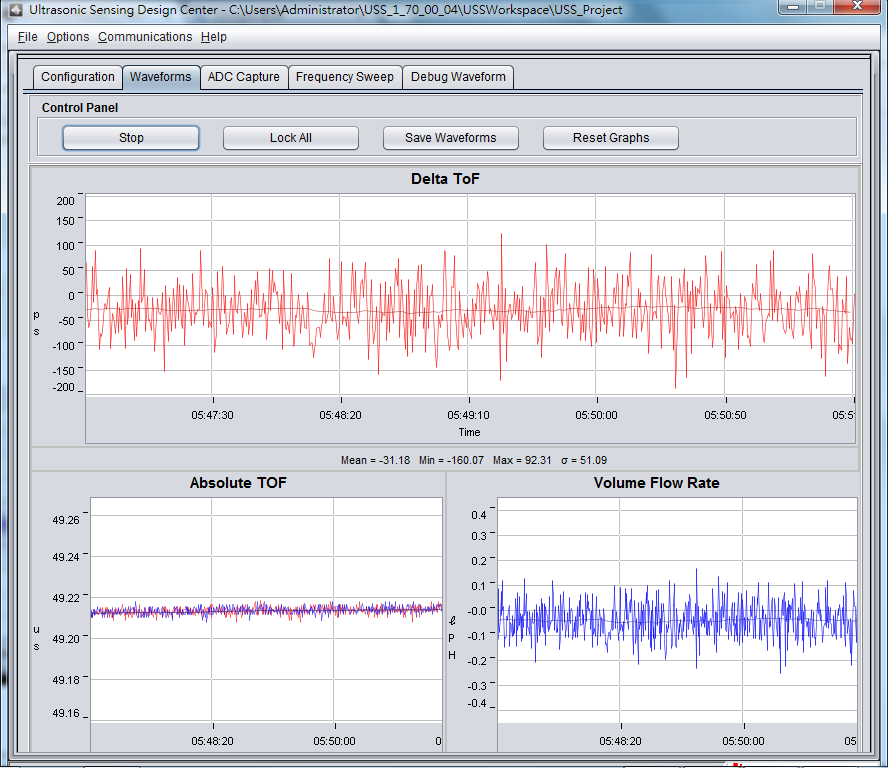
    And the waveforms image is below also.

    I have a couple of questions as follows:

    1. Is the signal quality good enough for volume flow rate calculation?

    2. In zero flow condition, why the volume flow rate have a little bit offset from zero point? How to calibrate this offset?

    3. There are so many noise signal(zero flow) in the flow rate, what cause those noise? Does USS Library have filter API for raw data smoothly?

    Also, i attached my configuration page.

     Also, the start ppg, turn on ADC count, and Start PGA settings in my config file is default setting.

    Thanks.

    KS Hung

  • KS,

    That signal looks much better! I would recommend increasing the gain until you have about 800 ADC counts. Also, you could reduce the capture duration to only capture the signal of interest.

    You can calibrate your zero flow rate using Delta TOF offset in "advanced parameters".

    The signal noise in zero flow is normal as this is the raw data. I would recommend doing some averaging over some number of measurements to get a clear result. The GUI will provide some statistics(mean, min, max, standard deviation) below the graph as well. If you right click the graph, you can change the number of measurements that are used for the statistics. This is described in section 4 of the design center users guide below.

    www.ti.com/.../slau720b.pdf
  • Hi, Eddie,

    Thanks for your help.

    Regards,

    KS Hung

**Attention** This is a public forum