This thread has been locked.

If you have a related question, please click the "Ask a related question" button in the top right corner. The newly created question will be automatically linked to this question.

MSP430F5659: Windows 8 Driver Issue

Part Number: MSP430F5659


Hi TI team,

I have the USB driver provided by TI which we could install manually from device manager or through application installer

         How we are installing through application installer?

Answer :   In application installer package TI-USB driver also wrapped together. So while installing application TIUSB Driver also get installed.

What is our problem?

In windows 7 , we install driver from application installer successfully.  No error pop ups appear.

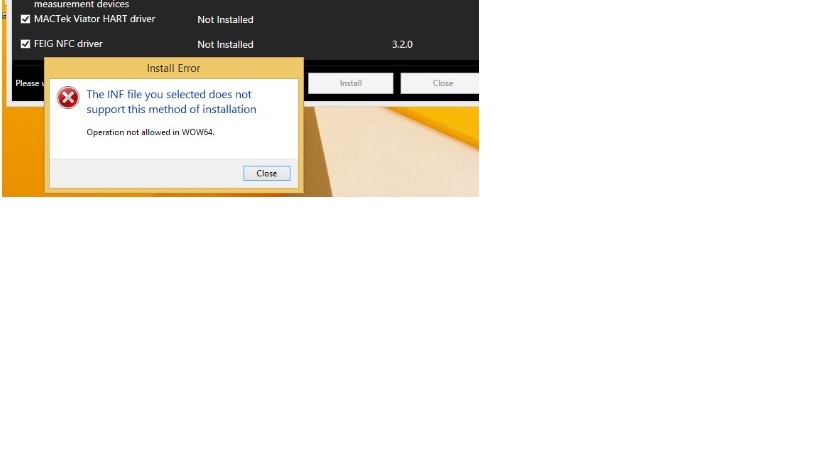
In windows 8,  When we install driver we get error pop-up as attached.  Kindly support to fix this issue

Note:

In both windows 7 and windows 8 no error pop up when we install manually.

Please revert back in priority.
Thanks and Regards

Manoj

  • Hi Manoj,

    If you can install the INF file manually on Windows 8 then you should be able to install the INF file via an installer/script.  If you cannot do that then I would suspect the installer/script does not have the correct permissions to install the INF file.  The security in Widows 7 is not as stringent as in Windows 8 or now more so in Windows 10.   

    I am not sure what permissions are required in Windows 8 for the installer to install the inf file and maybe the Microsoft community might be able to help you.

    Regards,

    Arthi

**Attention** This is a public forum