This thread has been locked.

If you have a related question, please click the "Ask a related question" button in the top right corner. The newly created question will be automatically linked to this question.

MSP430FR2433: PC does not detect Launchpad

Part Number: MSP430FR2433


My MSP430FR2433 LaunchPad doesn't appear in Device Manager after connecting USB to PC. I only hear the connection sound. Tried to change cable, different USB ports and even PC - no result.
Only green LED102 lights up on board.

Any ideas?

  • Hello,

    Do you get any unknown devices in your Device Manger? If you don't have the drivers installed for the MSP430 emulator it may show up that way.
    You can download standalone drivers here:

    software-dl.ti.com/.../index_FDS.html

    They would also be installed automatically if you installed Code Composer Studio with MSP430 support or IAR Embedded Workbench for MSP430.

    Walter
  • Thank you for answer.

    I tried to install this driver - no results.

    It is strange, because in the beginning after opening box it was detected in Device Manager but only for a short time. Also green LED101 lighted up then.

    Any other ideas?

  • Does LED102 light up all of the time? Or only once and now it never does anymore? 

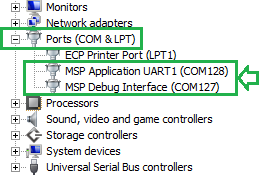
    With the drivers properly installed, we would expect to see two COM ports enumerate in Device Manager under Ports (COM & LPT).  Before the drivers are configured it may show up briefly as an unknown device or something of that nature while the PC figures out what it is.  Is this where you are checking?

    Regards,
    Walter

  • Yes, first time I plugged in my LunchPad, I saw this. But now I don't see it.

  • Do you have any external circuits attached to the LaunchPad?  Or, any jumpers added that are not in their default locations? 

    I'm trying to determine if there is a possibility of a short somewhere that could be preventing the debug circuit from enumerating properly on your host computer.  Since it did enumerate at one point, I'm inclined to think that the debug circuit was programmed correctly (otherwise it never would have enumerated).

    Walter

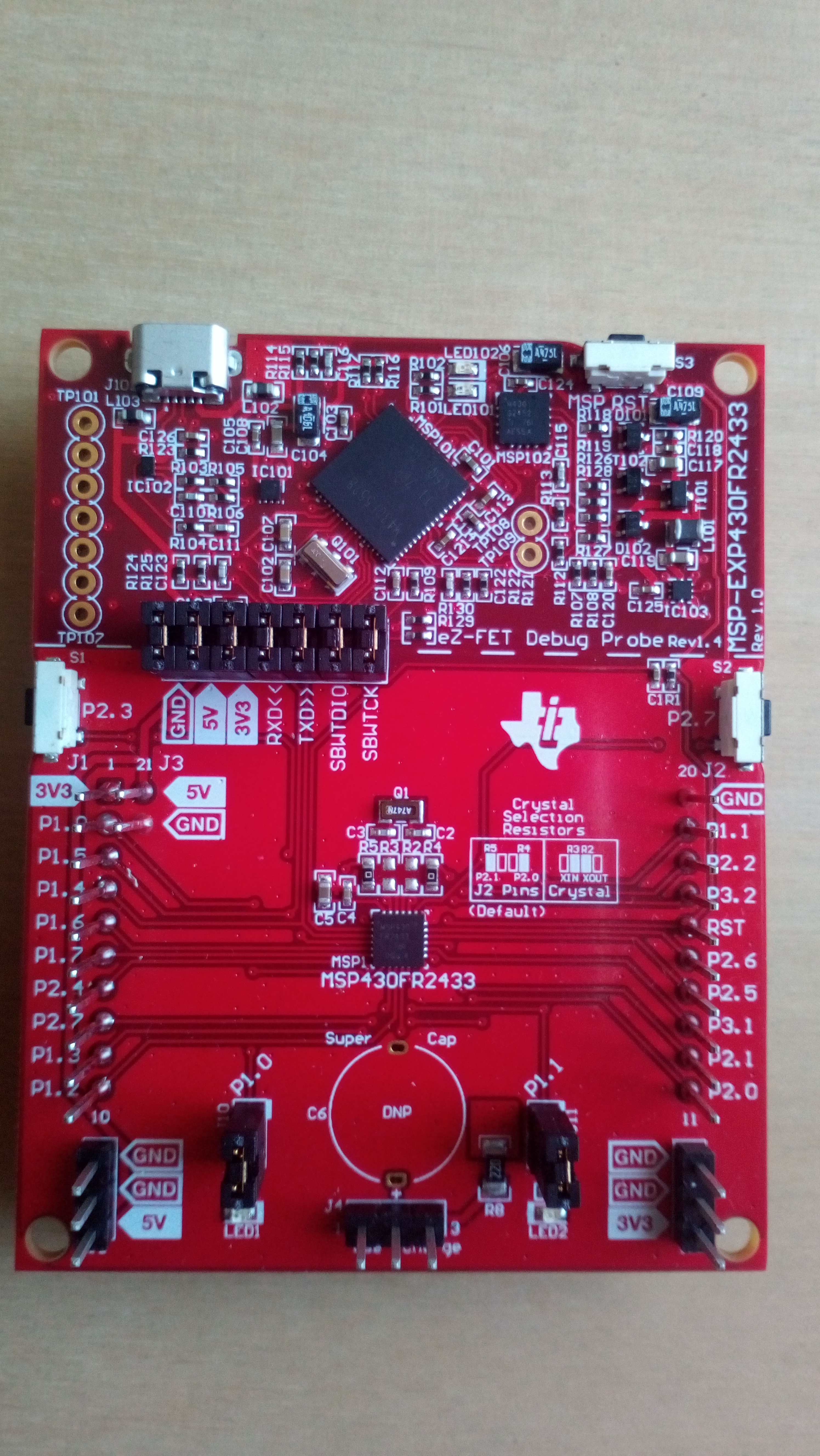
  • Nothing has been added to LP. Jumpers are in default positions (see pic. attached).
    Also, should be noted, that trying different cables it was a bit different.
    With original cable even green LED102 doesn't light up. Trying another cable (a bit longer) at least this LED turns on.

    Artur

  • Interesting. I've got two possible theories on this:

    1. The cable which shipped with the board worked initially but has now failed somehow, and it failed in such a way that the PC has blocked the device from enumerating going forward because it thinks there is a problem with the device. Even when you try a good cable, the PC thinks there is an issue with that device (and/or the USB port it is connected to) and it blocks it still. If this is the case, you might be able to fix this by disconnecting the board from your PC, restarting your PC, and connecting the board again using a KNOWN GOOD cable (like the one you use where the LED illuminates). You may also try this with different USB ports if you have different ports available. I've had this issue before where if I have an overcurrent situation on a board the PC can block it and I need to restart or move it to a different port to get the PC to allow the device to connect again.

    2. If #1 doesn't work at all, there may be a hardware issue with the board. In this case, you'll want to follow up with the supplier for the board to get a replacement. If you purchased the EVM from the TI Store, you can contact the TI Store and explain your issue (referencing this thread) and they can set you up with a replacement. If you purchased it through distribution, you'll need to work with the distributor you purchased the board from.

    Regards,
    Walter
  • Hello,

    Have you had a chance to try #1 above, or reach out to the TI store / distributor to attempt to get a replacement board?

    Walter
  • Hello, I tried #1 - no results.

    Probably I will contact TI store later.
  • Hello,

    Have you had a chance to request a new board yet? I am going to close this thread due to their being no updates for 2 weeks. The recommendation right now is to request new hardware from the TI Store support. If you still have an issue when you receive new hardware, please do post again and reference this thread.

    Regards,
    Walter

**Attention** This is a public forum