This thread has been locked.

If you have a related question, please click the "Ask a related question" button in the top right corner. The newly created question will be automatically linked to this question.

MSP432P4111: Custom board bring-up: after initial program load, debugger error -1170 cannot access DAP

Part Number: MSP432P4111
Other Parts Discussed in Thread: CC2650

Hi, 

I am attempting to bring up a custom board with an on-board MSP432P4111 but having problems connecting to the DAP. The device is daisy chained with a CC2650, and I have set up a target configuration as shown below.

I have bypassed the CC2650 for now:
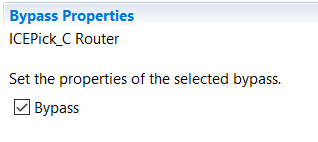
And the connection test succeeds (for both JTAG and SWD).

I ran a project-less debug session by launching this target configuration, and I was able to connect to the MSP core and load the program. I could see it had entered the main() function, but as soon as I attempted to step through the target disconnected and stopped working!

Now if I try and connect I get the following error:

I've been through several posts with this error I've found in the forum but I am unable to connect to the target at all, which I don't understand as I was able to connect briefly once. I had included the board configuration file in the program, could this lead to the problems I am seeing?

Why would this happen on a custom board? Is it related to the BSL? In the FAQ I noticed this 

Q-a: What is the consumption when there is no code in the MSP432 flash (after a full erase)?
Q-b: What is in MSP432 MCU flash when shipped to customers? What code runs at start up when received from TI shipment?

A: For both questions: MSP432 microcontrollers (flash) are fully erased when shipped to customers. When the flash is empty (specifically when the reset vector + SP are empty), boot code automatically puts the device in BSL mode. If there’s no BSL activity after some time, device automatically goes into LPM4.5 mode, consuming <100nA.
 
Is this what could have happened with the device on my board? How do I recover from this issue?
Thanks,
Meenal

  • If you were able to successfully program the device, then the erased behavior of entering the BSL is not applicable. You may want to confirm that the code that you have created is correct with another platform that does not include the daisy-chain. Or alternatively, program a known good piece of software from the examples provided in TI Resource Explorer.

    Performing a factory reset on the MSP432 is the means to recover the device.

    I have seen (possibly from you) other posts about putting these devices in a daisy-chain fashion. Have you had any success programming and accessing both devices in this configuration?

    Regards,
    Chris
  • Hi Chris,

    Thanks for your response.

    I had tested my code on the Launchpad, then updated the pinouts to that of the custom board. That is the code which I programmed the MSP432.

    Yes, we have the MSP432 JTAG chained to the CC2650. How I did this was by bypassing the CC2650 device in the JTAG daisy chain, and only connecting to the MSP432 - I haven't tried programming that separately. It did appear to be running and I was able to step into main(), briefly. After that point the program crashed and now returns -1170 any time I try to connect.

    How can I perform a factory reset if the non-debuggable cores don't connect?

    Thanks,
    Meenal
  • Hi Chris,

    We've realised that the launchpad circuitry uses the internal DC/DC supply whereas the custom board circuit is intended for LDO operation. (There is no inductor between VSW and VCORE.) Because the loaded firmware was based on the Launchpad's, there wasn't a core voltage being supplied.

    Could you tell me how the application can update the power mode to the LDO mode during initialisation? If you could point me to an example that would be great (I am new to MSP432).

    Thanks,
    Meenal
  • I used the reference here to update to LDO mode.

    e2e.ti.com/.../2735817

**Attention** This is a public forum