This thread has been locked.

If you have a related question, please click the "Ask a related question" button in the top right corner. The newly created question will be automatically linked to this question.

MSP430FR2311: driverlib issue

Part Number: MSP430FR2311
Other Parts Discussed in Thread: MSP430WARE, MSP430FR2433, MSP430FR4133

I'm trying to use the MSP430ware driverlib.  MSP430ware has been successfully downloaded to my PC.

After some effort, and assistance from the CCS forum, I was able to add the path to the appropriate include folder.

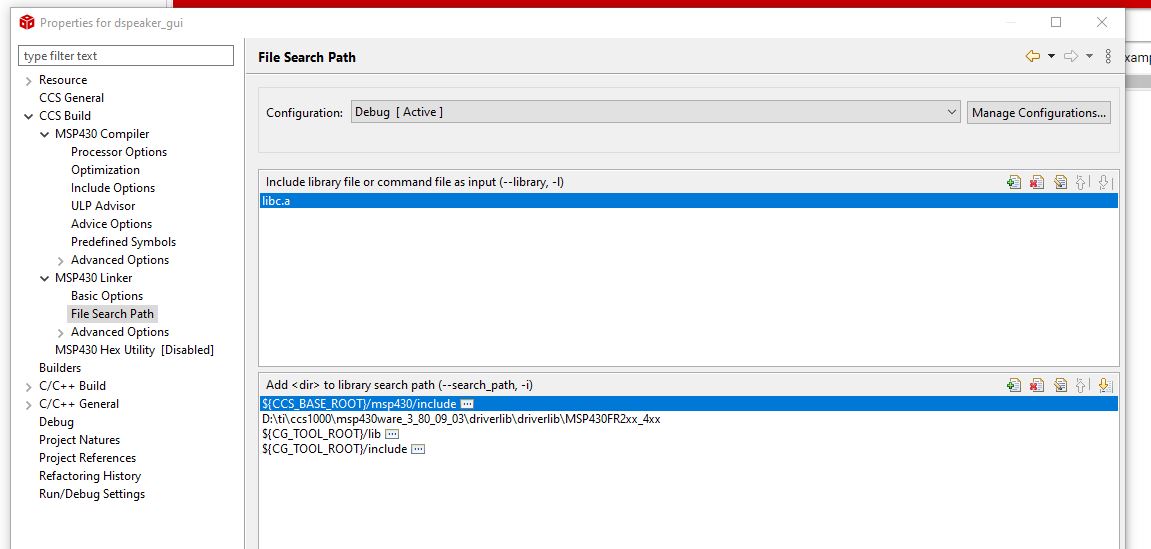
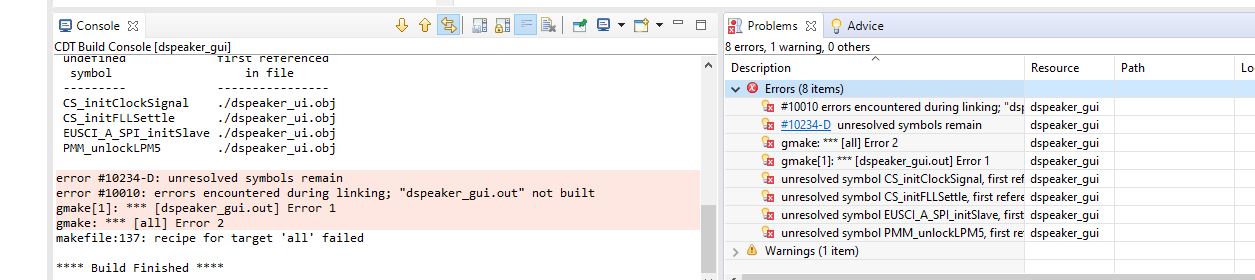
The build fails with unresolved references to routines in the driverlib.  The path to the driverlib has been included under the linker.

I have attached a snapshot of the include path under the project msp430 compiler, the path reference in the linker options and a shot of the failure.

What is necessary to use routines contained in MSP430ware?

the linker include
and the error messages
  • Hi Jan,

    Thanks for your detailed post! I don't see anything wrong with your setup. I duplicated the error on my side after importing a DriverLib example project from MSP430Ware in CCS by excluding the "driverlib" folder and building the project. Then, I added the paths manually like you did but that didn't help. I even tried to "Apply Project Template" and then "Point to Installed DriverLib" which also adds paths but that didn't work either.

    The quickest way for you to get started would be to import the EmptyProject DriverLib project.

    Regards,

    James

  • thanks for your response James.

    It is my habit to generate my source files with a preferred text editor (Notepad ++) and to link the file to CCS for the build process. If were to use the driverlib empty project is it feasible to copy it elsewhere, edit as needed, and then link to CCS to build it?

    It seems to me that not being able to use all of the resources available in driverlib by dowloading MSP430ware to an appropriate location such as the same parent folder containing CCS, and then include the driverlib header in the source code kind of defeats the purpose of having tried and true routines to use to develop solutions faster.

    I was able to do just that using CCS maybe a year ago with a MSP430FR2433.  Something has broken since then.

    Regards,

    Jan

  • Jan Hofland98 said:
    The build fails with unresolved references to routines in the driverlib.  The path to the driverlib has been included under the linker.

    Looking at msp430ware_3_80_09_03 driverlib isn't supplied as a pre-compiled static library. Instead, when driverlib examples are imported into CCS, the entire list of driverlib source files are copied into the project, in a driverlib sub-directory. This is not ideal since:

    • It means all projects have a copy of the driverlib source files.
    • If you want to update the project to update to a different version of msp430ware you have to copy the source files into the project, rather than just changing project properties.

    One way to avoid having to copy the driverlib source files into the CCS project is:

    1. Create an empty CCS project for your device.

    2. Under Resource -> Linked Resources add two Path Variables:

    Where:

    • MSP430WARE_ROOT is the root directory of the msp430ware version you want to use for driverlib. In the above example msp430ware was installed in the TI_PRODUCTS_DIR, which is C:\ti under Windows and $HOME/ti under Linux.
    • MSP430WARE_DRIVERLIB is the directory containing the driverlib source files for your device family.

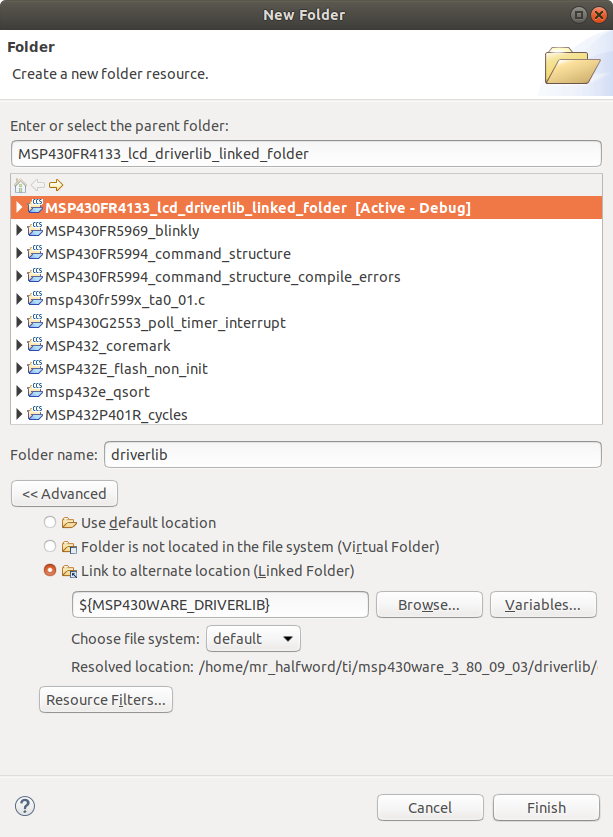
    3. In the CCS Project Explorer select to create a new driverlib folder, and select Advanced "Link to alternative location (Linked Folder)" specifying the linked folder as ${MSP430WARE_DRIVERLIB} :

    This adds a link to the driverlib source files, without actually copying them into the project.

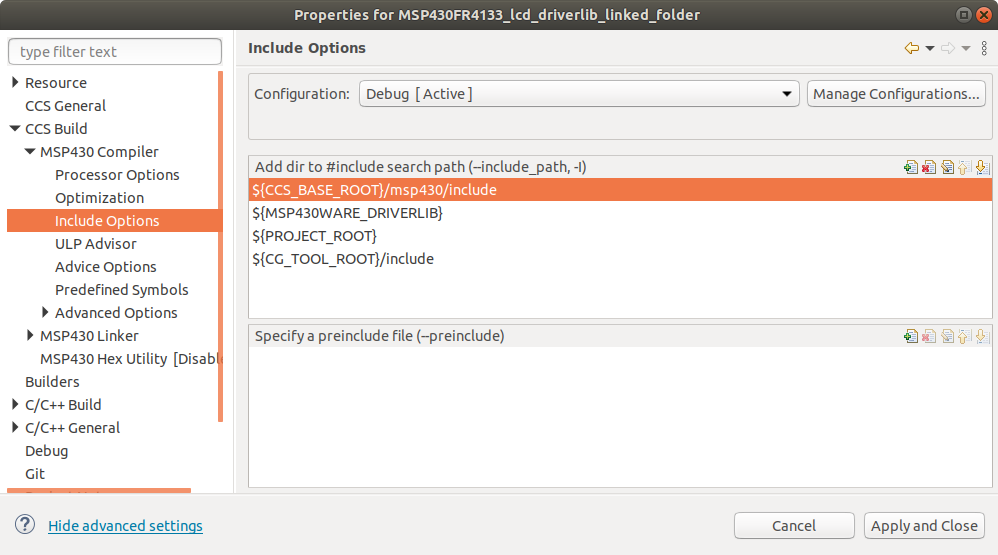
    4. Under CCS Build -> MSP430 Compiler -> Include Options add ${MSP430WARE_DRIVERLIB} as an include project:

    I have attached a CCS10 example of the above, for a MSP430FR4133.

    MSP430FR4133_lcd_driverlib_linked_folder.zip

  • Hello Chester,

    Thank you for your detailed response.  I went through the steps you gave and it appears to be working as described.

    My only comment is that I would hope that the install script for the the msp430ware would be augmented to include these steps for future releases so that neophytes like myself wouldn't spend frustrating days trying to make things work and nearly giving up on the use of these resources.

    Regards,

    Jan

**Attention** This is a public forum