This thread has been locked.

If you have a related question, please click the "Ask a related question" button in the top right corner. The newly created question will be automatically linked to this question.

MSP-GANG: Questions for command usage

Part Number: MSP-GANG

Hi,

I have questions from my customer for MSP-GANG.

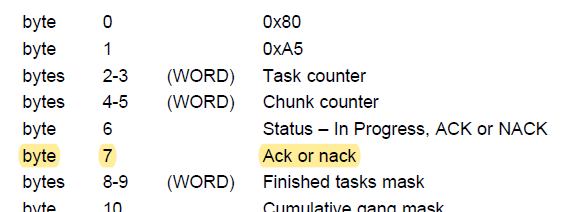
Q1) What does byte 7(Ack or Nack) mean in data received by “Get Progress Status” command?
I thought byte 6 shows Status of previous command. Is this same as byte 7 ?

Q2) Suppose there are a few image files and “Select Image” command is used to select one of them.
Is there a command to confirm which number is currently selected?
Whenever ACK is received by “Select Image” command, no need to warry about it?

Thanks and regards,
Koichiro Tashiro

  • Hello,

    I'll need a few days to dig into this and get back to you.

    Regards,

    James

  • Hello,

    Thanks for your patience.

    Q1) What does byte 7(Ack or Nack) mean in data received by “Get Progress Status” command?
    I thought byte 6 shows Status of previous command. Is this same as byte 7 ?

    I've learned that there are two different communication protocols that the MSP-GANG can use:

    • UART communication – Refer to page 69 in MSP-GANG user's guide
    • DLL (USB) communication – Refer to page 117 in MSP-GANG user's guide

    For the MSPGANG_GetProgressStatus() function, the data bytes are offset by 2 bytes between the UART and DLL functions. The definitions/descriptions in the user's guide for most bytes can be cross-correlated between the functions on page 69 and 117. However, the descriptions for UART bytes 6 and 7 and the DLL bytes 4 and 5 don't really match, but the bytes are used in the same way. I've added some more details for these bytes in the Description column.

    Byte UART MSPGANG_GetProgressStatus() - Byte DLL MSPGANG_GetProgressStatus() Description
    6  Status – In Progress, ACK or NACK = 4 Run

    In Progress (0xB0) when working

    ACK (0x90) or NACK (0xA0) when finished

    7 Ack or nack = 5 Ack Global status from start to current time

    Q2) Suppose there are a few image files and “Select Image” command is used to select one of them.
    Is there a command to confirm which number is currently selected?
    Whenever ACK is received by “Select Image” command, no need to warry about it?

    I couldn't find a command that does this. Rather than sending a command to check on the selected image, I would just (re)send the command to select the desired image.

    Hope this helps.

    Regards,

    James

  • Hi James,

    For Q1, it is still not clear for me what does the byte 7 exactly mean.
    "Global status from start to current time"
    - What is "Global status"?
    - What does "start" mean? start from what?

    Thanks and regards,
    Koichiro Tashiro

  • Hello,

    The MSPGANG_GetProgressStatus() function is called after starting certain tasks to check the status of those tasks. Byte 7 is used to indicate if any errors have occurred while the tasks are in progress (e.g. when Byte 6 is 0xB0). If there's an error, Byte 7 is NAK. For no errors, Byte 7 is ACK. When tasks aren't in progress, Byte 6 is used to indicate any errors (NAK) or not (ACK).

    Regards,

    James

**Attention** This is a public forum