This thread has been locked.

If you have a related question, please click the "Ask a related question" button in the top right corner. The newly created question will be automatically linked to this question.

AM6442: AM6442

Part Number: AM6442
Other Parts Discussed in Thread: UNIFLASH

Dear all,

 when I use AM6442-evm board to burn a tiimage to flash by sbl_uart_uniflash.tiimage generted by below project .It will hang at step two : recieve tiimage which needed to be burn in flash from uart.
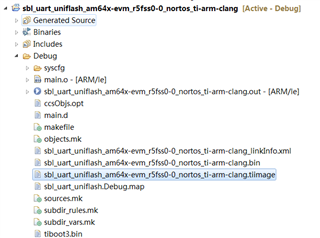

I use XDS1110 USB to online debug in CCS, and find it hang at  enable ospi clock by sci cmd .

Besides,if i remove ospi from syscfg,then it will be ok. But it is nesscery to add ospi in syscfg I want to burn image to flash.how should i do?

Thanks,

jimin.li

  • Hello  ,


    If you want to burn the tiimage on external memory (OSPI memory), you should use the default_sbl_ospi.cfg file.

    Can you please confirm which cfg file you are using default_sbl_ospi.cfg or default_sbl_null.cfg file?


    Please follow below procedure to flash tiimage in ospi memory:

    Please check the "Flashing Application Section" in the link below.

    https://software-dl.ti.com/mcu-plus-sdk/esd/AM64X/08_02_00_31/exports/docs/api_guide_am64x/GETTING_STARTED_FLASH.html

    If you want flash multicore image then go through below link.

    https://software-dl.ti.com/mcu-plus-sdk/esd/AM64X/08_02_00_31/exports/docs/api_guide_am64x/TOOLS_FLASH.html

    Can you please explain more details about why you are flashing sbl.null.image ?

    Regards,

    S.Anil.

  • Dear Swargam Anil,

    Probably I didn't clearly discribe my problem:

    The first step is run sbl_uart_uniflash.release.tiimage as default_sbl_ospi.cfg  instruction on AM64x-evm SRAM.

    The sbl_uart_uniflash.release.tiimage aims to init uart and ospi flash,after that uart can recieve appimage then burn to flash. 

     I found evm board cannot init flash hang at enable ospi clock by sci cmd ,so thant sbl_uart_uniflash.release.tiimage cannot run completely to recieve sbl_ospi.release.tiimage.

    Thanks,

    jimin.li

  • Hi jimin li,

    As per your comments I understand the following order,

    1. You updated the sbl.uart.uniflash project and generated new sbl.uart.uniflash tiiamge.

    2. Next you want to burn the application into external memory (OSPI).

    3. When the application is flashing in external memory and you hang at start ospi clock check.

    Please correct me if my underestimation is wrong.

    If you faced the above sequence, I noticed that you are trying to flash an old sbl.uart.uniflash tiiamge file and
    you didn't change the --flash-writer path.

    Please update sbl.uart.uniflash tiiamge path and application image path as per your folder locations.

    #-----------------------------------------------------------------------------#
    # #
    # DEFAULT CONFIGURATION FILE TO BE USED WITH THE FLASHWRITER SCRIPT #
    # #
    #-----------------------------------------------------------------------------#
    #
    # By default this config file,
    # - points to pre-built flash writer, bootloader for this EVM
    # - The application image points to relative path of the ipc echo application image for this EVM
    # - Make sure this application is built before running this script
    # - You can customized this config file to point to your own bootloader and/or application images
    # - You can use --operation=flashverify if you just want to verify the flash contents and not flash the file.
    #

    # First point to sbl_uart_uniflash binary, which function's as a server to flash one or more files
    --flash-writer=sbl_prebuilt/am64x-evm/sbl_uart_uniflash.release.tiimage  - > Give your folder path

    # Now send one or more files to flash or flashverify as needed. The order of sending files does not matter

    # Program the OSPI PHY tuning attack vector
    --operation=flash-phy-tuning-data

    # When sending bootloader make sure to flash at offset 0x0. ROM expects bootloader at offset 0x0
    --file=sbl_prebuilt/am64x-evm/sbl_ospi.release.tiimage --operation=flash --flash-offset=0x0

    # When sending application image, make sure to flash at offset 0x80000 (default) or to whatever offset your bootloader is configured for
    --file=C:/Test/debug_combined.appimage --operation=flash --flash-offset=0x80000  - > Give your folder path

    # send the XIP image for this application, no need to specify flash offset since flash offset is specified within the image itself
    #--file=C:/Test/gpio_led_blink_am64x-evm_a53ss0-0_nortos_gcc-aarch64.appimage_xip --operation=flash-xip

    Regards,

    S.Anil.

  • Dear Swargam Anil,

    1. You updated the sbl.uart.uniflash project and generated new sbl.uart.uniflash tiiamge.

    Yes,I use sdk path\examples\drivers\boot\sbl_uart_uniflash demo(change nothing) to generate a new sbl.uart.uniflash tiiamge ,then rename to sbl_uart_uniflash.release.tiimage and remove this tiimage to this path  sbl_prebuilt/am64x-evm/sbl_uart_uniflash.release.tiimage.

    Then sbl_uart_uniflash.release.tiimage will run in SRAM to init uart for recieving appimage and ospi for burning appimage to.

    hang at start ospi clock here.Not in your below step,cause sbl_uart_uniflash.release.tiimage not run compeletly yet.

    2. Next you want to burn the application into external memory (OSPI).

    3. When the application is flashing in external memory and you hang at start ospi clock check.

    Thanks,

    jimin.li

  • Hi jimin li,

    Thanks for the update .

    Are you still facing the issue ?

    Regards,

    S.Anil.