This thread has been locked.

If you have a related question, please click the "Ask a related question" button in the top right corner. The newly created question will be automatically linked to this question.

problem building TMS320C6455 CSL(chip support library)


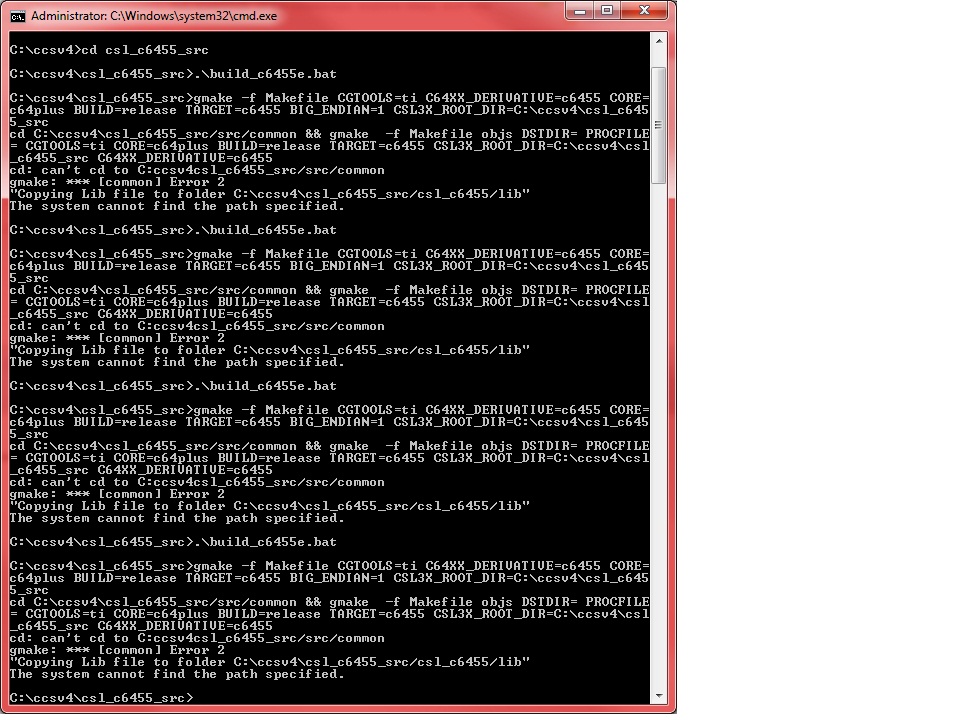
I am not able to build the library, i get the following errors... 

building from command prompt and cygwin : please help needed :)

  • Anish,

    It appears the build may not be able to find the file paths due the way the paths are defined. Your system distinguishes folder names using back slash(\) while the file path you provide are using forward slash(/) hence the build generates file paths that are mixture of "\" and "/"  for eg.

    /cygdrive/c/ccsv4/csl_c6455_src\src\common\build\Makefile.

    Please let us know if this is indeed is the cause of the issue. Else please report back after confirming if the Makefile.inc file indeed exists in the folder path you specified.

    Regards,

    Rahul

  • Hi Rahul

    Yes the file does exist. It is the back slash and forward slash problem. How can i fix this? 

    It is a reason because of the same that i tried to run it on cygwin and command prompt. Any suggestions? The environment variable mentioned on the doc the C3xl what directory should that be?

  • Anish,

    thanks for confirming that the file exists. Can you try passing the CSL3x_ROOT_DIR=\cygwin\c\ccsv4\csl_c6455_src with your gmake command.

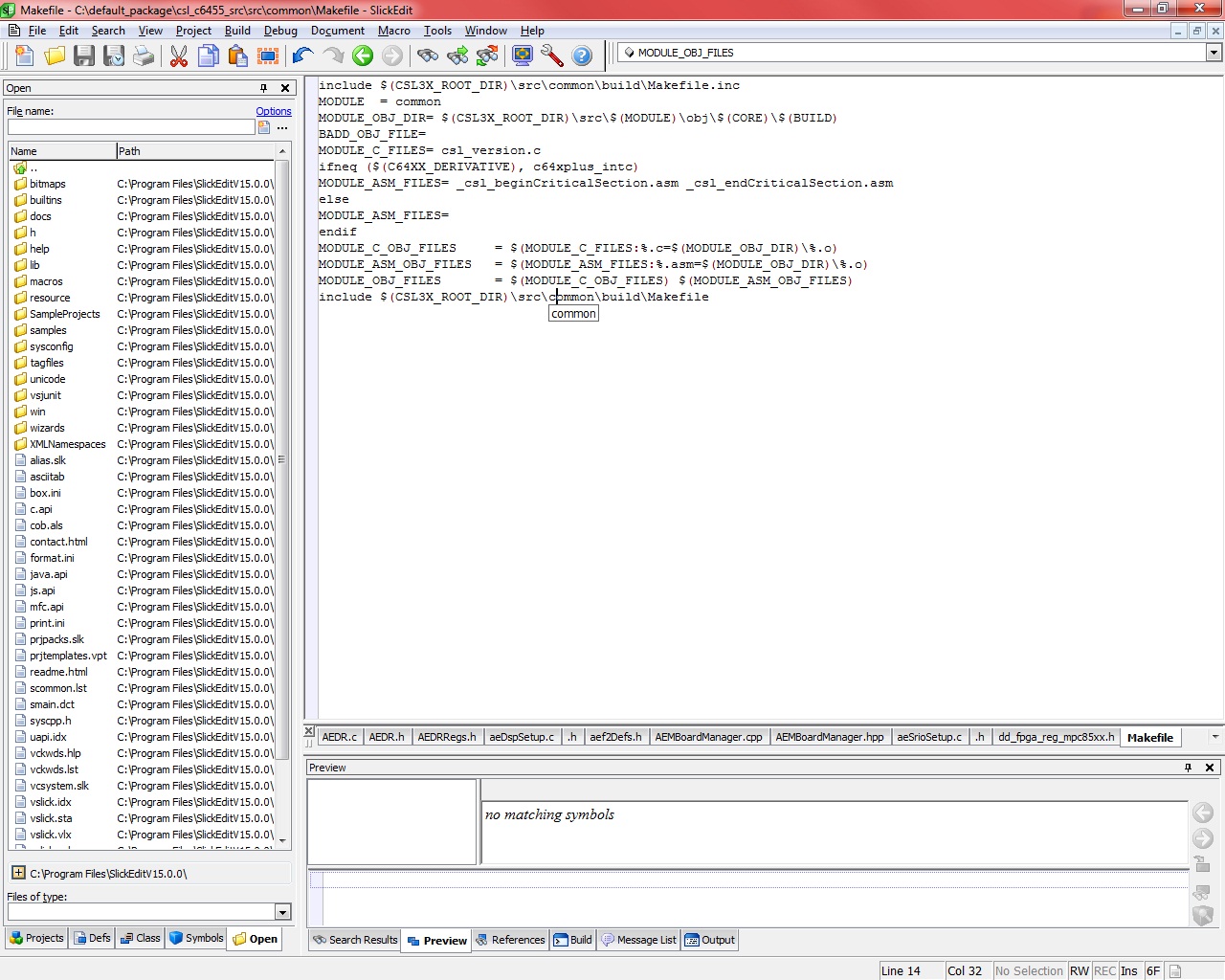
    If that doesn`t work, you may have to edit line 1 and line 4 of the Makefile inside the common folder to use the other slash.

    Regards,

    Rahul

  • Hi Rahul

    I tried changing the environment variable to what u mentioned, but that did not do it.


    Then I changed the makefile slashes but tht didnt help either


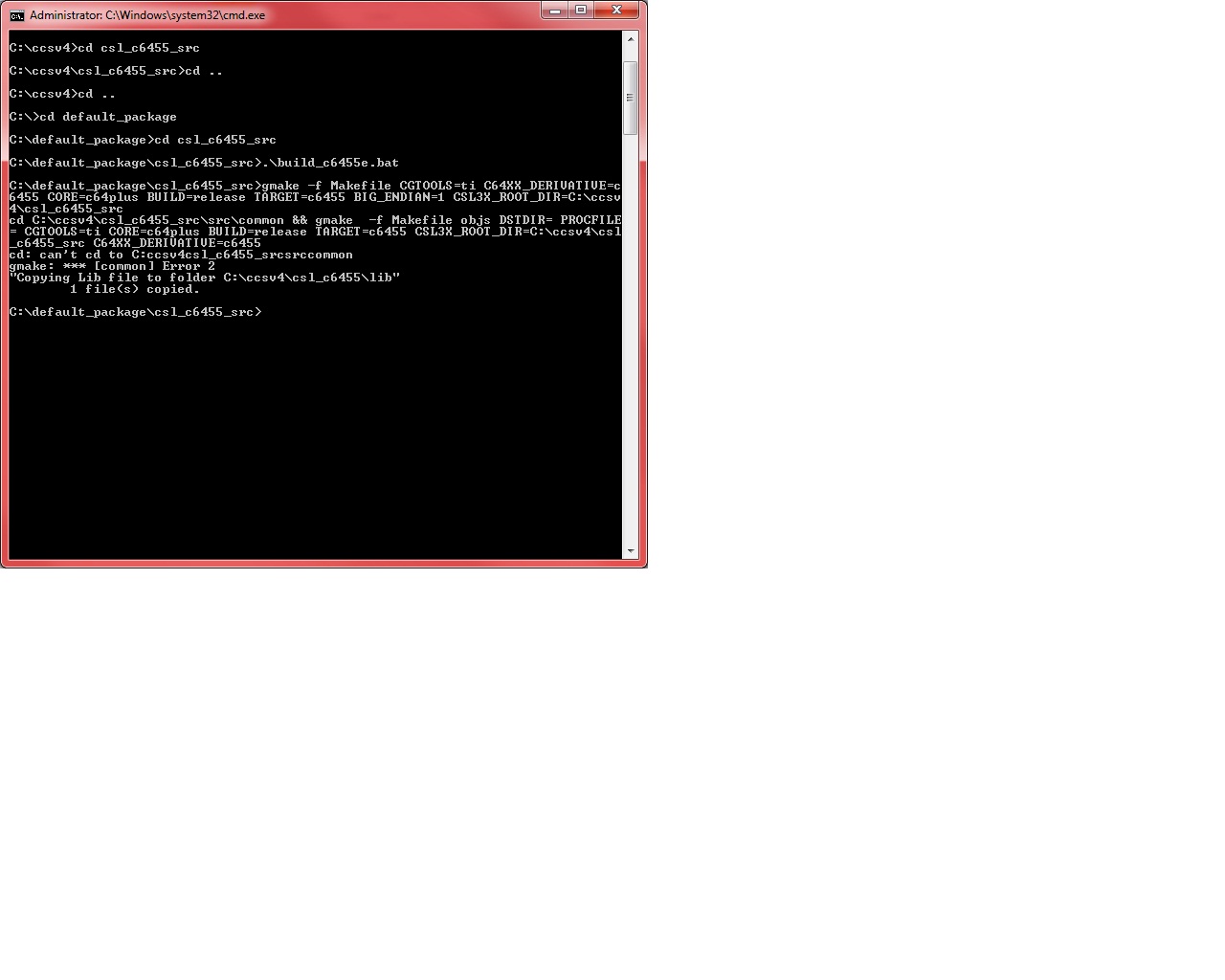
  • this is the latest i reached on the build


  • Anish,

    If you look at your first post, it appears that your setup finds the correct makefile when you pass CSL3x_ROOT_DIR=\cygwin\c\ccsv4\csl_c6455_src with your gmake command so continue to use that. (from the screen shot above it appears you are passing that variable as C:\ccsv4\csl_c6455_src).

    Also assuming that the back slashes are causing the issue in the makefile on line 1 and 14 , you need to change those. In short I want you to try and combine the options I gave you earlier which is use CSL3x_ROOT_DIR=\cygwin\c\ccsv4\csl_c6455_src with your gmake and change the slashes in the Makefile on line 1 and 14.

    Let me know how it goes.

    Regards,

    Rahul

  •  

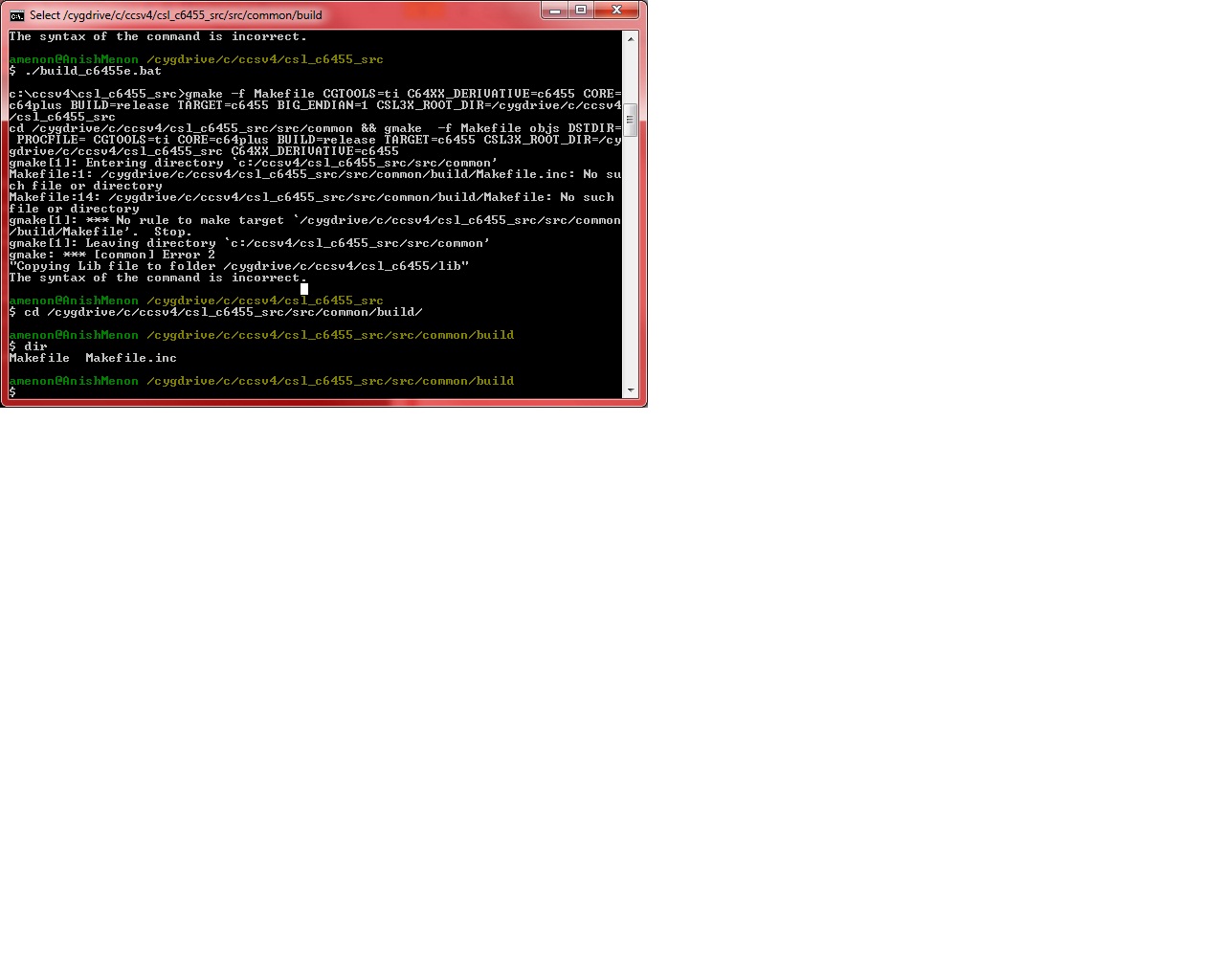
    I did all the changes right.. just check this error.. really sorry abt bothering you so much.. thank you really for all the help :) 

    I am using cygwin which follows linux style slashes on windows... it looks like its going to the right path but saying its not getting the file... but when i cd to it and do a dir i get it... so i dont understand


  • Anish,

    Sorry to know that you have not yet been able to build the package yet. Have you tried using the CCS to build the package as mentioned in the post below

    http://e2e.ti.com/support/dsp/tms320c6000_high_performance_dsps/f/112/t/11922.aspx

    Regards,

    Rahul

  •  

    yup Rahul the same package 

  • Could you confirm the following:


    ------I do not have the 1st file

    -----gmake path as mentioned, that folder is not existent.


    Build guidelines

    Environmental Variable Settings Required for Building

    1. Go to the directory where CCS is installed - i.e. <CCS_INSTALLATION_PATH>\ and

    run the "DosRun.bat" at command prompt.

    2. Make sure the path to the gmake executable is in the DOS PATH environment

    variable.

    If gmake path is not set, then path for ‘gmake’ as below

    set path=%path%;<CCS_INSTALLATION_PATH>\bios_5_30\xdctools\

    The steps to be followed to build the C6455 CSL library from the release are as

    follows:

    1. At the command prompt go to the csl_c6455_src directory

    2. Compile the code with the batch file given. Set the environment variable

    “CSL3X_ROOT_DIR = <folder path>” in your system. Different batch files for

    creating libraries for the devices are listed below. It will be found in following

    path csl_c6455_src\.

    3. To clean the built object files invoke the corresponding batch file with the

    argument cleanall.

    .\build_c6455.bat cleanall

  • Anish,

    That may be correct. Those instructions were archived for CCSv3.3 which was the version of Code Composer studio  available at the time when the package was created. You are using CCSv4 due to which you may not have the files specified.

    Regards,

    Rahul

  • oh ok... any possibility what could be done?

  •  

    So I figured that those folders need to be added under project->properties->c/c++ build->tool settings->C6000 compiler->include options

    and the under  project->properties->c/c++ build->tool settings->C6000 linker->file search path add the lib under c6455_src/lib .. anyone depending on big or small endian