This thread has been locked.

If you have a related question, please click the "Ask a related question" button in the top right corner. The newly created question will be automatically linked to this question.

DM3730: DM3730 Linux develop & compiler environment

Part Number: DM3730
Other Parts Discussed in Thread: LINUXDVSDK-DM37X

Hi!

I have some questions need your support, what I want to do right now is build the DM3730 Linux develop & compiler environment and get the X-loader and U-boot source code.

I searched TI.com, try to get some software develop income material.

I’ve downloaded the dvsdk_dm3730-evm_04_03_00_06_setuplinux  from LINUXDVSDK-DM37X Software development kit (SDK) | TI.com, and that be required to install in ubuntu 10.04 distribution, but it reports an err like this .

And then, I modified the /etc/apt/source.list and try to update the source, try to apt-get install fakeroot, but the source can’t update all the time, I’ve almost tried all the sources from internet, and can’t update the source successfully,

I guess, maybe the ubuntu 10.04 is out of maintenance, or something like this kind of problem.

The network of my native pc is normal and right, can update the tool source in other ubuntu versions, such as 16.04,18.04,20.04.

So, my requirements are :

  1. Is there any way that I can get the X-loader & u-boot source code of DM3730 EVM, also how wo get the compiler & develop environment-build guidance document.? It seems litter software document of DM3730 from your ti.com website.

Can any other installation file provide that support in ubuntu16.04/18.04 ?

Best Regards,

Madhurya

  • Hello Madhurya,

    As per the banner on the product page, we no longer have design support for DM3730:
    https://www.ti.com/product/DM3730

    This part is so old that our apps team no longer has any software or hardware expertise with it. That means we can no longer answer questions about it.

    The software development section of the product page has the software and software documentation that I am aware of:
    https://www.ti.com/product/DM3730#design-development

    Note that we provide that software as a reference for customers who have already created designs with this part and may need to be able to access the code again later in the future, it is not really intended for new development (that's why we don't have any EVMs available for purchase any more). If you are creating a new design, I would suggest moving to a part where our team could actually help answer questions you may have. If you decide to go with a newer part and need assistance with part selection outside of the tools on ti.com, let us know.

    Regards,

    Nick

  • Hi Nick!

    Thanks for the frank reply! What newer devices would you recommend here? We are curious to hear back on this!

    Best Regards,

    Madhurya 

  • Hello Madhurya,

    Sounds good, I will reassign your thread to one of our marketing team members to help discuss Sitara parts (or help move you to another group if they have parts that might be a better fit).

    Can you tell us a bit about the usecase here? Are certain peripherals or functions needed? Are there processing requirements? etc.

    Regards,

    Nick

  • Hi Madhurya,

    I just tried setting up Ubuntu 10.04, the LINUXDVSDK-DM37X SDK from https://www.ti.com/tool/LINUXDVSDK-DM37X#downloads, and then was able to build both X-Loader and U-Boot from sources without any real problem. Here's what I did:

    1. Downloaded legacy Ubuntu 10.04 image from http://old-releases.ubuntu.com/releases/10.04.0/ubuntu-10.04-desktop-i386.iso
    2. Setup a new virtual machine in VMWare Workstation Player using that ISO image
    3. [Optional step, needed if you are behind a firewall for example in a corporate network] After booting the image, setup a proxy server to be used for the 'apt' tool suite by adding a configuration file as follows...
      a0797059@ubuntu:~$ cat /etc/apt/apt.conf.d/80proxy
      Acquire
      {
        http {
          Proxy "http://insert-proxy-server-url-here.com:80"
        }
      }

      Note: You must fill in the correct proxy server address applicable to your environment into the config file!

    4. Re-configured 'apt' server address config file at /etc/apt/sources.list as per https://www.stephenrlang.com/2017/03/setting-up-the-old-releases-repo-for-ubuntu/ as follows:
      $ diff /etc/apt/sources.list.bak /etc/apt/sources.list
      5,6c5,6
      < deb http://us.archive.ubuntu.com/ubuntu/ lucid main restricted
      < deb-src http://us.archive.ubuntu.com/ubuntu/ lucid main restricted
      ---
      > deb http://old-releases.ubuntu.com/ubuntu/ lucid main restricted
      > deb-src http://old-releases.ubuntu.com/ubuntu/ lucid main restricted
      10,11c10,11
      < deb http://us.archive.ubuntu.com/ubuntu/ lucid-updates main restricted
      < deb-src http://us.archive.ubuntu.com/ubuntu/ lucid-updates main restricted
      ---
      > deb http://old-releases.ubuntu.com/ubuntu/ lucid-updates main restricted
      > deb-src http://old-releases.ubuntu.com/ubuntu/ lucid-updates main restricted
      16,19c16,19
      < deb http://us.archive.ubuntu.com/ubuntu/ lucid universe
      < deb-src http://us.archive.ubuntu.com/ubuntu/ lucid universe
      < deb http://us.archive.ubuntu.com/ubuntu/ lucid-updates universe
      < deb-src http://us.archive.ubuntu.com/ubuntu/ lucid-updates universe
      ---
      > deb http://old-releases.ubuntu.com/ubuntu/ lucid universe
      > deb-src http://old-releases.ubuntu.com/ubuntu/ lucid universe
      > deb http://old-releases.ubuntu.com/ubuntu/ lucid-updates universe
      > deb-src http://old-releases.ubuntu.com/ubuntu/ lucid-updates universe
      26,29c26,29
      < deb http://us.archive.ubuntu.com/ubuntu/ lucid multiverse
      < deb-src http://us.archive.ubuntu.com/ubuntu/ lucid multiverse
      < deb http://us.archive.ubuntu.com/ubuntu/ lucid-updates multiverse
      < deb-src http://us.archive.ubuntu.com/ubuntu/ lucid-updates multiverse
      ---
      > deb http://old-releases.ubuntu.com/ubuntu/ lucid multiverse
      > deb-src http://old-releases.ubuntu.com/ubuntu/ lucid multiverse
      > deb http://old-releases.ubuntu.com/ubuntu/ lucid-updates multiverse
      > deb-src http://old-releases.ubuntu.com/ubuntu/ lucid-updates multiverse
      38,39c38,39
      < # deb http://us.archive.ubuntu.com/ubuntu/ lucid-backports main restricted universe multiverse
      < # deb-src http://us.archive.ubuntu.com/ubuntu/ lucid-backports main restricted universe multiverse
      ---
      > # deb http://old-releases.ubuntu.com/ubuntu/ lucid-backports main restricted universe multiverse
      > # deb-src http://old-releases.ubuntu.com/ubuntu/ lucid-backports main restricted universe multiverse
      48,53c48,53
      < deb http://security.ubuntu.com/ubuntu lucid-security main restricted
      < deb-src http://security.ubuntu.com/ubuntu lucid-security main restricted
      < deb http://security.ubuntu.com/ubuntu lucid-security universe
      < deb-src http://security.ubuntu.com/ubuntu lucid-security universe
      < deb http://security.ubuntu.com/ubuntu lucid-security multiverse
      < deb-src http://security.ubuntu.com/ubuntu lucid-security multiverse
      ---
      > deb http://old-releases.ubuntu.com/ubuntu lucid-security main restricted
      > deb-src http://old-releases.ubuntu.com/ubuntu lucid-security main restricted
      > deb http://old-releases.ubuntu.com/ubuntu lucid-security universe
      > deb-src http://old-releases.ubuntu.com/ubuntu lucid-security universe
      > deb http://old-releases.ubuntu.com/ubuntu lucid-security multiverse
      > deb-src http://old-releases.ubuntu.com/ubuntu lucid-security multiverse


    5. Performed multiple rounds of 'sudo apt-get update' and 'sudo apt-get upgrade' including a reboot to get to the latest-latest Ubuntu 10.04 components
    6. [Optional step, makes working with VMWare Workstation easier to allow file sharing, copy & paste, and better virtual display integration] Installed the VMware guest tools using 'sudo apt-get install open-vm-toolbox'
    7. Started the SDK installer 'dvsdk_dm3730-evm_04_03_00_06_setuplinux' which gave an error about bash/dash re-configuration. Followed the outlined steps needed to resolve this using 'sudo dpkg-reconfigure dash'.
      Note: I did NOT get an error about missing 'fakeroot' you reported as this happened to get installed already as part of my previous step 6 due to it being a dependency of the package I installed. If you still do get the message from the installer tool like shown in your original post you'll need to manually install fakeroot now using 'sudo apt-get install fakeroot'. This should work without any issues at this point with up-to-date Ubuntu apt settings/sources.
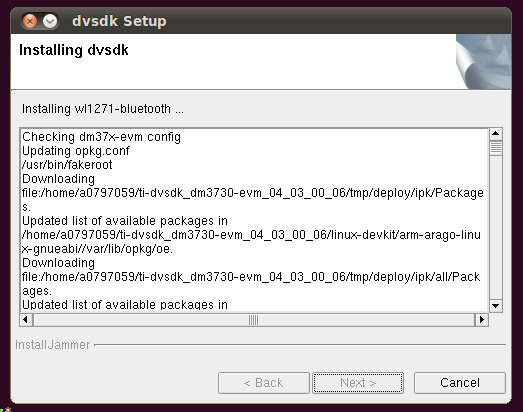
    8. Started the SDK installer 'dvsdk_dm3730-evm_04_03_00_06_setuplinux' once more. This time it came up without issues. Then I selected the options to only do a basic BSP/PSP installation, since this is what you were looking for. A couple of screenshots...


    9. Executed the SDK installer's setup script to prepare the SDK for use:
      a0797059@ubuntu:~/ti-dvsdk_dm3730-evm_04_03_00_06$ ll
      total 96
      drwxr-xr-x 11 a0797059 a0797059  4096 2023-05-01 08:38 ./
      drwxr-xr-x 25 a0797059 a0797059  4096 2023-05-01 08:38 ../
      drwxr-xr-x  2 a0797059 a0797059  4096 2023-05-01 08:31 bin/
      drwxr-xr-x  3 a0797059 a0797059  4096 2023-05-01 08:31 docs/
      drwxr-xr-x  2 a0797059 a0797059  4096 2023-05-01 08:31 etc/
      drwxr-xr-x  4 a0797059 a0797059  4096 2023-05-01 08:31 example-applications/
      drwxr-xr-x  2 a0797059 a0797059  4096 2023-05-01 08:31 filesystem/
      drwxr-xr-x  3 a0797059 a0797059  4096 2023-05-01 08:31 host-tools/
      drwxr-xr-x 11 a0797059 a0797059  4096 2023-05-01 08:30 linux-devkit/
      -rwxr-xr-x  1 a0797059 a0797059 42131 2011-12-22 11:00 Makefile*
      drwxr-xr-x  8 a0797059 a0797059  4096 2023-05-01 08:31 psp/
      -rwxr-xr-x  1 a0797059 a0797059  2908 2023-05-01 08:31 Rules.make*
      -rwxr-xr-x  1 a0797059 a0797059   833 2011-12-22 09:19 setup.sh*
      drwxr-xr-x  3 a0797059 a0797059  4096 2023-05-01 08:30 usr/
      a0797059@ubuntu:~/ti-dvsdk_dm3730-evm_04_03_00_06$ ./setup.sh 
      
      --------------------------------------------------------------------------------
      TISDK setup script
      
      This script will set up your development host for dvsdk development.
      Parts of this script require administrator priviliges (sudo access).
      --------------------------------------------------------------------------------
      
      --------------------------------------------------------------------------------
      Verifying Linux host distribution
      Ubuntu 10.04 LTS found successfully, continuing..
      --------------------------------------------------------------------------------
      
      --------------------------------------------------------------------------------
      This step will make sure you have the proper host support packages installed
      using the following command: sudo apt-get install xinetd tftpd nfs-kernel-server minicom build-essential libncurses5-dev uboot-mkimage autoconf automake
      
      Note! This command requires you to have administrator priviliges (sudo access) 
      on your host.
      Press return to continue
      
      [sudo] password for a0797059: 
      Reading package lists... Done
      Building dependency tree       
      Reading state information... Done
      build-essential is already the newest version.
      build-essential set to manually installed.
      The following extra packages will be installed:
        autotools-dev libgssglue1 libnfsidmap2 librpcsecgss3 lrzsz m4 nfs-common portmap
      Suggested packages:
        autoconf2.13 autoconf-archive gnu-standards autoconf-doc libtool
      The following NEW packages will be installed:
        autoconf automake autotools-dev libgssglue1 libncurses5-dev libnfsidmap2 librpcsecgss3 lrzsz m4 minicom nfs-common nfs-kernel-server portmap tftpd uboot-mkimage xinetd
      0 upgraded, 16 newly installed, 0 to remove and 0 not upgraded.
      Need to get 4,328kB of archives.
      After this operation, 15.1MB of additional disk space will be used.
      Do you want to continue [Y/n]? 
      Get:1 http://old-releases.ubuntu.com/ubuntu/ lucid/main m4 1.4.13-3 [241kB]
      Get:2 http://old-releases.ubuntu.com/ubuntu/ lucid/main autoconf 2.65-3ubuntu1 [772kB]
      Get:3 http://old-releases.ubuntu.com/ubuntu/ lucid/main autotools-dev 20090611.1 [64.1kB]
      Get:4 http://old-releases.ubuntu.com/ubuntu/ lucid/main automake 1:1.11.1-1 [608kB]
      Get:5 http://old-releases.ubuntu.com/ubuntu/ lucid-updates/main libgssglue1 0.1-4ubuntu0.1 [22.7kB]
      Get:6 http://old-releases.ubuntu.com/ubuntu/ lucid/main libncurses5-dev 5.7+20090803-2ubuntu3 [1,564kB]
      Get:7 http://old-releases.ubuntu.com/ubuntu/ lucid/main libnfsidmap2 0.23-2 [29.1kB]
      Get:8 http://old-releases.ubuntu.com/ubuntu/ lucid/main librpcsecgss3 0.19-2 [33.1kB]
      Get:9 http://old-releases.ubuntu.com/ubuntu/ lucid/universe lrzsz 0.12.21-5 [99.9kB]
      Get:10 http://old-releases.ubuntu.com/ubuntu/ lucid/universe minicom 2.4-1 [312kB]
      Get:11 http://old-releases.ubuntu.com/ubuntu/ lucid-updates/main portmap 6.0.0-1ubuntu2.2 [38.1kB]
      Get:12 http://old-releases.ubuntu.com/ubuntu/ lucid-updates/main nfs-common 1:1.2.0-4ubuntu4.2 [213kB]
      Get:13 http://old-releases.ubuntu.com/ubuntu/ lucid-updates/main nfs-kernel-server 1:1.2.0-4ubuntu4.2 [159kB]
      Get:14 http://old-releases.ubuntu.com/ubuntu/ lucid/main xinetd 1:2.3.14-7ubuntu3 [146kB]
      Get:15 http://old-releases.ubuntu.com/ubuntu/ lucid/universe tftpd 0.17-17ubuntu1 [16.5kB]
      Get:16 http://old-releases.ubuntu.com/ubuntu/ lucid/main uboot-mkimage 0.4build1 [9,876B]
      Fetched 4,328kB in 3s (1,182kB/s)  
      Preconfiguring packages ...
      Selecting previously deselected package m4.
      (Reading database ... 129925 files and directories currently installed.)
      Unpacking m4 (from .../archives/m4_1.4.13-3_i386.deb) ...
      Selecting previously deselected package autoconf.
      Unpacking autoconf (from .../autoconf_2.65-3ubuntu1_all.deb) ...
      Selecting previously deselected package autotools-dev.
      Unpacking autotools-dev (from .../autotools-dev_20090611.1_all.deb) ...
      Selecting previously deselected package automake.
      Unpacking automake (from .../automake_1%3a1.11.1-1_all.deb) ...
      Selecting previously deselected package libgssglue1.
      Unpacking libgssglue1 (from .../libgssglue1_0.1-4ubuntu0.1_i386.deb) ...
      Selecting previously deselected package libncurses5-dev.
      Unpacking libncurses5-dev (from .../libncurses5-dev_5.7+20090803-2ubuntu3_i386.deb) ...
      Selecting previously deselected package libnfsidmap2.
      Unpacking libnfsidmap2 (from .../libnfsidmap2_0.23-2_i386.deb) ...
      Selecting previously deselected package librpcsecgss3.
      Unpacking librpcsecgss3 (from .../librpcsecgss3_0.19-2_i386.deb) ...
      Selecting previously deselected package lrzsz.
      Unpacking lrzsz (from .../lrzsz_0.12.21-5_i386.deb) ...
      Selecting previously deselected package minicom.
      Unpacking minicom (from .../minicom_2.4-1_i386.deb) ...
      Selecting previously deselected package portmap.
      Unpacking portmap (from .../portmap_6.0.0-1ubuntu2.2_i386.deb) ...
      Selecting previously deselected package nfs-common.
      Unpacking nfs-common (from .../nfs-common_1%3a1.2.0-4ubuntu4.2_i386.deb) ...
      Selecting previously deselected package nfs-kernel-server.
      Unpacking nfs-kernel-server (from .../nfs-kernel-server_1%3a1.2.0-4ubuntu4.2_i386.deb) ...
      Selecting previously deselected package xinetd.
      Unpacking xinetd (from .../xinetd_1%3a2.3.14-7ubuntu3_i386.deb) ...
      Selecting previously deselected package tftpd.
      Unpacking tftpd (from .../tftpd_0.17-17ubuntu1_i386.deb) ...
      Selecting previously deselected package uboot-mkimage.
      Unpacking uboot-mkimage (from .../uboot-mkimage_0.4build1_i386.deb) ...
      Processing triggers for install-info ...
      Processing triggers for man-db ...
      Processing triggers for doc-base ...
      Processing 1 added doc-base file(s)...
      Registering documents with scrollkeeper...
      Processing triggers for ureadahead ...
      ureadahead will be reprofiled on next reboot
      Setting up m4 (1.4.13-3) ...
      Setting up autoconf (2.65-3ubuntu1) ...
      Setting up autotools-dev (20090611.1) ...
      Setting up automake (1:1.11.1-1) ...
      update-alternatives: using /usr/bin/automake-1.11 to provide /usr/bin/automake (automake) in auto mode.
      
      Setting up libgssglue1 (0.1-4ubuntu0.1) ...
      
      Setting up libncurses5-dev (5.7+20090803-2ubuntu3) ...
      Setting up libnfsidmap2 (0.23-2) ...
      
      Setting up librpcsecgss3 (0.19-2) ...
      
      Setting up lrzsz (0.12.21-5) ...
      Setting up minicom (2.4-1) ...
      
      Setting up portmap (6.0.0-1ubuntu2.2) ...
      portmap start/running, process 24378
      
      Setting up nfs-common (1:1.2.0-4ubuntu4.2) ...
      
      Creating config file /etc/idmapd.conf with new version
      
      Creating config file /etc/default/nfs-common with new version
      Adding system user `statd' (UID 115) ...
      Adding new user `statd' (UID 115) with group `nogroup' ...
      Not creating home directory `/var/lib/nfs'.
      statd start/running, process 24602
      gssd stop/pre-start, process 24625
      idmapd stop/pre-start, process 24651
      
      Setting up nfs-kernel-server (1:1.2.0-4ubuntu4.2) ...
      
      Creating config file /etc/exports with new version
      
      Creating config file /etc/default/nfs-kernel-server with new version
       * Exporting directories for NFS kernel daemon...                                                                                                                                                                                    [ OK ] 
       * Starting NFS kernel daemon                                                                                                                                                                                                        [ OK ] 
      
      Setting up xinetd (1:2.3.14-7ubuntu3) ...
       * Stopping internet superserver xinetd                                                                                                                                                                                              [ OK ] 
       * Starting internet superserver xinetd                                                                                                                                                                                              [ OK ] 
      
      Setting up tftpd (0.17-17ubuntu1) ...
      Note: xinetd currently is not fully supported by update-inetd.
            Please consult /usr/share/doc/xinetd/README.Debian and itox(8).
      
      Setting up uboot-mkimage (0.4build1) ...
      Processing triggers for libc-bin ...
      ldconfig deferred processing now taking place
      
      Package verification and installation successfully completed
      --------------------------------------------------------------------------------
      
      --------------------------------------------------------------------------------
      In which directory do you want to install the target filesystem?(if this directory does not exist it will be created)
      [ /home/a0797059/targetfs ] 
      --------------------------------------------------------------------------------
      
      --------------------------------------------------------------------------------
      This step will extract the target filesystem to /home/a0797059/targetfs
      
      Note! This command requires you to have administrator priviliges (sudo access) 
      on your host.
      Press return to continue
      
      Successfully extracted dvsdk-dm37x-evm-rootfs.tar.gz to /home/a0797059/targetfs
      --------------------------------------------------------------------------------
      
      --------------------------------------------------------------------------------
      This step will update the EXEC_DIR variables in the Rules.make file
      This will facilitate the SDK to install (with make install) rebuilt binaries in
          /home/a0797059/targetfs
      
      The files will be available from / on the target.
      
      This setting can be changed later by editing Rules.make and changing the
      EXEC_DIR variable.
      
      Press return to continue
      Rules.make edited successfully..
      --------------------------------------------------------------------------------
      
      --------------------------------------------------------------------------------
      This step will export your target filesystem for NFS access.
      
      Note! This command requires you to have administrator priviliges (sudo access) 
      on your host.
      Press return to continue
      
       * Stopping NFS kernel daemon                                                                                                                                                                                                        [ OK ] 
       * Unexporting directories for NFS kernel daemon...                                                                                                                                                                                  [ OK ] 
      
       * Exporting directories for NFS kernel daemon...                                                                                                                                                                                    [ OK ] 
       * Starting NFS kernel daemon                                                                                                                                                                                                        [ OK ] 
      --------------------------------------------------------------------------------
      --------------------------------------------------------------------------------
      Which directory do you want to be your tftp root directory?(if this directory does not exist it will be created for you)
      [ /tftpboot ] --------------------------------------------------------------------------------
      
      --------------------------------------------------------------------------------
      This step will set up the tftp server in the /tftpboot directory.
      
      Note! This command requires you to have administrator priviliges (sudo access) 
      on your host.
      Press return to continue
      
      Successfully copied uImage-dm37x-evm.bin to tftp root directory /tftpboot
      
      [sudo] password for a0797059: 
      
      /etc/xinetd.d/tftp successfully created
      
      Restarting tftp server
       * Stopping internet superserver xinetd                                                                                                                                                                                              [ OK ] 
       * Starting internet superserver xinetd                                                                                                                                                                                              [ OK ] 
      --------------------------------------------------------------------------------
      
      --------------------------------------------------------------------------------
      This step will set up minicom (serial communication application) for
      DVSDK development
      
      Which serial port do you want to use with minicom?
      [ /dev/ttyS0 ] 
      
      Configuration saved to /home/a0797059/.minirc.dfl. You can change it further from inside
      minicom, see the Software Development Guide for more information.
      --------------------------------------------------------------------------------
      
      --------------------------------------------------------------------------------
      This step will set up the u-boot variables for booting the EVM.
      Autodetected the following ip address of your host, correct it if necessary
      [ 192.168.88.129 ] 
      
      Select Primary display output:
       1: LCD
       2: DVI
      
      [ 1 ] 
      Select Linux kernel location:
       1: TFTP
       2: SD card
      
      [ 1 ] 2
      
      Select root file system location:
       1: NFS
       2: SD card
      
      [ 1 ] 2
      
      Resulting u-boot variable settings:
      
      setenv bootdelay 4
      setenv baudrate 115200
      setenv bootargs console=ttyO0,115200n8 rw mem=55M@0x80000000 mpurate=1000 mem=128M@0x88000000 omap_vout.vid1_static_vrfb_alloc=y omapfb.vram=0:4M root=/dev/mmcblk0p2 rootfstype=ext3 rootwait ip=off
      setenv bootcmd 'mmc init;fatload mmc 0 0x82000000 uImage;bootm 0x82000000'
      --------------------------------------------------------------------------------
      
      --------------------------------------------------------------------------------
      Would you like to create a minicom script with the above parameters (y/n)?
      [ y ] n
      
      --------------------------------------------------------------------------------
      
      TISDK setup completed!
      Please continue reading the Software Developer's Guide for more information on
      how to develop software on the EVM
      a0797059@ubuntu:~/ti-dvsdk_dm3730-evm_04_03_00_06$ 


    After these steps I was able to build X-Loader with the provided Makefile....

    a0797059@ubuntu:~/ti-dvsdk_dm3730-evm_04_03_00_06$ make xload
    /bin/sh: __dsplink__: No such file or directory
    /bin/sh: __dsplink__: No such file or directory
    /bin/sh: __dsplink__: No such file or directory
    make -C /home/a0797059/ti-dvsdk_dm3730-evm_04_03_00_06/psp/x-load-* CROSS_COMPILE=/home/a0797059/ti-dvsdk_dm3730-evm_04_03_00_06/linux-devkit//bin/arm-arago-linux-gnueabi- ARCH=arm distclean
    make[1]: Entering directory `/home/a0797059/ti-dvsdk_dm3730-evm_04_03_00_06/psp/x-load-1.51-psp04.02.00.07.sdk'
    find . -type f \
    		\( -name 'core' -o -name '*.bak' -o -name '*~' \
    		-o -name '*.o'  -o -name '*.a'  \) -print \
    		| xargs rm -f
    find . -type f \
    		\( -name .depend -o -name '*.srec' -o -name '*.bin' \) \
    		-print \
    		| xargs rm -f
    rm -f cpu/omap3/start.o *.bak tags TAGS
    rm -fr *.*~
    rm -f x-load x-load.map x-load.bin System.map
    
    <...snip...>
    
    make[2]: Leaving directory `/home/a0797059/ti-dvsdk_dm3730-evm_04_03_00_06/psp/x-load-1.51-psp04.02.00.07.sdk/drivers'
    UNDEF_SYM=`/home/a0797059/ti-dvsdk_dm3730-evm_04_03_00_06/linux-devkit//bin/arm-arago-linux-gnueabi-objdump -x board/omap3evm/libomap3evm.a cpu/omap3/libomap3.a lib/libarm.a fs/fat/libfat.a disk/libdisk.a drivers/libdrivers.a |sed  -n -e 's/.*\(__u_boot_cmd_.*\)/-u\1/p'|sort|uniq`;\
     		/home/a0797059/ti-dvsdk_dm3730-evm_04_03_00_06/linux-devkit//bin/arm-arago-linux-gnueabi-ld -Bstatic -T /home/a0797059/ti-dvsdk_dm3730-evm_04_03_00_06/psp/x-load-1.51-psp04.02.00.07.sdk/board/omap3evm/x-load.lds -Ttext 0x40200800  $UNDEF_SYM cpu/omap3/start.o \
    			--start-group board/omap3evm/libomap3evm.a cpu/omap3/libomap3.a lib/libarm.a fs/fat/libfat.a disk/libdisk.a drivers/libdrivers.a --end-group -L /home/a0797059/ti-dvsdk_dm3730-evm_04_03_00_06/linux-devkit/bin/../lib/gcc/arm-arago-linux-gnueabi/4.3.3 -lgcc \
    			-Map x-load.map -o x-load
    /home/a0797059/ti-dvsdk_dm3730-evm_04_03_00_06/linux-devkit//bin/arm-arago-linux-gnueabi-objcopy --gap-fill=0xff -O binary x-load x-load.bin
    make[1]: Leaving directory `/home/a0797059/ti-dvsdk_dm3730-evm_04_03_00_06/psp/x-load-1.51-psp04.02.00.07.sdk'
    /home/a0797059/ti-dvsdk_dm3730-evm_04_03_00_06/linux-devkit/bin/signGP /home/a0797059/ti-dvsdk_dm3730-evm_04_03_00_06/psp/x-load-*/x-load.bin
    a0797059@ubuntu:~/ti-dvsdk_dm3730-evm_04_03_00_06$ ll psp/x-load-1.51-psp04.02.00.07.sdk/
    total 276
    drwxr-xr-x 11 a0797059 a0797059   4096 2023-05-01 10:49 ./
    drwxr-xr-x  8 a0797059 a0797059   4096 2023-05-01 08:31 ../
    -rw-r--r--  1 a0797059 a0797059    908 2011-12-22 09:30 arm_config.mk
    drwxr-xr-x 11 a0797059 a0797059   4096 2023-05-01 08:30 board/
    -rw-r--r--  1 a0797059 a0797059   5066 2011-12-22 09:30 config.mk
    drwxr-xr-x  5 a0797059 a0797059   4096 2023-05-01 08:30 cpu/
    drwxr-xr-x  2 a0797059 a0797059   4096 2023-05-01 10:49 disk/
    drwxr-xr-x  2 a0797059 a0797059   4096 2023-05-01 10:49 drivers/
    drwxr-xr-x  3 a0797059 a0797059   4096 2023-05-01 08:30 fs/
    drwxr-xr-x  5 a0797059 a0797059   4096 2023-05-01 10:49 include/
    drwxr-xr-x  2 a0797059 a0797059   4096 2023-05-01 10:49 lib/
    -rw-r--r--  1 a0797059 a0797059   5396 2011-12-22 09:30 Makefile
    -rwxr-xr-x  1 a0797059 a0797059   1122 2011-12-22 09:30 mkconfig*
    drwxr-xr-x  2 a0797059 a0797059   4096 2023-05-01 08:30 patches/
    -rw-r--r--  1 a0797059 a0797059   3935 2011-12-22 09:30 README
    drwxr-xr-x  2 a0797059 a0797059   4096 2023-05-01 08:30 scripts/
    -rw-r--r--  1 a0797059 a0797059   4456 2023-05-01 10:49 System.map
    -rwxr-xr-x  1 a0797059 a0797059 114019 2023-05-01 10:49 x-load*
    -rwxr-xr-x  1 a0797059 a0797059  21156 2023-05-01 10:49 x-load.bin*
    -rw-r--r--  1 a0797059 a0797059  21164 2023-05-01 10:49 x-load.bin.ift
    -rw-r--r--  1 a0797059 a0797059  33045 2023-05-01 10:49 x-load.map

    ...as well as U-Boot, all without any issues:

    a0797059@ubuntu:~/ti-dvsdk_dm3730-evm_04_03_00_06$ make u-boot
    /bin/sh: __dsplink__: No such file or directory
    /bin/sh: __dsplink__: No such file or directory
    /bin/sh: __dsplink__: No such file or directory
    make -C /home/a0797059/ti-dvsdk_dm3730-evm_04_03_00_06/psp/u-boot-* CROSS_COMPILE=/home/a0797059/ti-dvsdk_dm3730-evm_04_03_00_06/linux-devkit//bin/arm-arago-linux-gnueabi- omap3_evm_config
    make[1]: Entering directory `/home/a0797059/ti-dvsdk_dm3730-evm_04_03_00_06/psp/u-boot-2010.06-psp04.02.00.07.sdk'
    Configuring for omap3_evm board...
    make[1]: Leaving directory `/home/a0797059/ti-dvsdk_dm3730-evm_04_03_00_06/psp/u-boot-2010.06-psp04.02.00.07.sdk'
    make -C /home/a0797059/ti-dvsdk_dm3730-evm_04_03_00_06/psp/u-boot-* CROSS_COMPILE=/home/a0797059/ti-dvsdk_dm3730-evm_04_03_00_06/linux-devkit//bin/arm-arago-linux-gnueabi-
    make[1]: Entering directory `/home/a0797059/ti-dvsdk_dm3730-evm_04_03_00_06/psp/u-boot-2010.06-psp04.02.00.07.sdk'
    Generating include/autoconf.mk
    Generating include/autoconf.mk.dep
    
    <...snip...>
    
    make[2]: Leaving directory `/home/a0797059/ti-dvsdk_dm3730-evm_04_03_00_06/psp/u-boot-2010.06-psp04.02.00.07.sdk/arch/arm/cpu/arm_cortexa8'
    UNDEF_SYM=`/home/a0797059/ti-dvsdk_dm3730-evm_04_03_00_06/linux-devkit//bin/arm-arago-linux-gnueabi-objdump -x board/ti/evm/libevm.a lib/libgeneric.a lib/lzma/liblzma.a lib/lzo/liblzo.a arch/arm/cpu/arm_cortexa8/libarm_cortexa8.a arch/arm/cpu/arm_cortexa8/omap3/libomap3.a arch/arm/lib/libarm.a fs/cramfs/libcramfs.a fs/fat/libfat.a fs/fdos/libfdos.a fs/jffs2/libjffs2.a fs/reiserfs/libreiserfs.a fs/ext2/libext2fs.a fs/yaffs2/libyaffs2.a fs/ubifs/libubifs.a net/libnet.a disk/libdisk.a drivers/bios_emulator/libatibiosemu.a drivers/block/libblock.a drivers/dma/libdma.a drivers/fpga/libfpga.a drivers/gpio/libgpio.a drivers/hwmon/libhwmon.a drivers/i2c/libi2c.a drivers/input/libinput.a drivers/misc/libmisc.a drivers/mmc/libmmc.a drivers/mtd/libmtd.a drivers/mtd/nand/libnand.a drivers/mtd/onenand/libonenand.a drivers/mtd/ubi/libubi.a drivers/mtd/spi/libspi_flash.a drivers/net/libnet.a drivers/net/phy/libphy.a drivers/pci/libpci.a drivers/pcmcia/libpcmcia.a drivers/power/libpower.a drivers/spi/libspi.a drivers/rtc/librtc.a drivers/serial/libserial.a drivers/twserial/libtws.a drivers/usb/gadget/libusb_gadget.a drivers/usb/host/libusb_host.a drivers/usb/musb/libusb_musb.a drivers/usb/phy/libusb_phy.a drivers/video/libvideo.a drivers/watchdog/libwatchdog.a common/libcommon.a lib/libfdt/libfdt.a api/libapi.a post/libpost.a | sed  -n -e 's/.*\(__u_boot_cmd_.*\)/-u\1/p'|sort|uniq`; cd /home/a0797059/ti-dvsdk_dm3730-evm_04_03_00_06/psp/u-boot-2010.06-psp04.02.00.07.sdk && /home/a0797059/ti-dvsdk_dm3730-evm_04_03_00_06/linux-devkit//bin/arm-arago-linux-gnueabi-ld -Bstatic -T u-boot.lds  -Ttext 0x80e80000 $UNDEF_SYM arch/arm/cpu/arm_cortexa8/start.o --start-group lib/libgeneric.a lib/lzma/liblzma.a lib/lzo/liblzo.a arch/arm/cpu/arm_cortexa8/libarm_cortexa8.a arch/arm/cpu/arm_cortexa8/omap3/libomap3.a arch/arm/lib/libarm.a fs/cramfs/libcramfs.a fs/fat/libfat.a fs/fdos/libfdos.a fs/jffs2/libjffs2.a fs/reiserfs/libreiserfs.a fs/ext2/libext2fs.a fs/yaffs2/libyaffs2.a fs/ubifs/libubifs.a net/libnet.a disk/libdisk.a drivers/bios_emulator/libatibiosemu.a drivers/block/libblock.a drivers/dma/libdma.a drivers/fpga/libfpga.a drivers/gpio/libgpio.a drivers/hwmon/libhwmon.a drivers/i2c/libi2c.a drivers/input/libinput.a drivers/misc/libmisc.a drivers/mmc/libmmc.a drivers/mtd/libmtd.a drivers/mtd/nand/libnand.a drivers/mtd/onenand/libonenand.a drivers/mtd/ubi/libubi.a drivers/mtd/spi/libspi_flash.a drivers/net/libnet.a drivers/net/phy/libphy.a drivers/pci/libpci.a drivers/pcmcia/libpcmcia.a drivers/power/libpower.a drivers/spi/libspi.a drivers/rtc/librtc.a drivers/serial/libserial.a drivers/twserial/libtws.a drivers/usb/gadget/libusb_gadget.a drivers/usb/host/libusb_host.a drivers/usb/musb/libusb_musb.a drivers/usb/phy/libusb_phy.a drivers/video/libvideo.a drivers/watchdog/libwatchdog.a common/libcommon.a lib/libfdt/libfdt.a api/libapi.a post/libpost.a board/ti/evm/libevm.a --end-group /home/a0797059/ti-dvsdk_dm3730-evm_04_03_00_06/psp/u-boot-2010.06-psp04.02.00.07.sdk/arch/arm/lib/eabi_compat.o -L /home/a0797059/ti-dvsdk_dm3730-evm_04_03_00_06/linux-devkit/bin/../lib/gcc/arm-arago-linux-gnueabi/4.3.3 -lgcc -Map u-boot.map -o u-boot
    /home/a0797059/ti-dvsdk_dm3730-evm_04_03_00_06/linux-devkit//bin/arm-arago-linux-gnueabi-objcopy -O srec u-boot u-boot.srec
    /home/a0797059/ti-dvsdk_dm3730-evm_04_03_00_06/linux-devkit//bin/arm-arago-linux-gnueabi-objcopy --gap-fill=0xff -O binary u-boot u-boot.bin
    make[1]: Leaving directory `/home/a0797059/ti-dvsdk_dm3730-evm_04_03_00_06/psp/u-boot-2010.06-psp04.02.00.07.sdk'
    a0797059@ubuntu:~/ti-dvsdk_dm3730-evm_04_03_00_06$ ll psp/u-boot-2010.06-psp04.02.00.07.sdk/
    total 5684
    drwxr-xr-x  19 a0797059 a0797059    4096 2023-05-01 10:52 ./
    drwxr-xr-x   8 a0797059 a0797059    4096 2023-05-01 08:31 ../
    drwxr-xr-x   2 a0797059 a0797059    4096 2023-05-01 09:14 api/
    drwxr-xr-x  13 a0797059 a0797059    4096 2023-05-01 08:30 arch/
    drwxr-xr-x 279 a0797059 a0797059   12288 2023-05-01 08:30 board/
    -rw-r--r--   1 a0797059 a0797059 3088626 2011-12-22 09:30 CHANGELOG
    -rw-r--r--   1 a0797059 a0797059  190034 2011-12-22 09:30 CHANGELOG-before-U-Boot-1.1.5
    drwxr-xr-x   2 a0797059 a0797059    4096 2023-05-01 10:52 common/
    -rw-r--r--   1 a0797059 a0797059    8018 2011-12-22 09:30 config.mk
    -rw-r--r--   1 a0797059 a0797059   15951 2011-12-22 09:30 COPYING
    -rw-r--r--   1 a0797059 a0797059   12701 2011-12-22 09:30 CREDITS
    drwxr-xr-x   2 a0797059 a0797059    4096 2023-05-01 10:51 disk/
    drwxr-xr-x   3 a0797059 a0797059    4096 2023-05-01 08:30 doc/
    drwxr-xr-x  25 a0797059 a0797059    4096 2023-05-01 08:30 drivers/
    drwxr-xr-x   4 a0797059 a0797059    4096 2023-05-01 08:30 examples/
    drwxr-xr-x  10 a0797059 a0797059    4096 2023-05-01 08:30 fs/
    drwxr-xr-x  14 a0797059 a0797059   12288 2023-05-01 10:51 include/
    drwxr-xr-x   5 a0797059 a0797059    4096 2023-05-01 10:51 lib/
    -rw-r--r--   1 a0797059 a0797059   19781 2011-12-22 09:30 MAINTAINERS
    -rwxr-xr-x   1 a0797059 a0797059   17574 2011-12-22 09:30 MAKEALL*
    -rw-r--r--   1 a0797059 a0797059  130139 2011-12-22 09:30 Makefile
    -rwxr-xr-x   1 a0797059 a0797059    2311 2011-12-22 09:30 mkconfig*
    drwxr-xr-x   3 a0797059 a0797059    4096 2023-05-01 08:30 nand_spl/
    drwxr-xr-x   2 a0797059 a0797059    4096 2023-05-01 10:51 net/
    drwxr-xr-x   3 a0797059 a0797059    4096 2023-05-01 08:30 onenand_ipl/
    drwxr-xr-x   2 a0797059 a0797059    4096 2023-05-01 08:30 patches/
    drwxr-xr-x   6 a0797059 a0797059    4096 2023-05-01 09:14 post/
    -rw-r--r--   1 a0797059 a0797059  149191 2011-12-22 09:30 README
    -rw-r--r--   1 a0797059 a0797059    1631 2011-12-22 09:30 rules.mk
    -rw-r--r--   1 a0797059 a0797059   31425 2023-05-01 10:52 System.map
    drwxr-xr-x  10 a0797059 a0797059    4096 2023-05-01 10:51 tools/
    -rwxr-xr-x   1 a0797059 a0797059  905177 2023-05-01 10:52 u-boot*
    -rwxr-xr-x   1 a0797059 a0797059  229036 2023-05-01 10:52 u-boot.bin*
    -rw-r--r--   1 a0797059 a0797059     510 2023-05-01 09:14 u-boot.lds
    -rw-r--r--   1 a0797059 a0797059  234342 2023-05-01 10:52 u-boot.map
    -rwxr-xr-x   1 a0797059 a0797059  687164 2023-05-01 10:52 u-boot.srec*

    Can you double check your steps to see what might be missing?
    I suspect you might be missing step 3 (setting up proxy server), and perhaps step 5 (updating Ubuntu).

    Regards, Andreas