This thread has been locked.

If you have a related question, please click the "Ask a related question" button in the top right corner. The newly created question will be automatically linked to this question.

TMDS64EVM: PCI communication ,RC and EP configuration on TMDS64EVM module ,AM6442 processor

Part Number: TMDS64EVM
Other Parts Discussed in Thread: AM6442,

Hi TI,

 we are working on TMDS64EVM module which has AM6442 processor on PCI communication ,we trying to configure one board as RC and another as EP and trying to establish communication between them , we configured the boards as per the knowledge article given in the TI website ,but while booting its hanging up at one state , we need to some support here from TI to over come this issue , i request for a quick call to discuss on this issue. please support.

  • Hi Mahesh,

    Do you run Linux or RTOS on TMDS64EVM?

  • Hi Liu,

    I am running Linux only on this board.

  • i am not able to find this 10point Dip switch(sw3) on the TMDS64EVM , please let us know where to configure this.

    https://software-dl.ti.com/processor-sdk-linux/esd/AM64X/08_06_00_42/exports/docs/linux/Foundational_Components/Kernel/Kernel_Drivers/PCIe/PCIe_End_Point.html

    above is the schematic screenshot for the EVM module , where signal name is not matching as per the above link for PCI EP configuration.

  • Hi Mahesh,

    The DIP switch comment in the schematics is for PCIe boot mode, but I guess you would boot your TMDS64EVM from SD card but communicate through PCIe in Linux, right? If so, you should set the DIP switch to SD card boot.

    i am not able to find this 10point Dip switch(sw3) on the TMDS64EVM ,

    SW3 is next to SW2. Please see the pictures in Table 3-1 linked below.

    https://dev.ti.com/tirex/explore/node?node=A__ABlmxwZfle7AfM3QhRii6w__linux_academy_am64x__7qm9DIS__LATEST

  • Hi Liu,

    SW2 and SW3 on my TMDS64EVM are configured for SD card boot mode .

    as you said above I am booting my both EVM boards through SD card and want to communicate through PCIe in Linux by configuring one EVM board as Root complex mode and another EVM module as End point mode by connecting through a loop back connection cable.

     by default EVM module is configured for Root complex mode mentioned in the TI document ,so i am trying to configure other module as Endpoint and following the steps given in the below link.

    https://software-dl.ti.com/processor-sdk-linux/esd/AM64X/08_06_00_42/exports/docs/linux/Foundational_Components/Kernel/Kernel_Drivers/PCIe/PCIe_End_Point.html

    here the question is ,as per the document for End point mode Sw2 and Sw3 should configure as below , but its a 10pin Dip switch where as i am seeing a 8 pin Dip switch on my EVM modules and that to use for configuring boot modes.

     I also configured J34,J35 jumpers for End point mode and  k3-am642-evm.dts as per document , also did config options  enabled in order to configure the PCI controller to be used as a “Endpoint Test” function driver as per document.

    but I am still not able to see the below data when i ran "lspci" ,please help me to configure EVM as Endpoint .

    below data is from document.
    root@am64xx-evm:~# lspci 0000:00:00.0 PCI bridge: Texas Instruments Device b010 0000:01:00.0 Unassigned class [ff00]: Texas Instruments Device b010

  • Hi Mahesh,

    here the question is ,as per the document for End point mode Sw2 and Sw3 should configure as below , but its a 10pin Dip switch where as i am seeing a 8 pin Dip switch on my EVM modules and that to use for configuring boot modes.

    I think this documentation is confusing, it is not for AM64x. This schematic screenshot doesn't match the TMDS64EVM board schematics.You should skip this SW3 DIP switch setting.

    Please attach the Linux console log for both PCIe RC and EP boards.

  • TMDS64EVM_RootComplex.rtfTMDS64EVM_Endpoint.rtf

    Hi Liu,

    As you told, i skipped the SW3 DIP switch settings and proceeded to further steps mentioned in the document .

    https://software-dl.ti.com/processor-sdk-linux/esd/AM64X/08_06_00_42/exports/docs/linux/Foundational_Components/Kernel/Kernel_Drivers/PCIe/PCIe_End_Point.html#host-device-configuration

    i also attached the console data for both Root complex and Endpoint configured boards, please refer attachments.

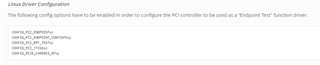
    i modified the k3-am642-evm.dts file as mentioned in the document ,for Linux driver configuration to use PCI controller as "end point test" function driver below config options have to be enabled. i found these are already set configured to "y" in the "auto.config" file , so i didn't change anything and not sure where to change these parameters.

    CONFIG_PCI_ENDPOINT=y
    CONFIG_PCI_ENDPOINT_CONFIGFS=y
    CONFIG_PCI_EPF_TEST=y
    CONFIG_PCI_J721E=y
    CONFIG_PCIE_CADENCE_EP=y

    after doing all these i am not able to see the response for below command as shown.

    Endpoint Controller devices and Function drivers

    To find the list of endpoint controller devices in the system:

    root@evm:~# ls /sys/class/pci_epc/
    f102000.pcie-ep
    

    please guide me how to configure this and finally to achieve below response.

    root@am64xx-evm:~# lspci
    0000:00:00.0 PCI bridge: Texas Instruments Device b010
    0000:01:00.0 Unassigned class [ff00]: Texas Instruments Device b010
  • Have you following the following process in the documentation to start the PCIe EP?

  • Hi Liu,

    yes, I followed the same process mentioned in the document , in the screenshot you shared  the below command is getting failed.

    ln -s functions/pci_epf_test/func1 controllers/f102000.pcie-ep/

    i am seeing in auto.conf file the below config options are set for Endpoint.


    if i want to change the config options for Host device (RC) as shown in below screenshot,
    in which file do i need to modify? the auto.conf file automatic generated and we shouldn't change this file.


    can you please guide me where to enable these config options and build , any documentation link will be greatly helpful.
  • Hi Mahesh,

    yes, I followed the same process mentioned in the document , in the screenshot you shared  the below command is getting failed.

    ln -s functions/pci_epf_test/func1 controllers/f102000.pcie-ep/

    I will try this on my board next week to see I will have the same issue.

  • Hi Liu,

    Thank you for that ,will wait for your response, meanwhile

    Can you please reply to my other question? mentioned below again.

    if i want to change the config options for Host device (RC) as shown in below screenshot,
    in which file do i need to modify? the auto.conf file automatic generated and we shouldn't change that file.
    can you please let me know this process.

  • Hi Mahesh,

    Correct, auto.conf is automatically generated, we shouldn't modify it.

    Typically, we should run command 'make menuconfig' to modify kernel Kconfig option. However, in this case, these PCI related options are already enabled in the defconfig - arch/arm64/configs/tisdk_am64xx-evm_defconfig - in the SDK kernel, so when you did command 'make tisdk_am64xx-evm_defconfig', these PCI options will be enabled in kernel .config, you don't have to do anything extra.

  • Hi Liu,

    Thank you for the quick response , did you get any chance to run the below commands on you board?

    also did you get any clue from the console logs i attached earlier for both RC and EP configured EVM modules.

    Can you please review below responses for the above list of commands  we ran, highlighted are the failures.

  • Hi Mahesh,

    Thank you for the quick response , did you get any chance to run the below commands on you board?

    I am still trying to locate a PCIe cable to connect both EVMs. But I will try to find time today to run this command with connecting to RC to see if it fails on my setup.

    Can you please review below responses for the above list of commands  we ran, highlighted are the failures.

    The first message regarding mounting configfs can be ignored. I think the SDK Linux already mount configfs automatically.

    I will try to see if I can reproduce the second error message on my setup.

  • Hi Mahesh,

    I have no issue to run these commands on my EVM with PCIe-EP kernel device tree.

    Reviewed your console log again, I see "root@am64xx-evm:~# ls /sys/class/pci_epc/" returns nothing. It should show "f102000.pcie-ep". I guess you didn't patch kernel device tree properly. Please ensure the following kernel device patch is applied.

    diff --git a/arch/arm64/boot/dts/ti/k3-am642-evm.dts b/arch/arm64/boot/dts/ti/k3-am642-evm.dts
    index 81c85f64f4ec..94b4eed2d9aa 100644
    --- a/arch/arm64/boot/dts/ti/k3-am642-evm.dts
    +++ b/arch/arm64/boot/dts/ti/k3-am642-evm.dts
    @@ -721,13 +721,13 @@ &pcie0_rc {
            phys = <&serdes0_pcie_link>;
            phy-names = "pcie-phy";
            num-lanes = <1>;
    +       status = "disabled";
     };
     
     &pcie0_ep {
            phys = <&serdes0_pcie_link>;
            phy-names = "pcie-phy";
            num-lanes = <1>;
    -       status = "disabled";
     };
     
     &tscadc0 {
    

  • Hi Liu,

    I did those changes earlier as mentioned in the document for the below file and performed a clean build after that i tried the RC and EP loop back with two EVM modules , but "root@am64xx-evm:~# ls /sys/class/pci_epc/"   not returned anything.

    can you please check the below file changes and let me know if i did any mistake .

    what are the steps i need to do after modifying the k3-am642-evm.dts file as shown below. i was struck here and not able to move further ,can you please guide me with any step by step document to follow.

  • Hi Mahesh,

    what are the steps i need to do after modifying the k3-am642-evm.dts file as shown below. i was struck here and not able to move further ,can you please guide me with any step by step document to follow.

    After modified the kernel device tree file, you need to compile it, then copy the new corresponding dtb to the sdcard, and boot the board.

  • Hi Liu,

    i am seeing only below files in the SD card came along with the EVM module , so after i done changes in .dts file i did a clean build and below binaries generated with new timestamp and same i replaced in the SD card , i thought below binaries included the changes related to .dts file modification also because in the SD card i am not seeing any .dtb file .

    can you please explain me clearly what we need to do here.

  • Hi Mahesh,

    What you see here is the "boot" partition of the sdcard.

    The .dtb files are located in the "root" partition, under "boot/" directory. You need to use a Linux PC to see the "root" partition, because it is in ext4 format, Windows doesn't recognize it.

  • Hi Mahesh,

    It seems you are still unable to get the PCIe EP detected on the PCIe RC?

    Following is the process I tried on two AM64x GPEVM connected via a PCIe ribbon cable by following the instruction linked below, using SDK 8.6.

    https://software-dl.ti.com/processor-sdk-linux/esd/AM64X/08_06_00_42/exports/docs/linux/Foundational_Components/Kernel/Kernel_Drivers/PCIe/PCIe_End_Point.html

    Let's call the AM64x GPEVM for PCIe RC as "EVM-RC", and the EVM for PCIe EP as "EVM-EP" in the procedure below.

    1. Short pin 2 & 3 of J34 and J35 of EVM-EP. The header J34 and J35 are on the bottom side of the board.

    2. Connect EVM-RC and EVM-EP with a PCIe ribbon cable.

    3. Create 2 bootable SD card using the image tisdk-default-image-am64xx-evm.wic.xz provided in the SDK 8.6.

    4. Boot EVM-RC from one of the SD card.

    5. Apply the following patch to SDK8.6 kernel and rebuild the dtbs:

    diff --git a/arch/arm64/boot/dts/ti/k3-am642-evm.dts b/arch/arm64/boot/dts/ti/k3-am642-evm.dts
    index 2bd50d4bb226..cb86c4f65e08 100644
    --- a/arch/arm64/boot/dts/ti/k3-am642-evm.dts
    +++ b/arch/arm64/boot/dts/ti/k3-am642-evm.dts
    @@ -713,13 +713,13 @@ &pcie0_rc {
            phys = <&serdes0_pcie_link>;
            phy-names = "pcie-phy";
            num-lanes = <1>;
    +       status = "disabled";
     };
     
     &pcie0_ep {
            phys = <&serdes0_pcie_link>;
            phy-names = "pcie-phy";
            num-lanes = <1>;
    -       status = "disabled";
     };
     
     &tscadc0 {

    6. Copy the new k3-am642-evm.dtb to the second SD card to overwrite the same file in the "boot/" folder of the "rootfs" partition.

    7. Boot the EVM-EP with the second SD card and run the following commands to setup PCIe EP:

    root@am64xx-evm:~# cd /sys/kernel/config/pci_ep/                                
    root@am64xx-evm:/sys/kernel/config/pci_ep# mkdir functions/pci_epf_test/func1   
    root@am64xx-evm:/sys/kernel/config/pci_ep# echo 0x104c > functions/pci_epf_test/func1/vendorid 
    root@am64xx-evm:/sys/kernel/config/pci_ep# echo 0xb010 > functions/pci_epf_test/func1/deviceid 
    root@am64xx-evm:/sys/kernel/config/pci_ep# echo 2 > functions/pci_epf_test/func1/msi_interrupts 
    root@am64xx-evm:/sys/kernel/config/pci_ep# echo 2 > functions/pci_epf_test/func1/msix_interrupts
    root@am64xx-evm:/sys/kernel/config/pci_ep# ln -s functions/pci_epf_test/func1 controllers/f102000.pcie-ep/
    root@am64xx-evm:/sys/kernel/config/pci_ep# echo 1 > controllers/f102000.pcie-ep/start 

    8. Run the following commands on EVM-RC to detect the PCIe EP:

    root@am64xx-evm:~# lspci
    00:00.0 PCI bridge: Texas Instruments Device b010
    root@am64xx-evm:~# echo 1 > /sys/bus/pci/rescan
    ...
    root@am64xx-evm:~# lspci
    00:00.0 PCI bridge: Texas Instruments Device b010
    01:00.0 Unassigned class [ff00]: Texas Instruments Device b010

  • Hi Liu,

    the above steps we performed already and we are able to detect EP device from RC for "lspci" command , now we are trying to read/write some huge data in between RC and EP and want to measure throughput and latency timings , we already tried the below test function also and we have few queries on the results we have seen, so we are requesting a call to discuss all our queries.

    Using the Endpoint Test function device

    pci_endpoint_test driver creates the Endpoint Test function device which will be used by the following pcitest utility. pci_endpoint_test can either be built-in to the kernel or built as a module. For testing legacy interrupt, MSI interrupt has to be disabled in the host.

    pcitest.sh added in tools/pci/ can be used to run all the default PCI endpoint tests. Before pcitest.sh can be used, pcitest.c should be compiled using following steps:

    cd <kernel-dir>
    make headers_install ARCH=arm64
    aarch64-linux-gnu-gcc -Iusr/include tools/pci/pcitest.c -o pcitest
    cp pcitest  <rootfs>/usr/sbin/
    cp tools/pci/pcitest.sh <rootfs>
  • Hi Mahesh,

    Great to see you have made progress.

    Looking forward to discussing further in the call.