Part Number: TDA4VM
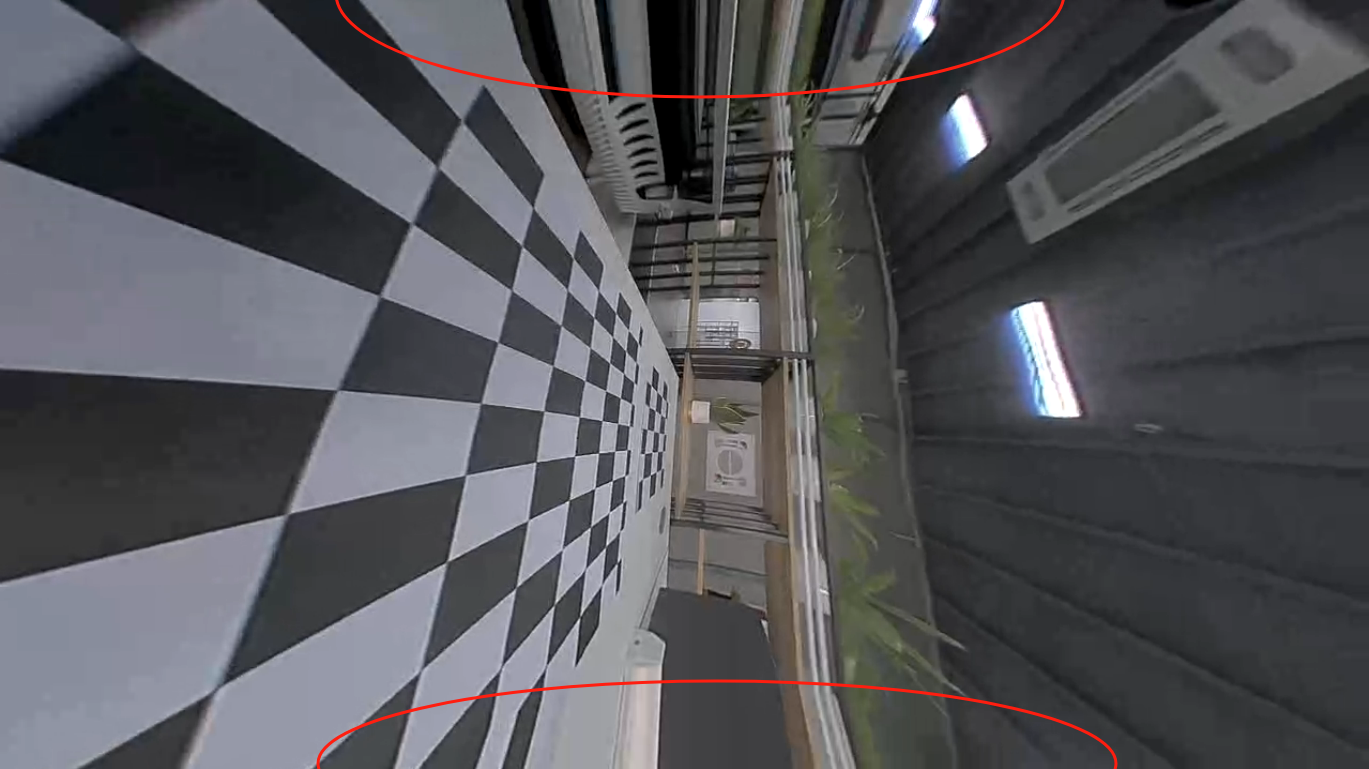
The position circled by the red line in the figure will experience abstract linearization. How can I solve this problem? If I adjust the input or output image, how can I keep the output image at 1280x720?
Regards,
Yueqian
This thread has been locked.
If you have a related question, please click the "Ask a related question" button in the top right corner. The newly created question will be automatically linked to this question.
Part Number: TDA4VM
The position circled by the red line in the figure will experience abstract linearization. How can I solve this problem? If I adjust the input or output image, how can I keep the output image at 1280x720?
Regards,
Yueqian

I can modify the size of the output image, as shown in the following figure.
But this modification method can only cut a portion of the image from the right and bottom, leaving only the upper left corner(Rectangular area).
The existing problem is that on the one hand, it is impossible to correct the arc distortion of the red line above, and on the other hand, it will greatly reduce the camera's field of view.
Is there any other better way to solve the problem of arc distortion in the upper and lower red lines.
Regards,
Yueqian

Hi Yueqian,
Is there any other better way to solve the problem of arc distortion in the upper and lower red lines.
The red area is out of your input image border.
LDC repeats the border pixels in that case.
But this modification method can only cut a portion of the image from the right and bottom, leaving only the upper left corner(Rectangular area).
For rectilinear output view, it is difficult to keep the entire view without getting out of input image border, because the available view is not rectangular.
You will have to decide what you want to do first (i.e., your desirable output view).
Thank you for your help. Can I solve this image problem by reducing the value of s? And maintain the resolution of the output image at 1280x720. At present, I set the value of s to 2 when obtaining the mesh.txt file. Can I change it to 1?
Can I solve this image problem by reducing the value of s?
Yes, you can change s without changing the output image size.
Can I change it to 1?
Yes, you can change it to anything between 0 and 2.
1. There is no distortion (the most important), which can be understood as the part without the red line circled;
2. The perspective after distortion removal should be as large as possible;
Hi qian,
I suppose these are your requirements.
In real systems, view point and view size must be calibrated after cameras are mounted.
In that process, input image border (red circles) must be taken care of properly.
if after distortion correction, objects that are actually closer will appear far away
I am not sure what you mean exactly.
It could simply be the perspective distortion of the scene.
Correction requires some assumption/estimation of the object distance like in 3D surround view systems.
There is an important note in the Introduction section of the 3D Surround View Application: it is requires to first run the vx_app_srv_calibration prior to running 3D SRV in order to have a properly calibrated image.
May I ask if running 'vx_app_srv_calibration' in advance is only to obtain the 'CALMAT. BIN' file? Can I do this through 'main. exe' in the './exe_out/.' folder instead of running 'vx_app_srv_calibration'.
Regards,
Yueqian