This thread has been locked.

If you have a related question, please click the "Ask a related question" button in the top right corner. The newly created question will be automatically linked to this question.

TDA4VM: Wrong result of developing custom semantic segmentaion model in Vision Apps.

Part Number: TDA4VM

Hi, I am developing a semantic segmentation application by modifying the app_tidl_seg in Vision Apps. But I get wrong result. My working step is as follow.

1. Convert the model and run inference by edgeai-tidl-tools

This step I have no problem, and I can get the right segmentation result as below. I run following command.

python onnxrt_ep.py -c

python onnxrt_ep.py

2. modify the config file in app_tidl_seg, and run ./vx_app_tidl_seg in PC emulation mode.

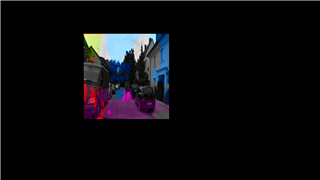
For this step, I get wrong result as below.

It seems like my model is fine (because get right result in edgeai-tidl-tools), but not work in vision apps.

Here is my config file.

# location of conifg
tidl_config /home/mzhenz/tda4/edgeai-tidl-tools/model-artifacts/best_epoch_327_mean-iu_0.72693_512_512/output_tidl_io_1.bin

# location of network
tidl_network /home/mzhenz/tda4/edgeai-tidl-tools/model-artifacts/best_epoch_327_mean-iu_0.72693_512_512/output_tidl_net.bin

# location of input files
input_file_path /home/mzhenz/tda4/psdk_rtos_ti_data_set_09_00_00/test_data/psdkra/tidl_demo_images

# location of output files
output_file_path ./app_tidl_seg_out_roadtype

# start frame Number
start_frame 500

# number of frames
num_frames 10

# input size (width height)
in_size 1024 512

# size given to DL network (width height)
# This should should not be less than 4x of input width or height
dl_size 512 512

# size given for display (width height)
# This should should not be less than 4x of input width or height
out_size 512 512

# Maximum number of Semantic Segmentation classes
num_classes 15

# delay in milli seconds (max 2000ms)
delay_in_msecs 0

# Enable or disable output image writing. 1 Enables it , 0 disables it
en_out_img_write 1

# If 1 - Enable display 0 - Disable display
display_option 0

# number of iterations to loop the inputs
num_iterations 1

# interactive input mode 1: yes, 0: no
is_interactive 0
Why I get the right result in edgeai-tidl-tools, but wrong result in vision apps? Where might be the problem? And how to debug the inference error in vision apps? 
Thanks.

  • Hi, I have tested more results as follow.

    Due to I use the deeplabv3plus_mobilenetv2_edgeailite model, I have tested the TI official deeplabv3plus_mobilenetv2_edgeailite model supported in edgeai_tidl_tools, which name ss-8610_onnxrt_ade20k32_edgeai-tv_deeplabv3plus_mobilenetv2_edgeailite_512x512_20210308_outby4_onnx, and the onnx file name is deeplabv3plus_mobilenetv2_edgeailite_512x512_20210308_outby4.onnx.

    Firstly, I use edgeai-tidl-tools to convert the official onnx model to tidl artifacts. And then I modify the config file in app_tidl_seg to develop this model into Vision Apps, and test it in PC emulation mode. However, I still can't get the right output. The output in Vision Apps is as follow.

    I test the deeplabv3plus_mobilenetv2_edgeailite_512x512_20210308_outby4 model in edgeai-tidl-tools by running python onnxrt_ep.py, and get the right results as follow.

    it seems that app_tidl_seg has some problem to support TI official deeplabv3plus_mobilenetv2_edgeailite model. What's the problem? How to fix it?

    My PSDK RTOS version is 09.00.00.02 and edgeai-tidl-tools version is 09_00_00_06.

    Looking for your early reply. Thanks.

    Best regards,

    Mingzhen Zhu

  • Hi Mingzhen,

    I think what the issue here is that, the model you have compiled expects a floating point input. 

    Whereas the demo, app_tidl_seg, have a preproc node, that does not support floating point.

    To check this, could you make add_data_convert_ops = 0 and recompile the model, and check if you are still facing this issue?

    https://github.com/TexasInstruments/edgeai-tidl-tools/tree/master/examples/osrt_python#advanced-options-for-accuracy-enhancement:~:text=advanced_options%3Aadd_data_convert_ops

    Also could you check in your svg if there is a data_Convert_layer present?

    Is it possible to share your svg here?

    Regards,

    Nikhil

  • Hi Nikhil,

    Yes, I find that there is a DataConvert Node in my model. My model's svg is as below. I didn't make any changes except the number of output categories compared with TI official deeplabv3plus_mobilenetv2_edgeailite.

    output_tidl_net.bin.svg.tar.gz

    Follow your suggestion, I modify the options advanced_options:add_data_convert_ops = 0 and recompile the model. And I get the error below.

    (tidl) mzhenz@mzhenz-virtual-machine:~/tda4/edgeai-tidl-tools/examples/osrt_python/ort$ python onnxrt_ep.py -c
    Available execution providers : ['TIDLExecutionProvider', 'TIDLCompilationProvider', 'CPUExecutionProvider']

    Running 1 Models - ['best_epoch_327']


    Running_Model : best_epoch_327


    Running shape inference on model ../../../models/public/best_epoch_327_mean-iu_0.72693_512_512.onnx


    Preliminary subgraphs created = 1
    Final number of subgraphs created are : 1, - Offloaded Nodes - 120, Total Nodes - 120

    ************** Frame index 1 : Running float import *************
    INFORMATION: [TIDL_ResizeLayer] Resize_115 Any resize ratio which is power of 2 and greater than 4 will be placed by combination of 4x4 resize layer and 2x2 resize layer. For example a 8x8 resize will be replaced by 4x4 resize followed by 2x2 resize.
    INFORMATION: [TIDL_ResizeLayer] Resize_120 Any resize ratio which is power of 2 and greater than 4 will be placed by combination of 4x4 resize layer and 2x2 resize layer. For example a 8x8 resize will be replaced by 4x4 resize followed by 2x2 resize.
    ****************************************************
    ** 2 WARNINGS 0 ERRORS **
    ****************************************************
    The soft limit is 2048
    The hard limit is 2048
    MEM: Init ... !!!
    MEM: Init ... Done !!!
    0.0s: VX_ZONE_INIT:Enabled
    0.11s: VX_ZONE_ERROR:Enabled
    0.12s: VX_ZONE_WARNING:Enabled
    0.1956s: VX_ZONE_INIT:[tivxInit:185] Initialization Done !!!

    ********** Frame Index 1 : Running float inference **********

    ********** Frame Index 2 : Running fixed point mode for calibration **********
    Empty prototxt path, running calibration

    ~~~~~Running TIDL in PC emulation mode to collect Activations range for each layer~~~~~

    Processing config file #0 : /home/mzhenz/tda4/edgeai-tidl-tools/model-artifacts/best_epoch_327/tempDir/output_tidl_io_.qunat_stats_config.txt
    Freeing memory for user provided Net
    ----------------------- TIDL Process with REF_ONLY FLOW ------------------------

    # 0 . .. T 32883.25 .... ..... ... .... .....
    # 1 . .. T 32513.15 .... ..... ... .... .....


    ***************** Calibration iteration number 0 started ************************

    ~~~~~Running TIDL in PC emulation mode to collect Activations range for each layer~~~~~

    Processing config file #0 : /home/mzhenz/tda4/edgeai-tidl-tools/model-artifacts/best_epoch_327/tempDir/output_tidl_io_.qunat_stats_config.txt
    Freeing memory for user provided Net
    ----------------------- TIDL Process with REF_ONLY FLOW ------------------------

    # 0 . ..PC_dsp_test_dl_algo.out: src/tidl_conv2d_base.c:1431: int32_t TIDL_refConv2dProcess(const TIDL_CreateParams*, sTIDL_AlgLayer_t*, sTIDL_Layer_t*, sTIDL_ConvParams_t*, tidlConv2dBuffParams_t*, void*, void*): Assertion `0' failed.
    Aborted (core dumped)


    ***************** Calibration iteration number 0 completed ************************


    ***************** Calibration iteration number 1 started ************************

    ~~~~~Running TIDL in PC emulation mode to collect Activations range for each layer~~~~~

    Processing config file #0 : /home/mzhenz/tda4/edgeai-tidl-tools/model-artifacts/best_epoch_327/tempDir/output_tidl_io_.qunat_stats_config.txt
    Freeing memory for user provided Net
    ----------------------- TIDL Process with REF_ONLY FLOW ------------------------

    # 0 . ..PC_dsp_test_dl_algo.out: src/tidl_conv2d_base.c:1431: int32_t TIDL_refConv2dProcess(const TIDL_CreateParams*, sTIDL_AlgLayer_t*, sTIDL_Layer_t*, sTIDL_ConvParams_t*, tidlConv2dBuffParams_t*, void*, void*): Assertion `0' failed.
    Aborted (core dumped)


    ***************** Calibration iteration number 1 completed ************************


    ***************** Calibration iteration number 2 started ************************

    ~~~~~Running TIDL in PC emulation mode to collect Activations range for each layer~~~~~

    Processing config file #0 : /home/mzhenz/tda4/edgeai-tidl-tools/model-artifacts/best_epoch_327/tempDir/output_tidl_io_.qunat_stats_config.txt
    Freeing memory for user provided Net
    ----------------------- TIDL Process with REF_ONLY FLOW ------------------------

    # 0 . ..PC_dsp_test_dl_algo.out: src/tidl_conv2d_base.c:1431: int32_t TIDL_refConv2dProcess(const TIDL_CreateParams*, sTIDL_AlgLayer_t*, sTIDL_Layer_t*, sTIDL_ConvParams_t*, tidlConv2dBuffParams_t*, void*, void*): Assertion `0' failed.
    Aborted (core dumped)


    ***************** Calibration iteration number 2 completed ************************


    ***************** Calibration iteration number 3 started ************************

    ~~~~~Running TIDL in PC emulation mode to collect Activations range for each layer~~~~~

    Processing config file #0 : /home/mzhenz/tda4/edgeai-tidl-tools/model-artifacts/best_epoch_327/tempDir/output_tidl_io_.qunat_stats_config.txt
    Freeing memory for user provided Net
    ----------------------- TIDL Process with REF_ONLY FLOW ------------------------

    # 0 . ..PC_dsp_test_dl_algo.out: src/tidl_conv2d_base.c:1431: int32_t TIDL_refConv2dProcess(const TIDL_CreateParams*, sTIDL_AlgLayer_t*, sTIDL_Layer_t*, sTIDL_ConvParams_t*, tidlConv2dBuffParams_t*, void*, void*): Assertion `0' failed.
    Aborted (core dumped)


    ***************** Calibration iteration number 3 completed ************************


    ***************** Calibration iteration number 4 started ************************

    ~~~~~Running TIDL in PC emulation mode to collect Activations range for each layer~~~~~

    Processing config file #0 : /home/mzhenz/tda4/edgeai-tidl-tools/model-artifacts/best_epoch_327/tempDir/output_tidl_io_.qunat_stats_config.txt
    Freeing memory for user provided Net
    ----------------------- TIDL Process with REF_ONLY FLOW ------------------------

    # 0 . ..PC_dsp_test_dl_algo.out: src/tidl_conv2d_base.c:1431: int32_t TIDL_refConv2dProcess(const TIDL_CreateParams*, sTIDL_AlgLayer_t*, sTIDL_Layer_t*, sTIDL_ConvParams_t*, tidlConv2dBuffParams_t*, void*, void*): Assertion `0' failed.
    Aborted (core dumped)


    ***************** Calibration iteration number 4 completed ************************

    ------------------ Network Compiler Traces -----------------------------
    successful Memory allocation
    INFORMATION: [TIDL_ResizeLayer] Resize_115 Any resize ratio which is power of 2 and greater than 4 will be placed by combination of 4x4 resize layer and 2x2 resize layer. For example a 8x8 resize will be replaced by 4x4 resize followed by 2x2 resize.
    INFORMATION: [TIDL_ResizeLayer] Resize_120 Any resize ratio which is power of 2 and greater than 4 will be placed by combination of 4x4 resize layer and 2x2 resize layer. For example a 8x8 resize will be replaced by 4x4 resize followed by 2x2 resize.
    ****************************************************
    ** 2 WARNINGS 0 ERRORS **
    ****************************************************


    Completed_Model : 1, Name : best_epoch_327 , Total time : 66784.79, Offload Time : 32873.81 , DDR RW MBs : 0, Output File : py_out_best_epoch_327_ADE_val_00001801.jpg


    MEM: Deinit ... !!!
    MEM: Alloc's: 26 alloc's of 414013564 bytes
    MEM: Free's : 26 free's of 414013564 bytes
    MEM: Open's : 0 allocs of 0 bytes
    MEM: Deinit ... Done !!!

    It can't pass PC_dsp_test_dl_algo.out in TIDL reference. How to fix it?

    Regards,

    Mingzhen Zhu

  • Besides, I tested another TI official model in edgeai-tidl-tools, named ss-ort-deeplabv3lite_mobilenetv2. The model's url is https://git.ti.com/cgit/jacinto-ai/jacinto-ai-modelzoo/plain/models/vision/segmentation/ade20k32/jai-pytorch/deeplabv3lite_mobilenetv2_512x512_ade20k32_20210308.onnx.

    I find it also has a DataConvert node behind the input data node, which is shown in the below svg. But I can get the right result.

    566TIDL_cast_out_tidl_net.bin.svg.tar.gz

    And I can get the right result in Vision Apps as below.

    I have check the model structure in svg. It seems like the model strcuture of ss-ort-deeplabv3lite_mobilenetv2 is the same as deeplabv3plus_mobilenetv2_edgeailite which model's url is http://software-dl.ti.com/jacinto7/esd/modelzoo/latest/models//vision/segmentation/ade20k32/edgeai-tv/deeplabv3plus_mobilenetv2_edgeailite_512x512_20210308_outby4.onnx

    However, I can get the right results with ss-ort-deeplabv3lite_mobilenetv2 but wrong result with deeplabv3plus_mobilenetv2_edgeailite. I am so confused with that. What's the problem?

    Best regards,

    Mingzhen Zhu

  • Hi,

    Let me check with the TIDL expert on this regarding what is the difference between these models.

    Regards,

    Nikhil

  • Hi Mingzhen,

          Even though data convert layer is added in both cases, in one case data convert is doing float to int8 conversion (output_tidl_net.bin.svg) whereas in other case (566TIDL_cast_out_tidl_net.bin.svg)  its just doing int8 to int8 conversion ( this might be happening to introduce padding based on consumer layer requirement). Can you share svg file for output_tidl_net.bin.svg when you disabled the data convert ops?

    Regards,

    Anshu

  • Hi Mingzhen,

          Thanks for sharing this. It looks like OSRT is having issue with disabling data convert ops. Is it possible for you to compile the model without edgeai  ( i.e directly using TIDL-RT)?

    Regards,

    Anshu

  • Hi Anshu,

    I have converted the model directly using TIDL-RT, but I get the below error.

    (base) mzhenz@mzhenz-virtual-machine:~/tda4/v09/ti-processor-sdk-rtos-j721e-evm-09_00_00_02/c7x-mma-tidl/ti_dl/utils/tidlModelImport$ ./out/tidl_model_import.out ../../test/testvecs/config/import/tidl_import_deeplabv3p_mnv2_edgeailite.txt
    ONNX Model (Proto) File : ../../test/testvecs/models/deeplabv3plus_mobilenetv2_edgeailite_512x512_20210308_outby4.onnx
    TIDL Network File : ../../test/testvecs/tidl_models/deeplabv3p_mnv2_edgeailite/tidl_net_model.bin
    TIDL IO Info File : ../../test/testvecs/tidl_models/deeplabv3p_mnv2_edgeailite/tidl_io_model_
    Current ONNX OpSet Version : 11
    Empty prototxt path, running calibration

    ~~~~~Running TIDL in PC emulation mode to collect Activations range for each layer~~~~~

    Processing config file #0 : /home/mzhenz/tda4/v09/ti-processor-sdk-rtos-j721e-evm-09_00_00_02/c7x-mma-tidl/ti_dl/test/testvecs/tidl_models/deeplabv3p_mnv2_edgeailite/tidl_import_deeplabv3p_mnv2_edgeailite.txt.qunat_stats_config.txt
    Illegal instruction (core dumped)


    ***************** Calibration iteration number 0 started ************************

    ~~~~~Running TIDL in PC emulation mode to collect Activations range for each layer~~~~~

    Processing config file #0 : /home/mzhenz/tda4/v09/ti-processor-sdk-rtos-j721e-evm-09_00_00_02/c7x-mma-tidl/ti_dl/test/testvecs/tidl_models/deeplabv3p_mnv2_edgeailite/tidl_import_deeplabv3p_mnv2_edgeailite.txt.qunat_stats_config.txt
    Illegal instruction (core dumped)


    ***************** Calibration iteration number 0 completed ************************

    ------------------ Network Compiler Traces -----------------------------
    successful Memory allocation
    INFORMATION: [TIDL_ResizeLayer] /classifier/Resize Any resize ratio which is power of 2 and greater than 4 will be placed by combination of 4x4 resize layer and 2x2 resize layer. For example a 8x8 resize will be replaced by 4x4 resize followed by 2x2 resize.
    INFORMATION: [TIDL_ResizeLayer] /Resize Any resize ratio which is power of 2 and greater than 4 will be placed by combination of 4x4 resize layer and 2x2 resize layer. For example a 8x8 resize will be replaced by 4x4 resize followed by 2x2 resize.
    TIDL ALLOWLISTING LAYER CHECK: TIDL_E_QUANT_STATS_NOT_AVAILABLE] tidl_quant_stats_tool.out fails to collect dynamic range. Please look into quant stats log. This model will get fault on target.
    ****************************************************
    ** 2 WARNINGS 1 ERRORS **
    ****************************************************

    My config ffile is tidl_import_deeplabv3p_mnv2_edgeailite.txt as follow.

    modelType = 2
    numParamBits = 8
    inputNetFile = ../../test/testvecs/models/deeplabv3plus_mobilenetv2_edgeailite_512x512_20210308_outby4.onnx
    outputNetFile = ../../test/testvecs/tidl_models/deeplabv3p_mnv2_edgeailite/tidl_net_model.bin
    outputParamsFile = ../../test/testvecs/tidl_models/deeplabv3p_mnv2_edgeailite/tidl_io_model_
    inDataNorm = 1
    inMean = 123.675 116.28 103.53
    inScale = 0.017125 0.017507 0.17429
    #resizeWidth = 512
    #resizeHeight = 512
    inWidth = 512
    inHeight = 512
    inNumChannels = 3
    inData = ../../test/testvecs/config/imageNet_sample_val.txt
    perfsimConfig = ../../test/testvecs/config/import/device_config.cfg
    # enableCustomlayers = 1
    debugTraceLevel = 0

    ### PARAMS FOR SEGMENTATION
    postProcType = 3
    numFrames = 1

    What's the problem?

    Best Regards,

    Mingzhen Zhu

  • tidl_import_deeplabv3p_mnv2_edgeailite.txt.qunat_stats_config.txt is as below.

    inFileFormat = 2
    numFrames = 1
    postProcType = 3
    postProcDataId = 0
    quantRangeUpdateFactor = -1.000000
    inData = /home/mzhenz/tda4/v09/ti-processor-sdk-rtos-j721e-evm-09_00_00_02/c7x-mma-tidl/ti_dl/test/testvecs/config/imageNet_sample_val.txt
    outData = "/home/mzhenz/tda4/v09/ti-processor-sdk-rtos-j721e-evm-09_00_00_02/c7x-mma-tidl/ti_dl/test/testvecs/tidl_models/deeplabv3p_mnv2_edgeailite/tidl_import_deeplabv3p_mnv2_edgeailite.txt_stats_tool_out.bin"
    netBinFile = /home/mzhenz/tda4/v09/ti-processor-sdk-rtos-j721e-evm-09_00_00_02/c7x-mma-tidl/ti_dl/test/testvecs/tidl_models/deeplabv3p_mnv2_edgeailite/tidl_net_model.bin
    ioConfigFile = /home/mzhenz/tda4/v09/ti-processor-sdk-rtos-j721e-evm-09_00_00_02/c7x-mma-tidl/ti_dl/test/testvecs/tidl_models/deeplabv3p_mnv2_edgeailite/tidl_io_model_1.bin
    flowCtrl = 35
    writeTraceLevel = 0
    debugTraceLevel = 0
    traceDumpBaseName = "/home/mzhenz/tda4/v09/ti-processor-sdk-rtos-j721e-evm-09_00_00_02/c7x-mma-tidl/ti_dl/test/testvecs/tidl_models/deeplabv3p_mnv2_edgeailite/tidl_import_deeplabv3p_mnv2_edgeailite.txt

    What is the Illegal instruction? Thanks.

    Best Regards,

    Mingzhen Zhu

  • Hi Mingzhen,

          This issue should be fixed in SDK 9.1, can you try the same? 


    Regards,

    Anshu

  • Hi,

    After I update my PSDK Linux, PSDK RTOS and edgeai-tidl-tools into version 9.1, which tools should I use to convert the deeplabv3plus_mobilenetv2_edgeailite model? edgeai-tidl-tools or TIDL-RT?

    Regards,

    Mingzhen

  • Mingzhen,

       If you are planning to use our demo app then you should use TIDL-RT.

    Regards,

    Anshu

  • Thanks, I will try.

  • Hi Anshu,

    Follow your suggestion, I have update my SDK in version 9.1. But I still can't get the right result. Here is my work flow.

    Firstly, I convert the deeplabv3plus_mobilenetv2_edgeailite model into .bin file using TIDL-RT, which is a TI official model offered in  http://software-dl.ti.com/jacinto7/esd/modelzoo/latest/models//vision/segmentation/ade20k32/edgeai-tv/deeplabv3plus_mobilenetv2_edgeailite_512x512_20210308_outby4.onnx

    My model import config file is as below.

    modelType = 2
    numParamBits = 8
    inputNetFile = "/home/mzhenz/tda4/v0901/ti-processor-sdk-rtos-j721e-evm-09_01_00_06/c7x-mma-tidl/ti_dl/test/testvecs/models/public/onnx/deeplabv3plus_mobilenetv2_edgeailite_512x512_20210308_outby4.onnx"
    outputNetFile = "../../test/testvecs/tidl_models/deeplabv3plus_mobilenetv2_edgeailite/tidl_net_model.bin"
    outputParamsFile = "../../test/testvecs/tidl_models/deeplabv3plus_mobilenetv2_edgeailite/tidl_io_model_"
    inDataNorm = 1
    inMean = 123.675 116.28 103.53
    inScale = 0.017125 0.017507 0.017429
    resizeWidth = 512
    resizeHeight = 512
    inWidth = 512
    inHeight = 512
    inNumChannels = 3
    inData = ../../test/testvecs/config/imageNet_sample_val.txt
    perfsimConfig = ../../test/testvecs/config/import/device_config.cfg
    debugTraceLevel = 0
    postProcType = 3

    And I didn't get any error in the model import process as below.

    (base) mzhenz@mzhenz-virtual-machine:~/tda4/v0901/ti-processor-sdk-rtos-j721e-evm-09_01_00_06/c7x-mma-tidl/ti_dl/utils/tidlModelImport$ ./out/tidl_model_import.out ../../test/testvecs/config/import/public/onnx/tidl_import_deeplabv3plus_mnv2_edgeailite.txt
    ONNX Model (Proto) File : /home/mzhenz/tda4/v0901/ti-processor-sdk-rtos-j721e-evm-09_01_00_06/c7x-mma-tidl/ti_dl/test/testvecs/models/public/onnx/deeplabv3plus_mobilenetv2_edgeailite_512x512_20210308_outby4.onnx
    TIDL Network File : ../../test/testvecs/tidl_models/deeplabv3plus_mobilenetv2_edgeailite/tidl_net_model.bin
    TIDL IO Info File : ../../test/testvecs/tidl_models/deeplabv3plus_mobilenetv2_edgeailite/tidl_io_model_
    Current ONNX OpSet Version : 11
    Empty prototxt path, running calibration

    ~~~~~Running TIDL in PC emulation mode to collect Activations range for each layer~~~~~

    Processing config file #0 : /home/mzhenz/tda4/v0901/ti-processor-sdk-rtos-j721e-evm-09_01_00_06/c7x-mma-tidl/ti_dl/test/testvecs/tidl_models/deeplabv3plus_mobilenetv2_edgeailite/tidl_import_deeplabv3plus_mnv2_edgeailite.txt.qunat_stats_config.txt
    Freeing memory for user provided Net
    ----------------------- TIDL Process with REF_ONLY FLOW ------------------------

    # 0 . .. T 32750.82 .... ..... ... .... .....


    ***************** Calibration iteration number 0 started ************************


    Empty prototxt path, running calibration

    ~~~~~Running TIDL in PC emulation mode to collect Activations range for each layer~~~~~

    Processing config file #0 : /home/mzhenz/tda4/v0901/ti-processor-sdk-rtos-j721e-evm-09_01_00_06/c7x-mma-tidl/ti_dl/test/testvecs/tidl_models/deeplabv3plus_mobilenetv2_edgeailite/tidl_import_deeplabv3plus_mnv2_edgeailite.txt.qunat_stats_config.txt
    Freeing memory for user provided Net
    ----------------------- TIDL Process with REF_ONLY FLOW ------------------------

    # 0 . .. T 28215.46 .... ..... ... .... .....


    ***************** Calibration iteration number 0 completed ************************


    Empty prototxt path, running calibration

    ------------------ Network Compiler Traces -----------------------------
    successful Memory allocation
    INFORMATION: [TIDL_ResizeLayer] /classifier/Resize Any resize ratio which is power of 2 and greater than 4 will be placed by combination of 4x4 resize layer and 2x2 resize layer. For example a 8x8 resize will be replaced by 4x4 resize followed by 2x2 resize.
    INFORMATION: [TIDL_ResizeLayer] /Resize Any resize ratio which is power of 2 and greater than 4 will be placed by combination of 4x4 resize layer and 2x2 resize layer. For example a 8x8 resize will be replaced by 4x4 resize followed by 2x2 resize.
    ****************************************************
    ** 2 WARNINGS 0 ERRORS **
    ****************************************************

    Here is my svg file of the imported model.

    tidl_net_model.bin.svg.zip

    Then, I use app_tidl_seg in vision_apps to test the model in PC emulation mode. However, I still can't get the right results. The app_seg.cfg file is as below.

    # location of conifg
    tidl_config /home/mzhenz/tda4/v0901/ti-processor-sdk-rtos-j721e-evm-09_01_00_06/c7x-mma-tidl/ti_dl/test/testvecs/tidl_models/deeplabv3plus_mobilenetv2_edgeailite/tidl_io_model_1.bin

    # location of network
    tidl_network /home/mzhenz/tda4/v0901/ti-processor-sdk-rtos-j721e-evm-09_01_00_06/c7x-mma-tidl/ti_dl/test/testvecs/tidl_models/deeplabv3plus_mobilenetv2_edgeailite/tidl_net_model.bin

    # location of input files
    input_file_path /home/mzhenz/tda4/dataset/psdk_rtos_ti_data_set_09_01_00/test_data/psdkra/tidl_demo_images

    # location of output files
    output_file_path ./app_tidl_seg_out

    # start frame Number
    start_frame 500

    # number of frames
    num_frames 5

    # input size (width height)
    in_size 1024 512

    # size given to DL network (width height)
    # This should should not be less than 4x of input width or height
    # dl_size 768 384
    dl_size 512 512

    # size given for display (width height)
    # This should should not be less than 4x of input width or height
    # out_size 768 384
    out_size 512 512

    # Maximum number of Semantic Segmentation classes
    num_classes 5

    # delay in milli seconds (max 2000ms)
    delay_in_msecs 0

    # Enable or disable output image writing. 1 Enables it , 0 disables it
    en_out_img_write 1

    # If 1 - Enable display 0 - Disable display
    display_option 0

    # number of iterations to loop the inputs
    num_iterations 1

    # interactive input mode 1: yes, 0: no
    is_interactive 0
    And the result I get is as follow.
    It seems like there is still some problem. What's the problem? How to fix it?
    Besides, is there any documentation to introduce which parameters I should set in config file when I convert a ONNX segmentation model in TIDL-RT.
    Thanks for answering my question. Wish you a merry Christmas.
    Best regards,
    Mingzhen Zhu
  • Hi,

    Is there any update? Thanks.

    Regards,

    Mingzhen

  • Hi,

    The app_tidl_seg, expects 5 classes. I believe you have 19 classes right?

    In the main.c of app_tidl_seg, you could see "color_map[5] [3]". Here it is hardcoded. You would have to update the same as per the comments mentioned. Could you please confirm if you have done this?

    Regards,

    Nikhil

  • Thanks, I have done this and the results are fine.

    Regards,

    Mingzhen