This thread has been locked.

If you have a related question, please click the "Ask a related question" button in the top right corner. The newly created question will be automatically linked to this question.

AVP application

Hi TI

If we would like to create a file based application(for different cameras),is it recommended to use a single frame with all channels concatenated,I believe this for the object array filling.

Are the frames concatenated like {Frame1(nv12), Frame2(nv12), Frame3(nv12)..}

Also can avp2 application can be reused for different models and model resolution by changing the config file.

Thanks &Regards

Sithara Tresa Chacko

  • If we would like to create a file based application(for different cameras),is it recommended to use a single frame with all channels concatenated,I believe this for the object array filling.

    Well, this is application dependent. You can either have one file with concatenated images or you can have separate file and read them into object array.

    Regards,

    Brijesh

  • Thank you! Can you confirm how exactly is this concatenated images are created.I tried to create the composite image ,but when i try to visualise I could find difference in the color component.

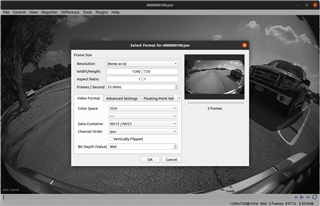
    TI s input image

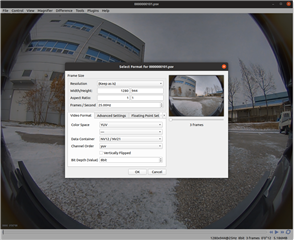
    Concatenated image created by me

    Apart from the image resolution ,the format chosen is same.Kindly guide.

  • Hi,

    Again, this is application dependent. You can concatenate the image the way you want, but please make sure that you interpret this image format correctly when you read the images in the application. 

    Regards,

    Brijesh