This thread has been locked.

If you have a related question, please click the "Ask a related question" button in the top right corner. The newly created question will be automatically linked to this question.

AM62P: Packet DMA usage in AM62p

Part Number: AM62P

I referred TRM. I can't able to understand exact steps need to be done for UART to Memory Transfer using DMA. 

I need to transfer data from UART buffer to memory. What type of DMA I should use, PCKTDMA or BCDMA?

What are the configurations I should do before Initiating the Transfer, and how can I trigger the Transfer?

  • Hi Gokulakannan,

    Thanks for reaching out on the TI E2E Support forum.

    Please expect responses in few business days.

    Regards.,

    Vaibhav

  • Hi Vaibhav Kumar, Any update on this configuration guidelines?

  • Hello Gokulakannan,

    I can provide the details by EOD .

    Regards,

    Anil.

  • Hello Gokulakannan,

    There are an UART+UDMA  example available on AM62X.

    You can refer the above example for your implementation and the same approach is applicable to AM62P as well.

    Actually, before going to implementation, you can go through the PDMA peripheral first.

    PDMA peripheral is used to transfer data in between peripheral to memory and vice versa.

    For more information please refer below to the chapter.

    The PDMA will follow the below architecture when data is moving from any peripheral to Destination memory.

    PDMA → TCP/RCP Buffers → PSIL → PKTDMA → DMASS → Destination Memory.

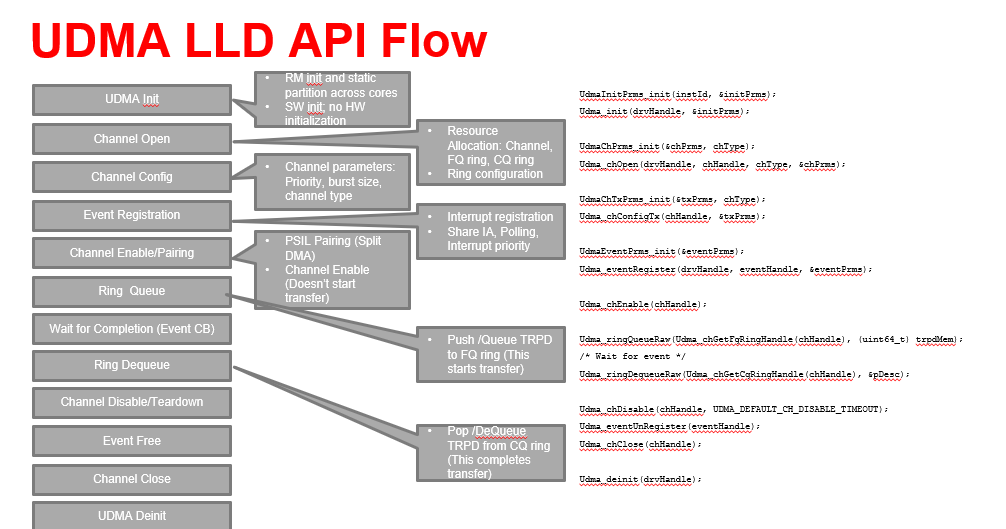
    Typically the sofwtare flow as below .

    We need below steps to achieve UDMA+PKTDMA operation .

    Please note that this has not been tested at my end. 

    1. Channel Allocations for UART. We need two channels one for Tx and another for Rx

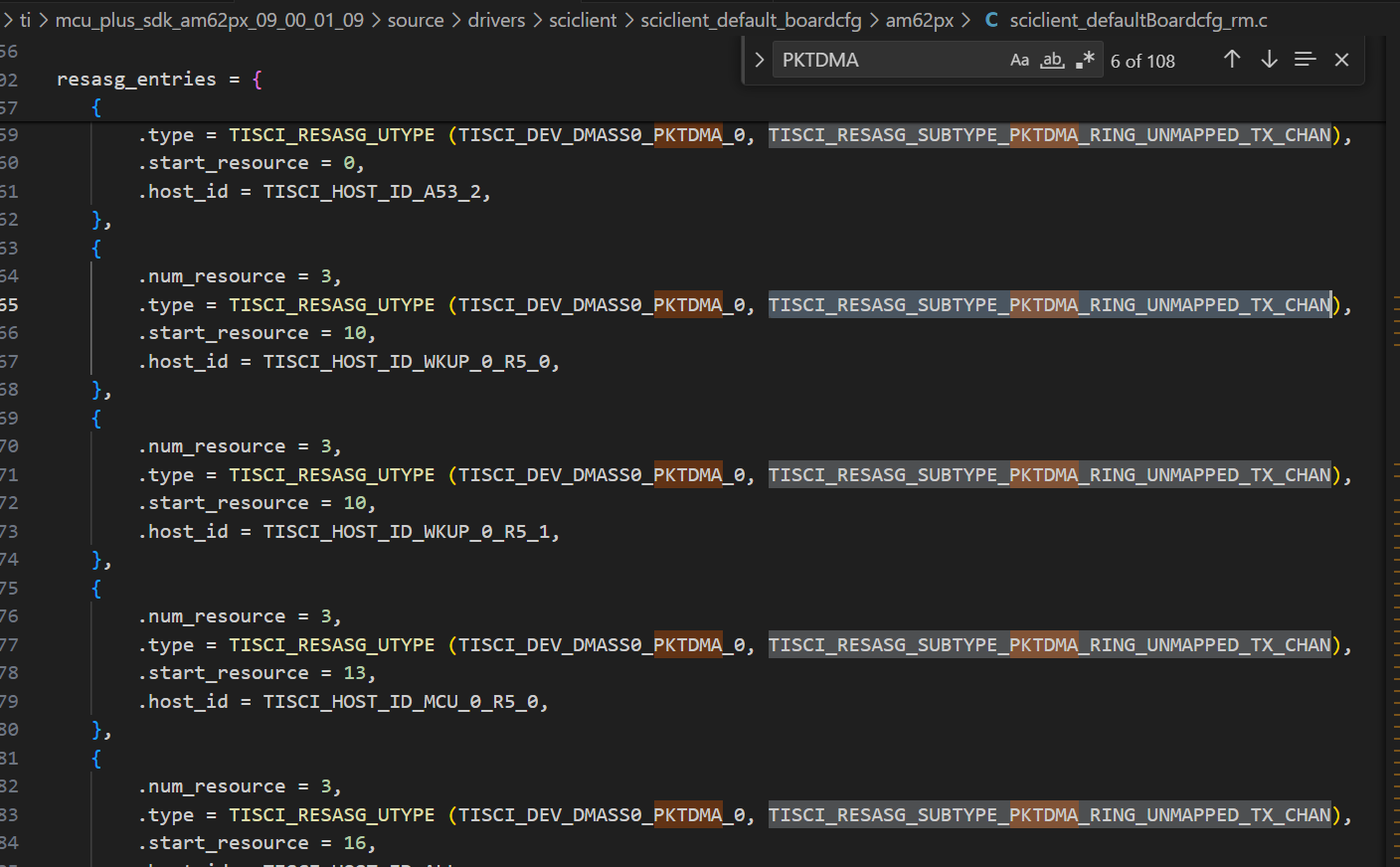
    TX and RX channel number values should be get from Sciclient_rmBoard_cfg.c file.

    Path : \ti\mcu_plus_sdk_am62px_09_00_01_09\source\drivers\sciclient\sciclient_default_boardcfg\am62px

    Please look at below image .


    TX channel parameters configurations through the SCI client
    RX channel parameters configurations through the SCI client

    2. Ring needs to be allocated for BCDMA operation
    It is typically configured by  SCI client.

    We need to call below function to configure Ring 

    Sciclient_rmRingCfg

    We need to call below function to configure TX channel 

    Sciclient_rmUdmapTxChCfg

    We need to call below function to configure RX channel 

    Sciclient_rmUdmapRxChCfg

    3. Channel Enabled

    Here, we need to configure the 10th channel and not the 0th channel, since channels are allocated on DM R5F is starting from the 10th number.

    Please look at the image below.

    So, in the example this j value is channel number which is starting from 10th .

    0X4A82 0000 + (10 * 0x1000) = 0x80000000; 

    4. HOST packet  descriptor Settings

    Here we need to configure what is the destination memory and how much data can be moved .Please refer example code and host packet descriptor information from the TRM .


    5. DMA start

    Here we need to add offset value for the 10th channel.

    So, your doorbell Ring Register address will be changed accordingly. 

    0x4BC00010 * ( j * 0x2000) = 0x4BC14000

    *(volatile uint32*) 0x4BC14000 = 0x00000001; //BCDMA_RINGRT_RINGRT_FDB_J_J Register


    6. DMA Completion Check

    Please look at UART+DMA echo example which is available on AM62X .It can be helpful.

    May I know are you implementing the  UART+DMA on which core ? Is it on MCUR5F or DMR5F core ?

    Where are you using AUTOSAR  ?

    Regards,

    S.Anil.