This thread has been locked.

If you have a related question, please click the "Ask a related question" button in the top right corner. The newly created question will be automatically linked to this question.

CCSTUDIO: Error when migrating AM263Px package in SysConfig

Part Number: CCSTUDIO
Other Parts Discussed in Thread: SYSCONFIG, AM263P4

I am creating a sysconfig for custom hardware (PCBA) by porting a project targeting TMDSCNCD263P-AM263Px Sitara Control Card.

The custom hardware uses the ZCZ_C package, whereas the Control Card uses ZCZ_S package. Therefore, I tried to migrate as seen here:
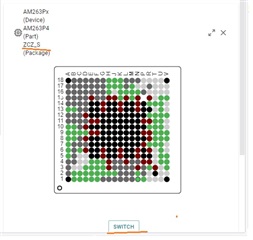
After Confirming I see:

... but upon saving, I see this error

I copied the details here:

Operation Summary
Error encountered while migrating project 'am263x-Project_Name_r5fss0-0': Target 'AM263Px' has no cores with the ID 'r5fss0-0' - migration operation aborted!
Error encountered while migrating project 'am263x-Project_Name_r5fss0-1': Target 'AM263Px' has no cores with the ID 'r5fss0-1' - migration operation aborted!

Why do I see this error?

Regards,

Tollman

  • Hey Tollman,

    Thanks for reaching out regarding this issue. I am reaching out to the right folks in SDTO to find a resolution here. Both package options should have the r5fss0-x contexts.

    Best Regards,

    Zackary Fleenor 

  • Hi Tollman,


    Even though the error message pops up, once you click 'OK' in that, the example.syscfg file is still migrated, as you can see here:


    To build the project after migration, you will have to change the sysconfig --package flag value to 'ZCZ_C' in project properties:

    With this change, the project should be migrated and built successfully.

    I will check with the SDTO folks as to why the error message pops up when saving the file.


    Best,
    Aswathi

  • Hi Aswathi,

    1)

    I tried your recommended solution.

    • Open sysconfig
    • Click package->“Switch”
    • Select New Value -> ZCZ_C
    • “Confirm”
    • Save
    • Acknowledge error “OK

    I see the package in sysconfig is changed:

    * @cliArgs --device "AM263Px" --package "ZCZ_C" --part "AM263P4" --context "r5fss0-1" --product "MCU_PLUS_SDK_AM263Px@09.01.00"

    However, when I open sysconfig again, and click “Show Device View” the package is still ZCZ_S.

    Also, I can not assign signals to pins not available on the ZCZ_S package. For example, I cannot assign GPIO71 – GPIO74 because they do not appear in the list of available pins as seen here:

    For reference:

    Note:

    I am using the latest CCS, and SDK.

    Am I doing something wrong?

    2)  

    I noticed that in sysconfig is "--product "MCU_PLUS_SDK_AM263Px@09.01.00"".
    Could this be a problem?

    Note: I may 'port' my sysconfig to 09.02.

    Regards,

    Scott 

  • Hi Scott,

    1. As I mentioned in my last reply, you will have to change the package value to "ZCZ_C" in the project properties window after saving the example.

      This is required because you imported a CC board project, so "ZCZ_S" would be the default package and sysconfig will be invoked with that value.

    2. That is not really a problem, but it is always recommended to use the latest version which is 09.02 now.

    Best regards,
    Aswathi

  • I successfully changed the package, and am now able to assign pins that are only available to the ZCZ_C package.

    Thanks Aswathi