


Part Number: PROCESSOR-SDK-AM68A
Other Parts Discussed in Thread: SK-AM68
Hi,
I am working on the remote display demo from edgeai-gst-apps from PSDKL (v8.6). I am following this guideline to run the demo,
The remote_display.yaml file configuration is,
root@j721s2-evm:/opt/edgeai-gst-apps# cat ./configs/remote_display.yaml
title: "Remote Display"
# If output is set to display, it runs the pipeline with udpsink as the output
# To view the output on web browser, run the streamlit server using
# root@soc:/opt/edgeai-gst-apps> streamlit run scripts/udp_vis.py -- --port *port_number* [Default is 8081]
# This will start streamlit webserver and generate a link which you can open in browser
log_level: 2
inputs:
    input0:
        source: /dev/video2
        format: h264
        width: 640
        height: 480
        framerate: 30
    input1:
        source: /opt/edgeai-test-data/videos/video_0000_h264.h264
        format: h264
        width: 1280
        height: 720
        framerate: 30
        loop: True
    input2:
        source: /opt/edgeai-test-data/images/%04d.jpg
        width: 640
        height: 480
        index: 0
        framerate: 1
        loop: True
models:
    model0:
        model_path: /opt/model_zoo/ONR-SS-8610-deeplabv3lite-mobv2-ade20k32-512x512
        alpha: 0.4
    model1:
        model_path: /opt/model_zoo/TFL-OD-2010-ssd-mobV2-coco-mlperf-300x300
        viz_threshold: 0.6
    model2:
        model_path: /opt/model_zoo/TFL-CL-0000-mobileNetV1-mlperf
        topN: 5

outputs:
    output0:
        sink: remote
        width: 640
        height: 480
        port: 8081
        host: 0.0.0.0
flows:
    flow0: [input0,model1,output0]
With Gst:
By running the demo with gst, I used this command as mentioned in the guideline https://software-dl.ti.com/jacinto7/esd/processor-sdk-linux-edgeai/AM68A/08_06_01/exports/docs/common/configuration_file.html
I get the following output and can see nothing on the remote PC,
sudo gst-launch-1.0 udpsrc port=8081 ! application/x-rtp,encoding=H264 ! rtph264depay ! h264parse ! avdec_h264 ! autovideosink

Setting pipeline to PAUSED ...
Pipeline is live and does not need PREROLL ...
Pipeline is PREROLLED ...
Setting pipeline to PLAYING ...
New clock: GstSystemClock
With Streamlit:
Upon running the streamlit server and opening the web browser with specified port number (8081),
root@j721s2-evm:/opt/edgeai-gst-apps# streamlit run scripts/udp_vis.py -- --port 8081

(streamlit:1765): Gdk-CRITICAL **: 08:47:53.424: gdk_cursor_new_for_display: assertion 'GDK_IS_DISPLAY (display)' failed

Collecting usage statistics. To deactivate, set browser.gatherUsageStats to False.


  You can now view your Streamlit app in your browser.

  Network URL: http://XX.XX.XX.XX:8501
  External URL: http://XX.XX.XX.XX:8501

Listening to port 8081 for jpeg frames
Starting GST Pipeline...
Listening to port 8081 for jpeg frames
Starting GST Pipeline...
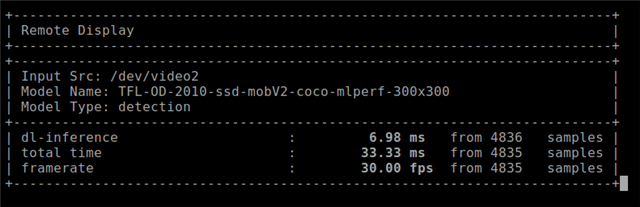
I see nothing on the web browser, while, the remote display demo is running in the background giving logs,
Is there any step that I missed?
Thanks,
Ahmed
