This thread has been locked.

If you have a related question, please click the "Ask a related question" button in the top right corner. The newly created question will be automatically linked to this question.

CCSTUDIO: CCS Theia build and debug

Part Number: CCSTUDIO
Other Parts Discussed in Thread: C2000WARE

Tool/software:

Hi champs,

I am asking this for our customer.

CCS Theia 1.4.1 is used.

Testing codes and board.

C2000ware V5.02

F28P550SJ9 Launchpad

Q: What is the difference between Run-> Debug Project and Run->Start Debugging
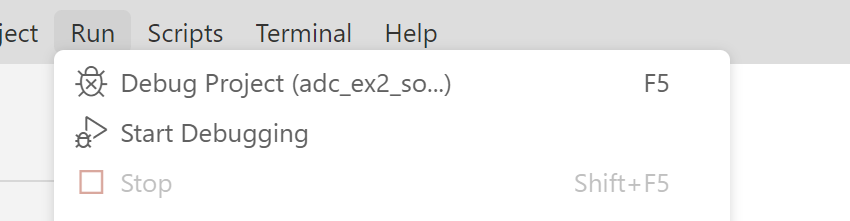
When the user uses Run-> Debug Project, it successfully build the code (using a C2000ware V5.02 basic example code) but fails to start a debug view. The error is showed below.

But if the user uses Run->Start Debugging, it can successfully build and launch the debug view.

Should the user uses Run->Start Debugging rather than Run-> Debug Project?

  • Hello,

    I have brought this thread to the attention of the Theia team. 

    Thanks

    ki

  • Hi Wayne,
    Debug project will build the selected project, the name of the project is in the menu. Start Debugging will start launching the launch without building the project, same as clicking on the green arrow in the debug toolbar. However, we are looking into changing the behavior of the "Start Debugging" menu item or clicking on the green arrow in the debug toolbar. In the future, this menu item or the toolbar button might build the project first if the selected launch in the debug toolbar drop down is a project.

    Regards,
    Patrick

  • Hi Patrick,

    Based on your description, we confirmed them further and have workarounds for the issue on the first post.

    In this case, Run-> Debug Project should be able to build the project and launch the debug view.

    It seems there were something wrong with workspace or intermediate project files. 

    The workaround is to change to a new workspace or clean all the projects before next build, then it solves. And the behaviors of Run-> Debug Project and Run->Start Debugging match what you said.

    It may happen again sometimes after opening several projects (in this case, I tried to use both C2000ware and MSPM0 examples in a hybrid way) and build them and debug them in mixed ways. Sometimes, the same example codes have unexpected errors during building. I did not see this kind of error when using Eclipse 11.x/12.x.

    But after cleaning the projects and build them from the scratch, it seems to work now.

    Question:

    Back to your last post, would you please confirm this again?

    "Run->Start Debugging" for building, connecting to the target and launching a debug view, like the bug icon in Eclipse 12.x

    "Run-> Debug Project" for connecting to the target and launching a debug view, and this is for some users who build codes first and then debug them optionally and separately. You are looking into this to make this same as "Run->Start Debugging" in the future.

    Is my understanding correct?


  • Regarding the last post about multiple projects opened, I don't see this issue. I have multiple projects opened for different device families in my workspace folder as well. There is a known issues, when clicking on the green arrow beside the toolbar, it builds the selected project for a project launch configuration. This issue is fixed in CCS1.5. CCS1.5 is targeted to be release at the end of August.

    "Run-> Debug Project", build the selected project, start a project debug session, connect, load program, like the bug icon in Eclipse 12.x

    "Run-> Start Debugging", start launching using the selected launch configuration in the debug toolbar.

    There is also a project-less debug launch, select a ccxml file in the TargetConfiguration view. Right click to open the context menu and select the project-less context menu item. This will create a project-less launch and start a project-less debug session. User will need to connect to to core and load the program manually. User can modify the launch.json to add a program for each core to load on the start of a project-less launch.

    For more information see https://software-dl.ti.com/ccs/esd/documents/users_guide_ccs_theia/ccs_debug-main.html#launching-a-debug-session.