This thread has been locked.

If you have a related question, please click the "Ask a related question" button in the top right corner. The newly created question will be automatically linked to this question.

TDA4VE-Q1: Unable to access DAP (Error -1170) when loading launch.js file in CCS

Part Number: TDA4VE-Q1
Other Parts Discussed in Thread: TDA4VM, UNIFLASH, SK-TDA4VM

Tool/software:

I am trying to get the CCS Setup for J721S2 working with a custom board from one of our customers but I am failing at the step where the JS File is to be loaded with the scripting console at 7.3.2. Step 3

As debugger I am using the "Texas Instruments XDS2xx USB Debug Probe" Connection with a XDS200 Spectrum Digital.
The debugger is connected via a 14Pin-TI adapter. The following pins are wired:

- TDI
- TDO
- TMS
- TRST
- TCK
- GND/VTref


Since it is a custom board, i set the boot switches accordingly:

  • SW8[1-8] = 1000 1000 --> BOOTMODE0 and BOOTMODE4 set to high

  • SW9[1-8] = 0111 0000 --> MCU_BOOTMODE[05:03]  set to high

- I am able to launch the J72S2_EVM.ccxml, but when loading the launch.js file in the scripting console i get a pop up message:

"Error connecting to the target:
(Error -1170 @ 0x0)
Unable to access the DAP. Reset the device, and retry the operation. If error persists, confirm configuration, power-cycle the board, and/or try more reliable JTAG settings (e.g. lower TCLK).
(Emulation package 12.8.0.00189)"

And in the Scripting console:

js:> loadJSFile /home/dev/ti/ti-processor-sdk-rtos-j721s2-evm-09_02_00_05/pdk_j721s2_09_02_00_30/packages/ti/drv/sciclient/tools/ccsLoadDmsc/j721s2/launch.js
Connecting to Cortex_M4F_0!
Error connecting to the target: emulation failure occurred (/home/dev/ti/ti-processor-sdk-rtos-j721s2-evm-09_02_00_05/pdk_j721s2_09_02_00_30/packages/ti/drv/sciclient/tools/ccsLoadDmsc/j721s2/launch.js#108)


I tested the conenction from the  XDS200 Debugger by selecting "Test Connection" in the Target Configuration Tab and it returns successfully.
"All of the values were scanned correctly.
The JTAG DR Integrity scan-test has succeeded."

What i tried so far:
- Changed the TCLK frequency from 10 MHz to 1 MHz like suggested in the error message
- Reinstalled CCS

  • Hi,

    Have you tested this with the XDS110 on-board debugger for J722S?

    Thanks,

    Neehar

  • Hi Neehar,

    I don't think there is a XDS110 debugger on that board. It is not an EVAL but a custom designed board from one of our customers with a Jacinto XJ721S25AALZ TDA4-VE. I currently only have access to a XDS200 debugger.

    Thanks in advance,
    Christopher

  • Hi Christopher,

    Sorry for the confusion as I misread the part number, thanks for this information. 

    There should not be an issue with the debugger connection as all the tests pass with Test Connection. Can you ensure the board is powered on and in no boot mode when loading the launch.js file?

    Thanks,

    Neehar

  • Hi Neehar,

    Yes. The testpoints I have indicate that the device has power and is in no boot mode.

    Further information: The device is a HS-FS device. From the information I have gathererd HS-FS does not allow by default access to the M4, which is required by the launch script. Before the script fails, the last print statement is:
    "Connecting to Cortex_M4F_0!".

    In case the launch script does not work for HS-FS devices, what would an alternative be to execute code on the R5-Core for example?


  • Hi Christopher,

    The device is a HS-FS device. From the information I have gathererd HS-FS does not allow by default access to the M4, which is required by the launch script.

    Yes, this is correct. HS-FS devices are high security and do not allow you to directly connect to Cortex M4 and load the launch.js script.

    In case the launch script does not work for HS-FS devices, what would an alternative be to execute code on the R5-Core for example?

    Do you wish to use a debugger when executing code on the R5-core? Or simply execute the code on the core?

    Thanks,

    Neehar

  • Hi Neehar,

    I wish to use the debugger.

    The use case is to develop a RAM bootloader which interfaces one of the cores to interface the eMMC peripheral.

    Is this possible with a HS-FS device on the R5-core?

    Thanks,
    Christopher

  • Hi Christopher,

    The method we would recommend for your situation is to place a while loop in the main function of the bootloader and then adjust the variable in CCS to get out of the while loop. This way you can connect to the target and debug without the launch.js script.

    However, generally our CCS and debugging support is not for testing bootloaders and instead for loading programs for MCU1_0.

    Another option is to take a look at the GEL scripts and include the PLL and other setup within your code.

    Thanks,

    Neehar

  • Hello Neehar,

    I am taking over this project from Christopher. Thank you for your help so far! The main challenge currently is the complexity of the board initialization GEL scripts and core connection.

    We are trying to progress both on the customer PCB and the Evaluation Board:

    Target PCB XJ721S25AALZ TDA4-VE:

    • XDS200 + CCS can connect to MCU_Cortex_R5_0, but is unable to load any code

    Eval Board J721EXSKG01EVM TDA4VM:

    • XDS200 + CCS + J721e launch.js script is able to initialize the board
    • The "hello_world_r5" sdl example from "ti-processor-sdk-rtos-j721e-evm-10_00_00_05" can be loaded and executed
    • The "MMCSD_Baremetal_EMMC_TestApp" drv/mmcsd example from "pdk_jacinto_10_00_00_27" can be loaded but fails either during Sciclient_init() or when trying to read the MMC0 ID

    As a consequence these questions emerge from ourside:

    • What is the standard approach to connect to a TDA4-VE (HS-FS) device, load and execute code?
    • What is the minimal required board/PLL setup to enable the MMC module? Is there Baremetal example code available?
    • Why is the "MMCSD_Baremetal_EMMC_TestApp" failing on the evaluation board?

    The preferred solution would be a Cortex-R5F binary that correctly initializes the board, such that this is not necessary to do via debugger connection.

    Also due to the complexity of the makefile-based processor SDK: Is there a CCS-supported chip that is compatible to the TDA4 that can be used?

    I am looking forward to hearing from you!

    Best regards, Andreas

  • Hi Andreas,

    I am currently looking into this and will get back to you, thank you for your patience.

    Thanks,

    Neehar

  • Hi Andreas,

    What is the standard approach to connect to a TDA4-VE (HS-FS) device, load and execute code?

    Unfortunately on HS-FS devices we do not have a standard approach to load and debug code in CCS. The options I provided above are your best options such as placing a breakpoint or while loop in the code as long as you do not boot in No Boot mode.

    What is the minimal required board/PLL setup to enable the MMC module? Is there Baremetal example code available?

    For HS-FS devices we use SBL NULL on other devices which is a bootloader that will initialize the SOC and place the cores in an idle state allowing for debugging. You may refer to this for further help, however, we are not able to support or provide any guidance on how to do this. The generic code for board/PLL setup will be available in the GEL scripts and launch.js script, however, it will not be specifically the minimum setup to enable MMC module.

    Why is the "MMCSD_Baremetal_EMMC_TestApp" failing on the evaluation board?

    What core are you building and running this test application for? It should be supported on any core other than MCU1_1 or MCU_R5_1.

    Also due to the complexity of the makefile-based processor SDK: Is there a CCS-supported chip that is compatible to the TDA4 that can be used?

    Any of the TDA4 chips are supported by CCS, however, we do not have a standardized approach for HS-FS devices. This is something we need to develop for the future.

    I have assigned this thread to our security and boot expert who will be able to assist you further.

    Thanks,

    Neehar

  • Hi Neehar,

    thank you so much for the detailed answers. So my only possibility is to use a binary that exclusively uses the OCMC-RAM of the Cortex-R5F, which does not require any board setup. It is declared as "MCU_MSRAM_1MB0_RAM" in the MCU memory map [0x0041C00000 - 0x0041D00000].

    I further looked into the flashing tools provided by TI and it seems that the UNIFLASH tool is linked exclusively to OCMC-RAM, so this can be run via debug access on GP and HS Devices alike. The tool also includes the MMCSD module and provides emmc flash functions. Do you know if this was confirmed to work on J7 devices?

    I tried to test executing the UNIFLASH tool on the SK-TDA4VM (J721E_EVM), but it seemed to not be running correctly:

    1. Board setup with Target configuration was successful
    2. Build UNIFLASH tool (ti-processor-sdk-rtos-j721e-evm-09_02_00_05; pdk_jacinto_09_02_00_30)
      1. Go to directory
      2. cd into ~/ti/ti-processor-sdk-rtos-j721e-evm-09_02_00_05/pdk_jacinto_09_02_00_30/packages/ti/build
      3. Run make -j8 PLATFORM=j721e_evm board_utils_uart_flash_programmer
      4. Built Cortex-R5F elf: ~/ti/ti-processor-sdk-rtos-j721e-evm-09_02_00_05/pdk_jacinto_09_02_00_30/packages/ti/board/utils/uniflash/target/bin/j721e_evm/uart_j721e_evm_flash_programmer_release.xer5f
    3. Load the UNIFLASH Cortex-R5F elf:


    4. Running the UNIFLASH Cortex-R5F elf did not show any UART output:

      and the Application is stuck at an unknown location:
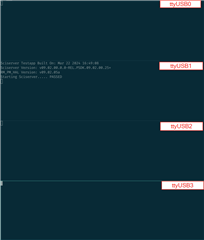
    5. Running the UNIFLASH elf without board init via launch.js shows some exceptions at ttyUSB0:
    6. Running the UNIFLASH elf on MAIN_R5_0_0 instead of MCU_R5_0 also fails at an FWL exception:

    Can you tell me how I can correctly run the TI UNIFLASH tool?
    Is there a tested version of the SDK/PDK that should definitely work with the J721EXSKG01EVM?

    Do you have any other remarks on how to approach the eMMC flashing usecase?

    I am looking forward to hearing from you!

    Best regards,

    Andreas

  • Hi,

    Our expert is OoO and he will support you next week.

    Regards,

    Karthik

  • Hi,

    I have some new insights. When doing a clean reset and debug the Cortex-R5 ELF on MCU1_0 without running the launch.js, I can debug the Core. However, the application waits for a response from the TISCI. This conflicts with the setup, that requires the same MCU1_0 to run the sciserver testapp. Therefore I cannot test this application standalone on the evaluation board.

    Call stack:

    Regards,

    Andreas

  • Hi Andreas,

    Sorry for the delayed response. The board_utils_uart_flash_programmer test application is required to be ran in UART boot mode and will not work in No Boot mode. Please run the test in UART boot mode and let me know your results.

    Additionally, if this device is an HS device we do not support any JTAG boot in No Boot mode for high security devices.

    Is there a tested version of the SDK/PDK that should definitely work with the J721EXSKG01EVM?

    All the examples and test applications within PDK have been tested and should definitely work with J721E EVM if ran correctly.

    Thanks,

    Neehar

  • Hi Neehar,

    thanks and no problem!

    Due to the big difference between both devices, we want to proceed with the XJ721S25AALZ TDA4-VE (HS-variant) only and ignore the SK-TDA4VM for now.

    Please run the test in UART boot mode and let me know your results.

    I will test this and get back to you.

    Additionally, if this device is an HS device we do not support any JTAG boot in No Boot mode for high security devices.

    Can you give me more information about this? In the past we were able to perform a HS-FS to HS-SE conversion via JTAG Dev Boot mode, where we transfered and exectued the OTP Keywriter binary on MCU1_0.

    Best regards,

    Andreas

  • Hi Andreas,

    Can you give me more information about this? In the past we were able to perform a HS-FS to HS-SE conversion via JTAG Dev Boot mode, where we transfered and exectued the OTP Keywriter binary on MCU1_0.

    We are going off topic from the main title given to this thread. Could you create a new thread and we can assist you with any further questions there. This makes it easier for issues to be searchable for others in the future.

    Thanks,

    Neehar

  • Hi Neehar,

    yes we are going off topic here. Regarding OTP Keywriting via JTAG, I opened this ticket: https://e2e.ti.com/support/processors-group/processors/f/processors-forum/1420023/processor-sdk-j721s2-cannot-run-keywriter-via-jtag-xj721s25aalz-hs-fs-device

    regards,

    Andreas